Category Archives: technique

My Approach to Shooting and Processing on Crappy Weather Days

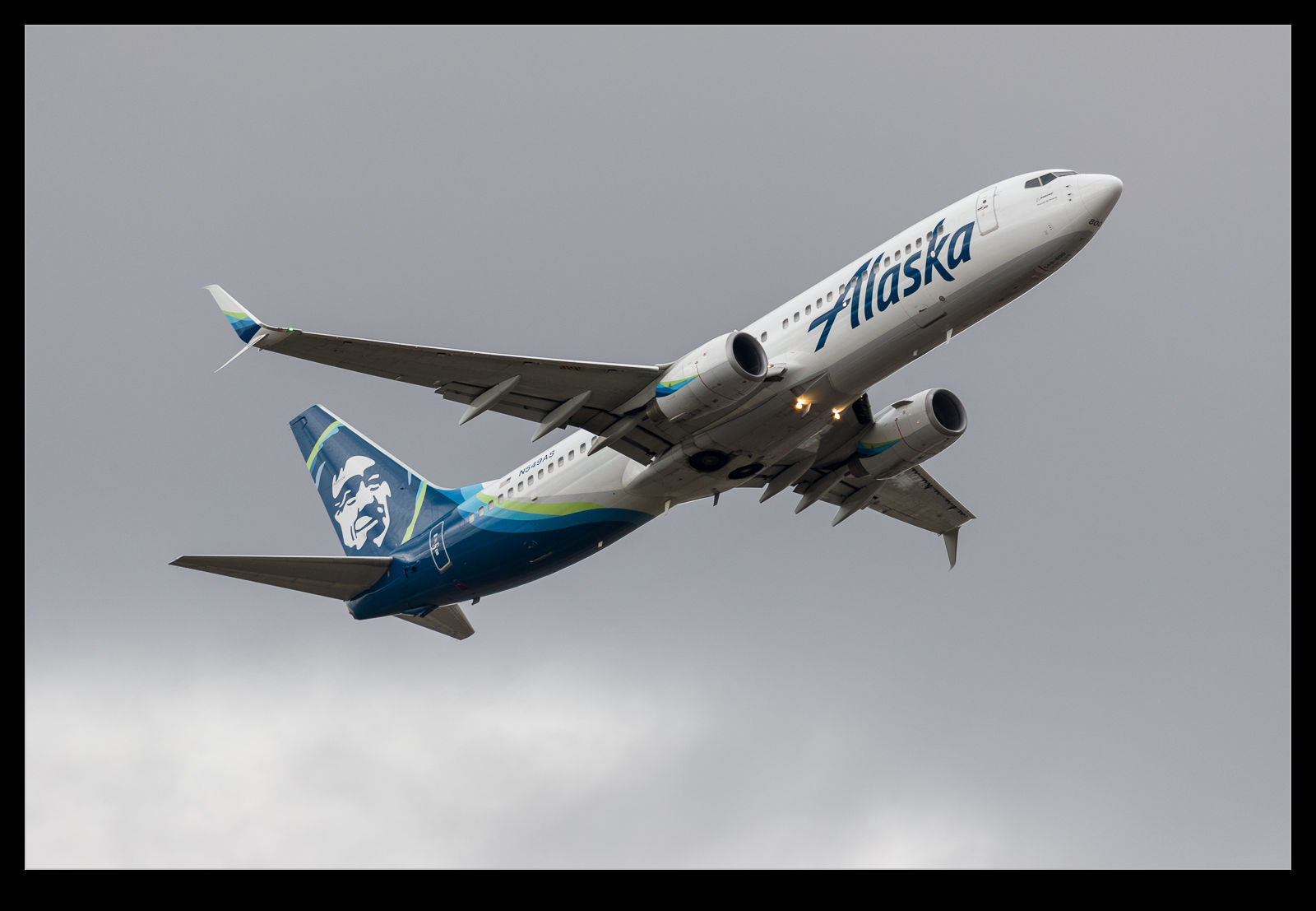
This is the finished image. This is pretty much what it looked like to the naked eye (through the viewfinder) when I took the shot given how dark the sky was.

A rare arrival was due on a day that was not good from a weather perspective.  It was dull and rainy and so not what you would hope for.  Conditions like this mean I try to exploit some of the features of the camera and the processing options available.  First, how to set up the camera?  With the light being bad and variable, I went to a pretty high ISO level.  I shot in aperture priority mode and added a lot of exposure compensation.

In my experience, the metering is pretty good when shooting against the sky in clear weather but, when there is a lot of cloud, the camera tends to treat the clouds as too bright and it underexposes the subject too much.  I use a lot of exposure compensation in this case with a setting of +2.0 being used on this day.  The reason I do this is that, aside from the exposure question mark, there is a lot more information available in the lighter end of the exposure curve.  Shooting in RAW gives you options.

This is how the camera recorded the image. This is the in camera JPEG that I extracted from the RAW file using Instant Raw From JPEG.

If you were to look at the aircraft at the time, you would see a dark and menacing sky but you would see plenty of detail on the plane.  The camera does not see that for the original shot.  The aircraft would be very dark.  When processing, this dark area would give you something to work with but the variation in data would be more limited.  Shoot overexposed and you get more to work with.

This approach will only work well if you are shooting RAW.  If you are using JPEG, too much of the usable data will be discarded during the processing in the camera.  To show you what I mean, here are two images.  These are both from the same shot.  One is the RAW file as it showed up when imported in to Lightroom and the other is the embedded JPEG that you can extract from the RAW file and which can be seen when the file is first imported before the rendering is undertaken.  As you can see, the JPEG is over exposed but the RAW rendering seems even more so.

There is way more data in the RAW file though.  Immediately, as I bring the exposure slider back down, the clouds go from being white to quite dark – just as they appeared on the day.  Meanwhile, the fuselage of the aircraft has a lot of the data intact and maintains a lot of the brightness that you could see at the time.  Very little needs to be done with the blacks and they are almost in the right spot by the time the exposure is good for the clouds.  The fuselage might be a bit too dark though.  A small tweak of the blacks and a little boost in the shadows to compensate for too much darkening with the exposure slider and suddenly the shot is looking a lot more like it did when I saw it develop.

My RAW processing baseline always results in a slightly more overexposed shot the embedded JPEG includes. When you first open the image, the embedded image you see in the previous shot initially shows up and then it renders the RAW file. This was the initial RAW rendering prior to any adjustments.

One advantage of shooting on such a crummy day is that the sky is a giant softbox – in this case a very soft one!  The result is that the light is a lot more even than on a sunny day.  The darker look can actually make the colors look a bit more intense than if they were losing out to the whites when the sun is right on them.  While there was only one plane I was specifically there for, playing around with these other shots and working on the technique was a nice extra benefit.
Sunbeams Over Sandown Bay

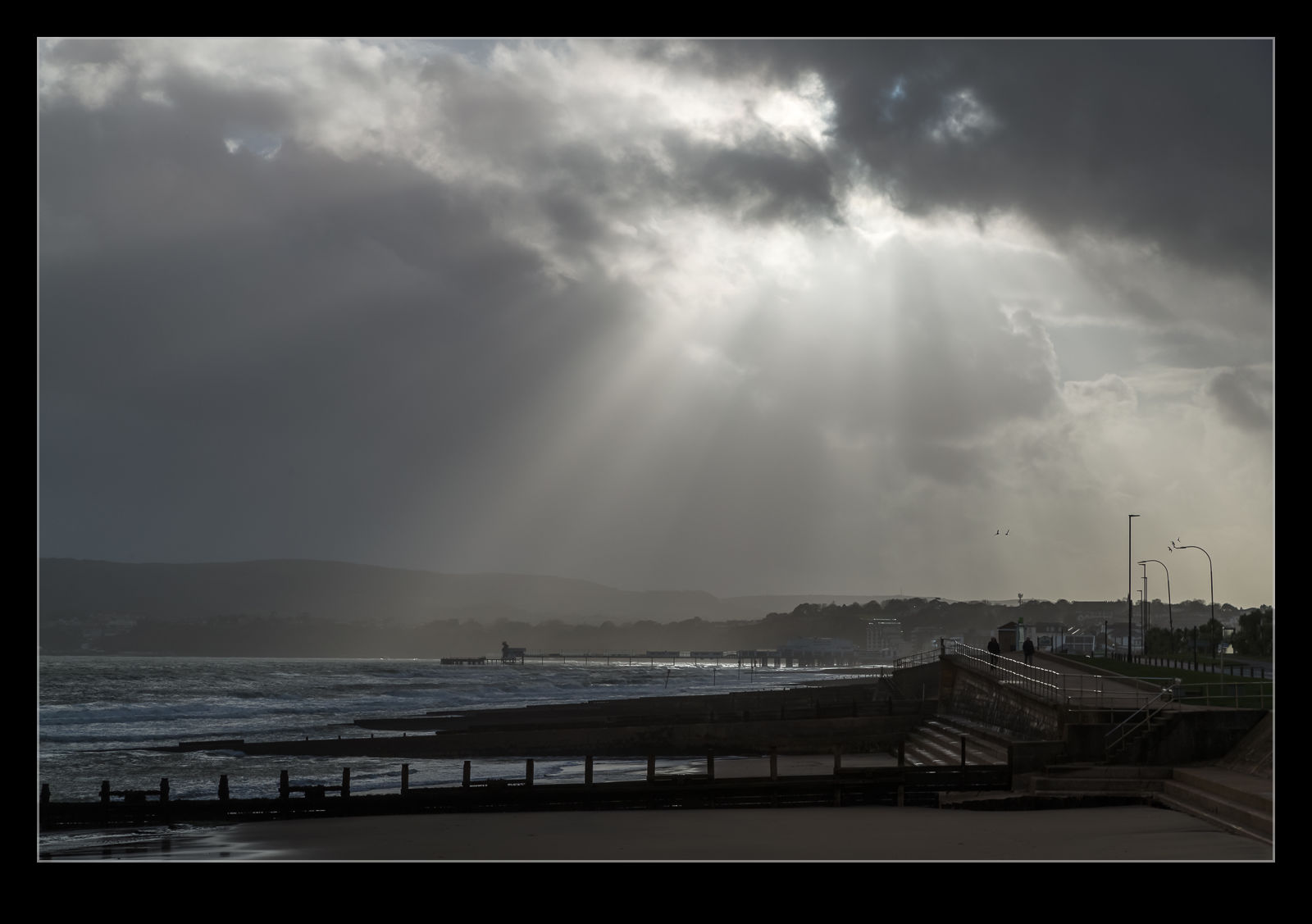
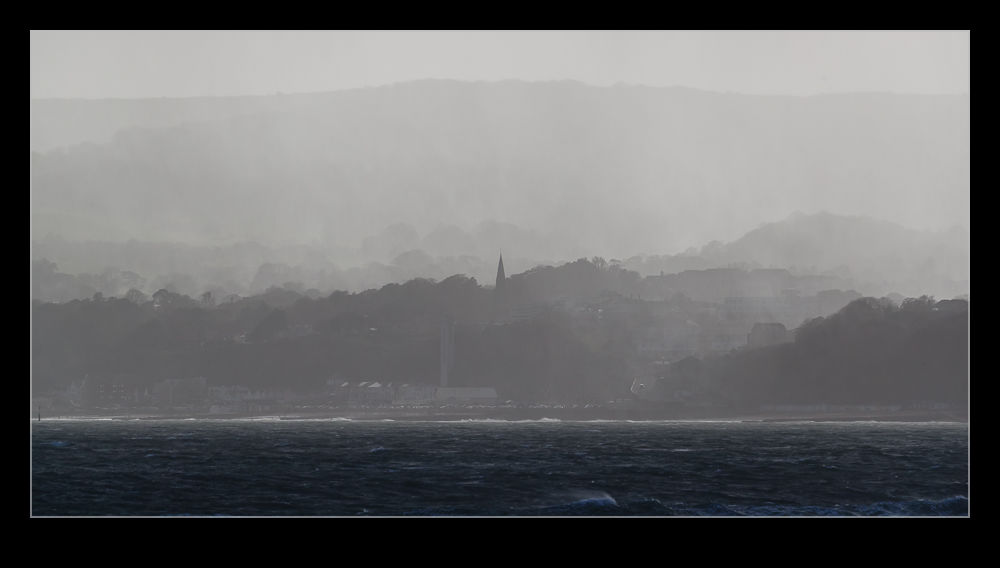
The stormy skies over the Island were very active in the Sandown Bay area.  In the course of a couple of minutes, you could see the valleys on the opposite side of the bay have clouds wisp across them and then suddenly vanish from view entirely.  They could be back a few minutes later and then gone again.  The wind was blowing things through very rapidly.  For a few moments, there were some great beams of light punching through the clouds and illuminating the water beneath.  I was lucky to be able to get a few shots off before the clouds rolled through again and cut of the sun altogether.

Stitching a Moving Ship

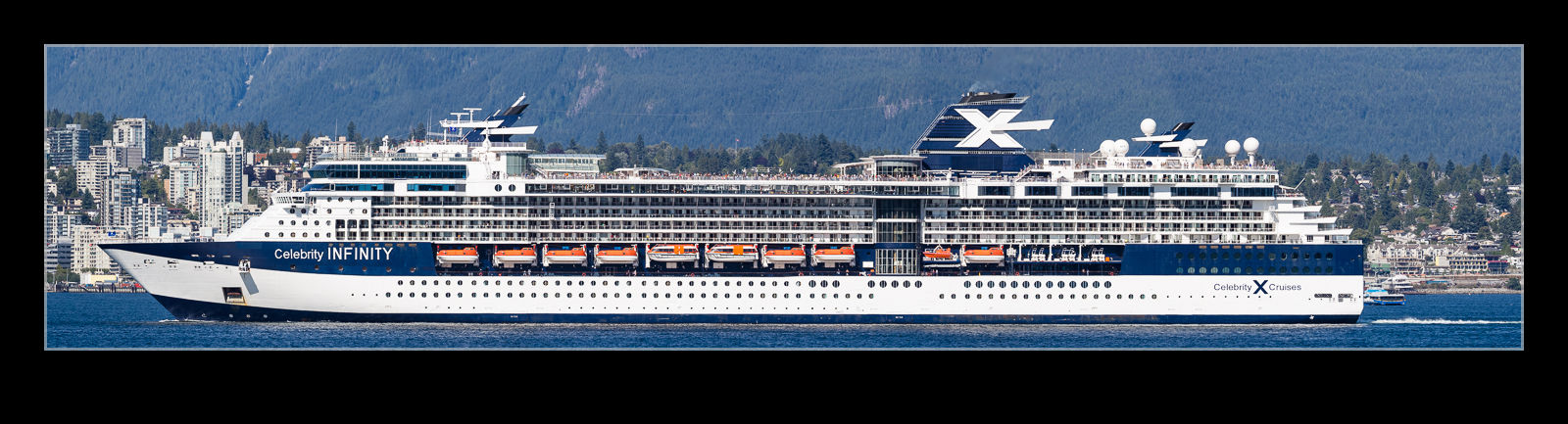
This is less of a technique post and more about the capabilities of modern software.  In a previous post I discussed a visit to Vancouver to meet up with family members that had come off a cruise ship.  We were down on the waterfront when the ship that they had come in on departed.  As it got further away, I shot a few frames with the longer lens to try and stitch together in a panorama.  The problem with this type of shot is that the ship is moving so the background is not consistent between the frames, even if you try and do them quickly.  However, I handed them over the Lightroom and it did its stitching thing and the attached shot resulted.  I think you would struggle to know that there was an issue based on the output.  Quite impressive software performance!

Rainbow Over Culver Cliff

Mum and I drove along the shore of Sandown Bay while I was visiting.  The rain was blowing through and the result was a rainbow that was hanging over the cliffs up on Culver.  I had a long lens on at the time so my only option was to try and shoot a bunch of images and create a panorama.  I didn’t do a good job of it because I missed some areas and the software struggled to align the images because there was so much sky so I ended up sorting it out by hand.  This shot was the result.

Making Use of the Camera’s Features

One of the things that I was glad to get when I last changed camera bodies was the ability to have exposure compensation while shooting in manual mode.  You might wonder why this is a useful thing to have but I was shooting a couple of time recently when it was useful.  Sadly, the first time I didn’t think to use it.  The second I did though.  This is the result of shooting in dark conditions when the light levels are changing quite a bit.

The problem in the first case was that I was shooting in aperture priority mode.  The light was low, so I went to auto ISO to allow it to adjust.  The camera looks to get a shutter speed that is related to the focal length of the lens you are using.  I was shooting a landing aircraft and, when I was out at the full length of the zoom, it kept shutter reasonably high.  However, as the plane got closer and I zoomed out, the camera dropped the shutter speed down which meant the panning resulted in a lower keeper rate.  I should have foreseen this and I was annoyed with myself.

The next time, I thought through the issue a bit better.  A gray sky meant that I needed to have some positive exposure compensation.  I went to manual mode, set the shutter speed and aperture that I wanted but included the exposure compensation.  Then I set auto ISO.  Now I had the ISO adjusting to get the combination I wanted while including exposure comp.  On my old bodies, this was not possible.  The result was the exposure I wanted with ISO adjusting throughout the sequence.  When conditions are not great and changing quickly, this is an approach I can highly recommend.

Parallax Preferences

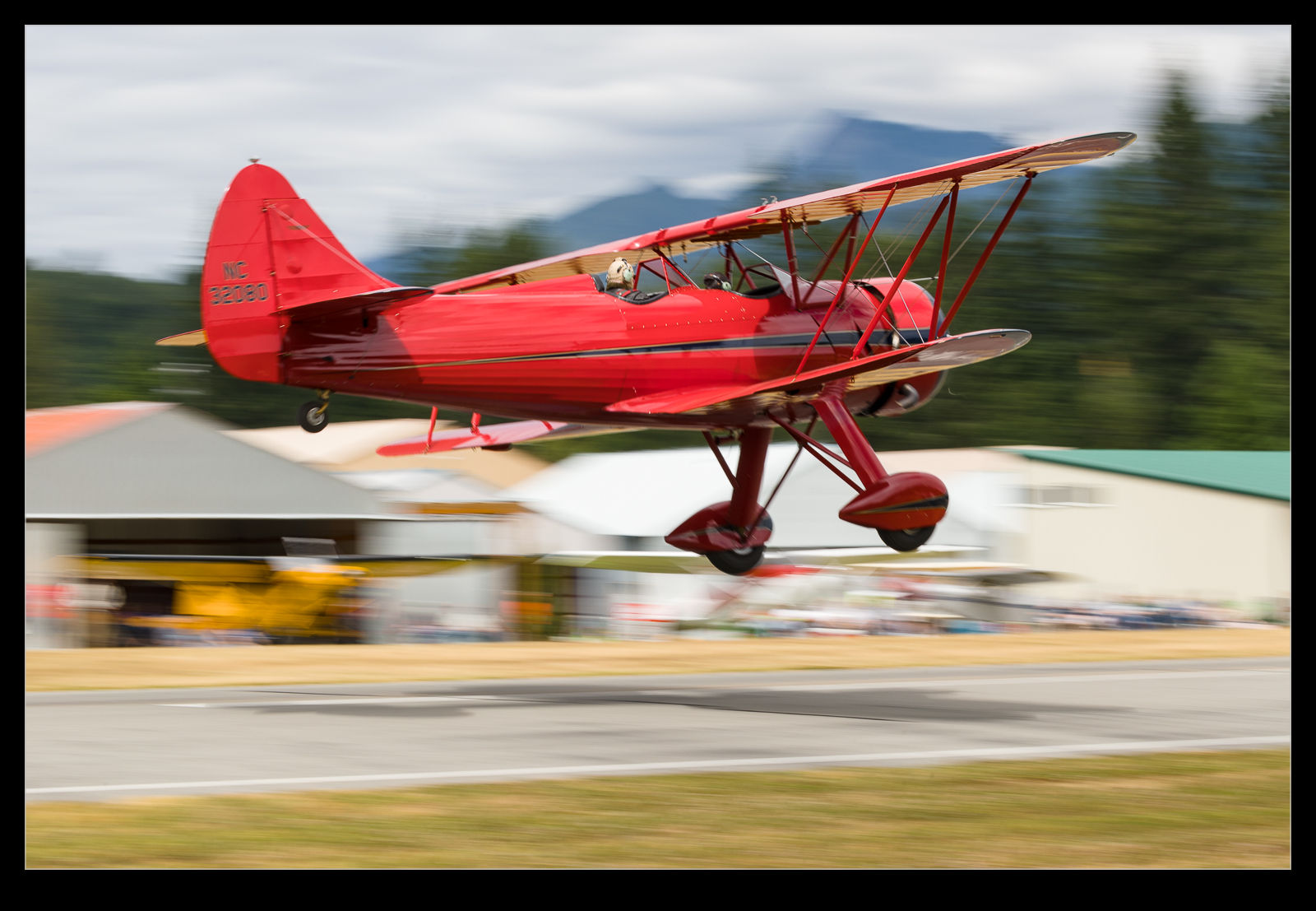
This post is really a question about what people like in an image and what they are prepared to tolerate.  I was at Concrete for the vintage aircraft fly-in up there a while back.  This is an event where you get to be very close to the aircraft.  I was able to experiment with shutter speeds that were very low to get lots of prop blur.  Because the planes are so close, you are not using a long lens and so the low shutter speeds are less likely to cause a problem with camera shake.

However, another problem comes to the fore.  Since you are so close, using a low shutter speed and photographing something that is moving past you, you get parallax issues with sharpness on the plane.  The different parts of the plane are moving at different speeds relative to you as it passes so, if one part of the plane is sharp, another part is unlikely to be so.  The question is, what is acceptable.

I have spoken to friends about this in the past.  One or two of them have expressed their unhappiness with having a blurry part of the airframe.  Others prefer the blur this allows to the background to emphasize the speed.  Some are most bothered about the amount of blur on the prop.

My first instinct with a shot is whether the nose is sharp.  For me this is a bit like whether the eye is sharp on a wildlife shot.  If the nose is sharp, I can tolerate a blurry back end.  But, when the plane is going away from you, the tail is more prominent in the view.  In this case, is it better to have the tail sharp than the nose since the blur of the backend will be the thing you see first and will drive your first impression of the image.  I would really like to know what people prefer.

The Lucky Shot I Got By Accident

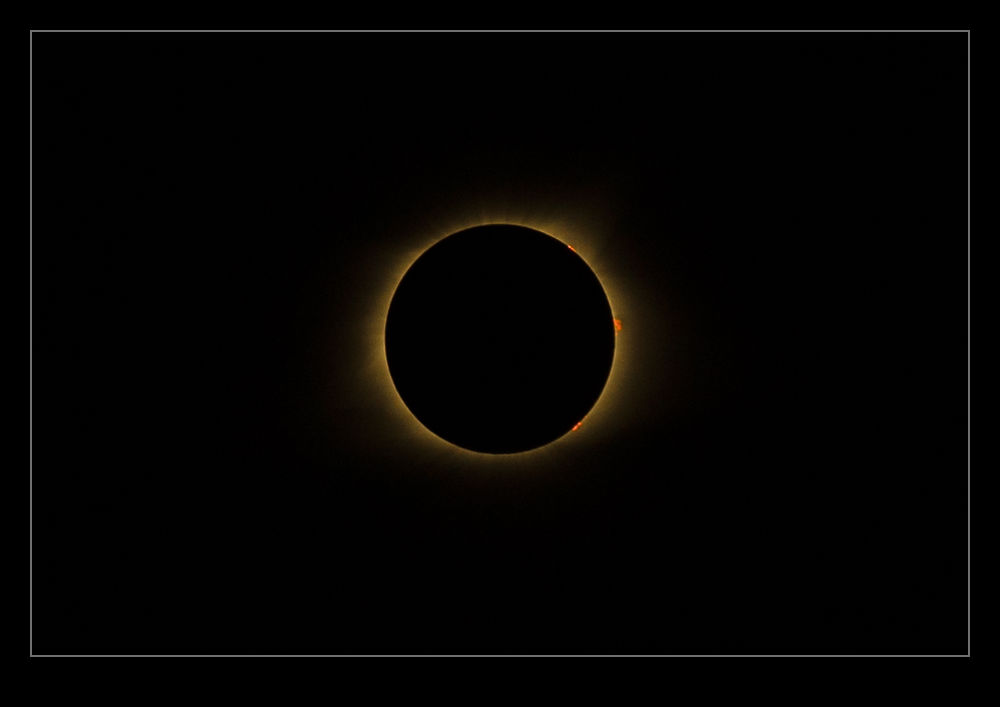
When totality occurred during the eclipse, I was literally and figuratively in the dark.  I had practiced shots of the sun prior to the day to get the exposure right and, while the eclipse covered up the sun, the remaining section was unaffected so the exposures were right.  Besides, I bracketed each shot because, we, why not?  At totality, I removed the solar filter and switched to program mode because I didn’t want to have to work anything other than the shutter.  I still bracketed the shots.

I got shots that I really liked but, I didn’t get anything that showed any detail around the edge of the eclipse.  Everything was bright.  Even with wide bracketing, the shots were quite blown out.  I was a little disappointed by this but it was a minor thing.  Seeing the eclipse had proved to be far more satisfying than any shot I got.  However, it turns out an error of mine had a lucky side effect.

I had been shooting a time lapse sequence on the other camera.  When I removed the solar filter (eventually) during totality, I didn’t change the exposure.  Consequently, the shots were a lot more underexposed than the shots on the other camera.  While the subject was a lot smaller in the frame because of the framing for the time lapse progression, I still had some detail of the eclipse and I realized some solar flares were visible on the side of the eclipse.  I hadn’t planned this – it just happened by luck and I am happy to take all the luck I can get.  As they say, “Better to be lucky than good!”

Trying a Time Lapse of the Eclipse

When thinking about the eclipse and what photos I wanted to get, I did contemplate running a video of the transition.  However, since the start to finish was going to be over two hours, I figured that would be a lot of video that would never get used or would only be seen speeded up.  Therefore, a time lapse seemed like the best option.  I set up a camera with the 100-400 lens on it can’t at an angle to, hopefully, align with the direction the sun progressed across the sky.  I didn’t know how much time it would take to cross the viewfinder so I planned on taking a number of sequences with re-positioning after each pass.

This ran just fine during the eclipse itself.  My only problems came at totality when I really lost the plot on what I was supposed to do, so overcome was I by the sight of the corona.  I initially forgot to remove the solar filter so everything was just dark.  When I did take it off, I had not adjusted from the manual exposure I had been running up to that time.  However, in the scheme of the eclipse, the totality moment was fleeting so is not a big part of the time lapse anyway.

I have edited together the sequences I shot and here is the resulting video.

Adobe Fixed the Time Zone Issue for Video

In this previous post, I noted that there was a problem with the way in which Lightroom identified the time of video files.  I was having to manually adjust the capture time after importing them.  When I contacted Adobe, they said it was a problem with Canon and vice versa.  Not helpful.  However, I notice that, with a recent update (I won’t say upgrade because some aspects of it seem to have really screwed up Lightroom performance), the video files now come in with the correct time associated.  I only found this out because I was about to adjust them when I realized they were already correct.  One little annoyance has now gone away.  Hurrah!

Can You Find Yourself in North Vancouver?

Standing on the shore in Vancouver on a sunny Sunday afternoon provided a great view of North Vancouver. Plenty of boats were making their way across the bay including some large ones which proved a little problematic for this task. I figured I could use the long lens, shoot a large sequence and create a panorama when I got home. It turned out that Photoshop and Lightroom both struggled compiling this panorama so I ended up positioning everything manually. However, it all worked out pretty well. Here is the result. Feel free to navigate around to see what you can find.