Tag Archives: processing

Fat Albert Takeoff and Video of Return

When I was up the tower at Boeing Field for Seafair last year, I got to play around a bit with what I shot of the Blue Angels C-130, Fat Albert. The takeoff was a straightforward as it was departing in our direction so photographing it as it left the ramp and then rotated and climbed past was the obvious choice for me. However, when it came to the return to landing, I was wondering what to do.

The threshold is a long way from the tower, so any shots of the landing were going to be quite distant and, given the heat haze, unlikely to be that good. I figured I might try video and, with the 200-800 having such good stabilisation, thought this might be practical. It turned out surprisingly well with the original video being pretty stable. I did apply a little extra stabilisation in Resolve afterwards. The worst elements are down to operator error where I had a few moments where I ended up moving the camera very jerkily and there is nothing that the post-production can do to fully disguise that! Shame I didn’t plan ahead enough and avoid having that happen when near the flare!

Comparison of a Couple of Edits

Every once in a while, while I am searching for something specific in the Lightroom catalog, I will come across a previous shot that catches my eye for some reason. This might be because it was something interesting, something I had forgotten about or just something that I think might benefit from a re-edit. Sometimes I have changed the way in which I approach edits and in others there is a new tool that has been added which I think will benefit the edit. This image was exactly that. I thought that the masking tools now in Lightroom would make for a more flexible approach to balancing the different parts of the image. I played around with it for a while. Because Lightroom allows you endless virtual copies, you can try something new out without having to lose what was there before. I then created a combination of the two edits to show how differently the same raw file can end up.

Taking Out Reflections – Photoshop Experimental Features

I have been using Lightroom since the initial version was released. It used to be quite a simple application and anything complex was undertaken in Photoshop. As Lightroom has got more and more capable, the number of times I go into Photoshop has reduced. What I didn’t realize until recently was that Adobe uses Photoshop as the proving ground for some of the features that will ultimately make their way into Lightroom. I thought that Camera Raw and Lightroom’s Develop module were identical and they almost are. However, not quite.

In Photoshop, they have a check box to allow you try experimental features. I found out about this related to a feature designed to remove reflections. Anyone who has taken a photo through a window will know that you can get reflections off the glass of things your side of the window and these can ruin an otherwise usable image. (Photographing through a window is not a great option but sometimes it is all you have to work with.)

This feature analyses the image to see what it thinks might be artifacts from inside the window and allows you to remove them. Interestingly, the slider that comes with it can be moved either way. You can fully remove the reflection or can fully remove the rest of the image and leave only the reflection. This can be rather fun to play around with.

I was interested in what this would do for some shots I had got while inside the airport at Narita a few years ago. It was a dark and rainy day and I did try to avoid reflections but was not always successful. Some of the shots I liked most from an action point of view were the ones with light from inside intruding into the shot. These were the ones I worked with. You can judge the results. As I have the before and after versions here. It isn’t perfect but it does work rather well for an experimental feature. I hope it gets productionised soon and finds its way into the Lightroom Develop module too.

Early Morning Breeze Departure

I’ve seen a couple of Breeze airliners, but they are not operating in our neck of the woods, so they are still a rarity for me. When one of the A220s came to Boeing Field on a charter for a sports team, I was hoping to catch it. They were due out early one morning, so I was able to go before heading to the office. This did mean that conditions were going to be rather restricted with the sun only just above the horizon (assuming clouds weren’t there as well) but this would actually suit me since I didn’t want the jet to be backlit.

Sports charters have a habit of not going even close to the time that they are scheduled so I wondered whether I would be able to get the takeoff before needing to leave. Imagine my surprise and delight when they called up pretty much on schedule. Soon the jet was crossing the runway for taxiway Bravo and then heading to the departure end. As they rolled and rotated, there was just enough light in the sky to make for some rather pleasant colors, and I was really pleased with how the shots came out. The actual light levels were very low, so I shot at high ISOs. The cameras do a remarkable job of this these days but there was still a bit of noise to deal with and the latest noise reduction algorithms in Lightroom dealt with that very effectively.

Hawk and the Moon

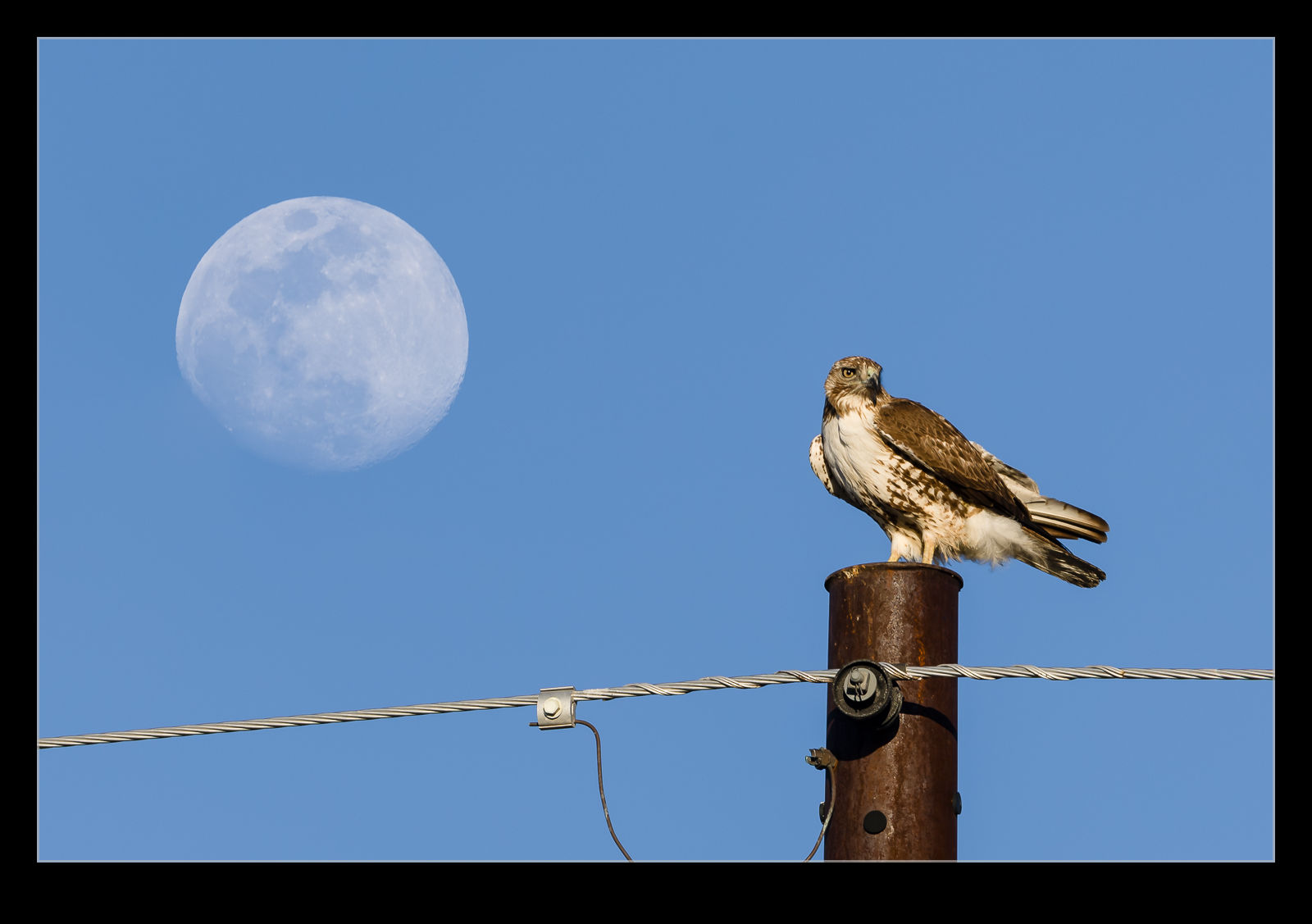
My El Centro wildlife encounters continued after the owls had been photographed.  A hawk showed up on a utility pole close to us at one point and, since no jets were landing, I was happy to take its photo.  Then I realized that the moon was rising not far away, and a short movement allowed me to bring the two into closer alignment.  With the long lens, the focus depth was narrow, so I took shots of the bird and shots of the moon.  When I got home, a little focus stacking allowed me to make both sharp to show how it looked to me at the time I was there.

Experimenting With Enhance Levels in Lightroom

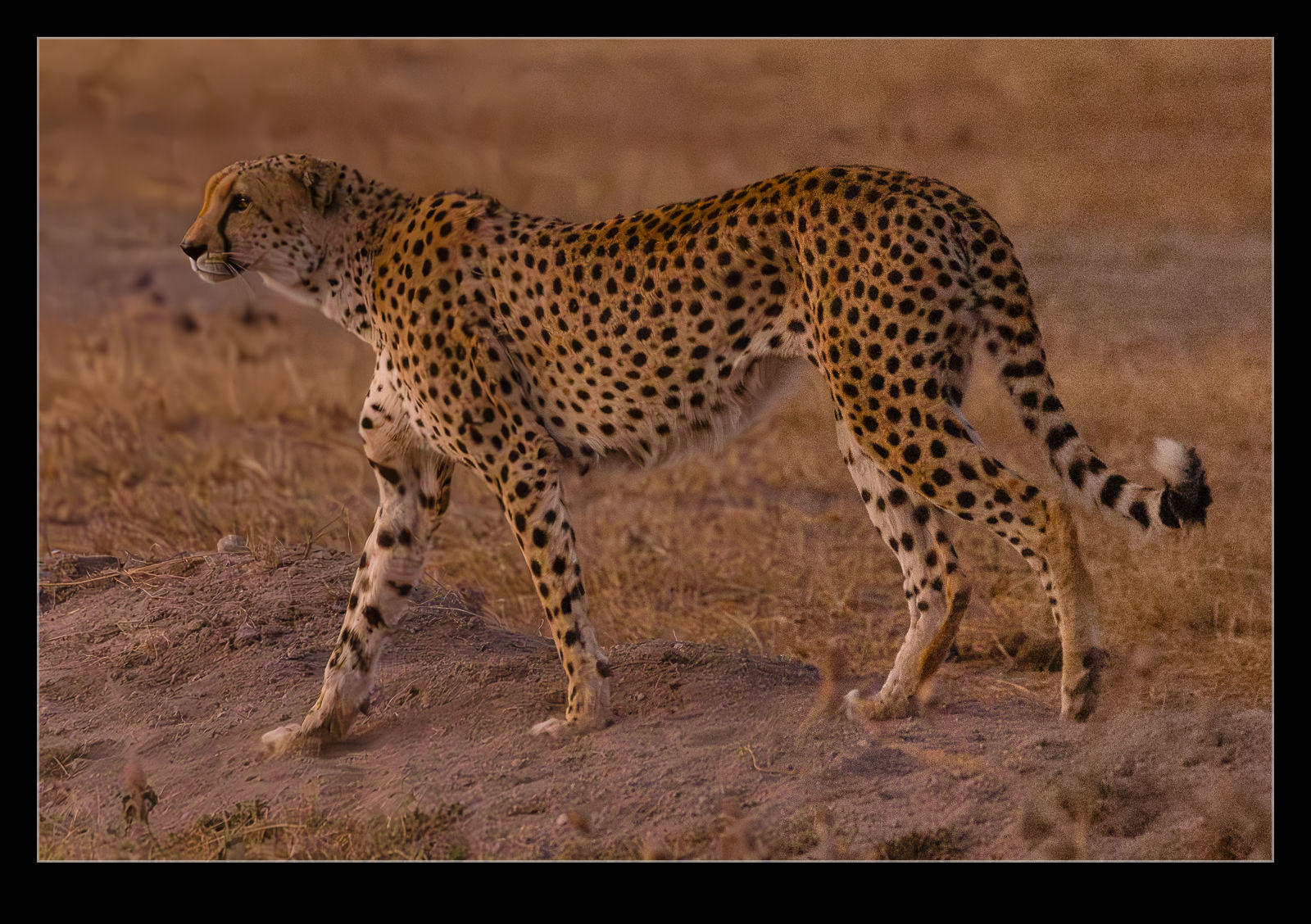
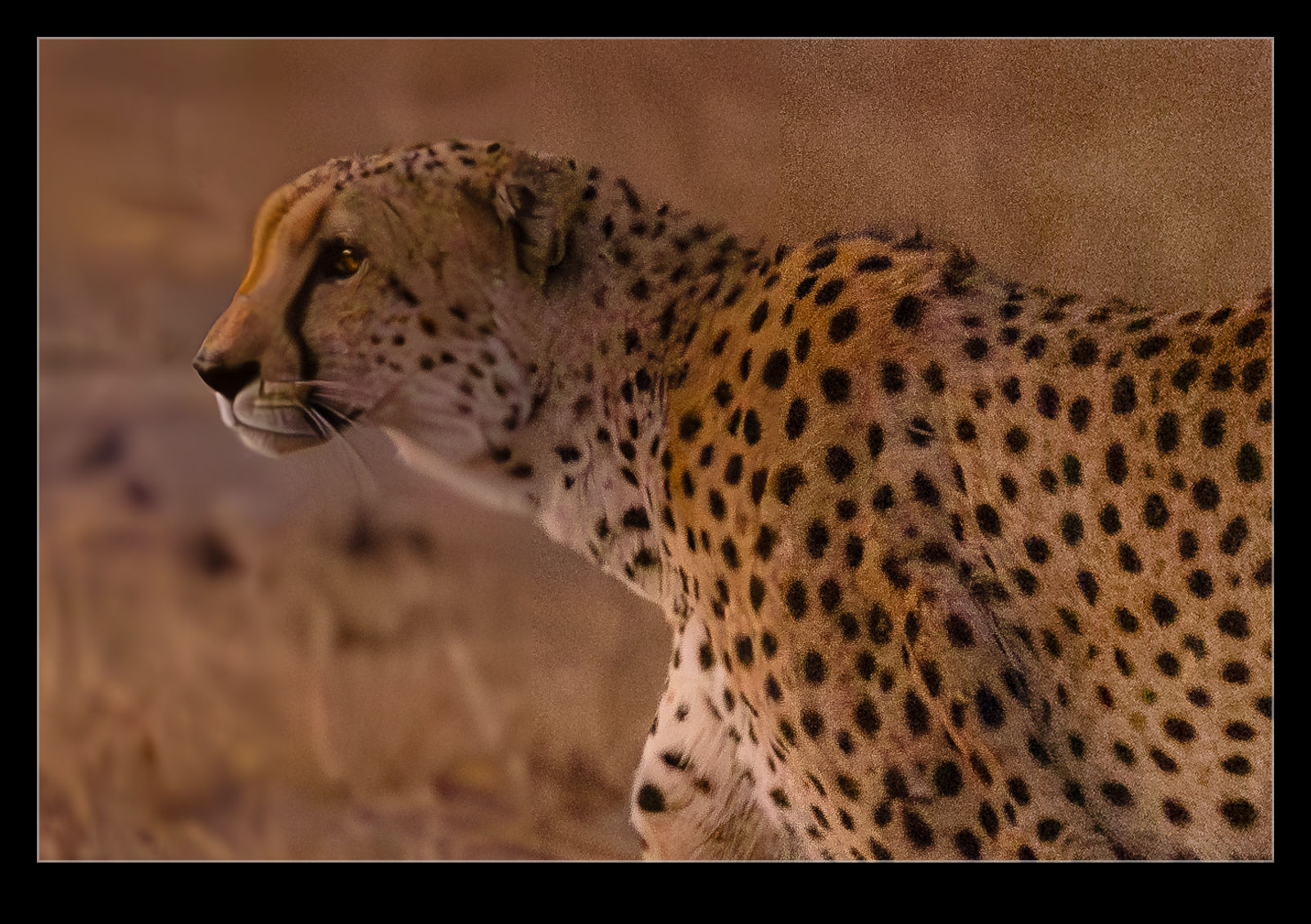
In one of the bigger updates of Lightroom and Photoshop, Adobe introduced the Enhance functions adding either resolution or noise reduction.  The noise reduction has been very effective for some of the shots I have taken with very high ISO levels.  I decided to edit a shot with varying levels of noise reduction to see how things look.  Since I had a bunch of cheetah shots taken in low light, I figured that would be a good subject.

You can vary the noise reduction level from 1-100.  I made five edits with one unchanged and the remainder at 25, 50, 75 and 100.  I then layered them in to one file to show the comparison.  The unchanged edit is on the right while the 100 noise reduction is one the left.  I felt like my previous experience had been that a level around 50 was a good outcome for much of what I had shot.  When I looked at these results, I again concluded that the middle level was the best compromise.  The 100 was just too much and 75 looked like things were a bit smudged.  You can judge what you think.  I shall experiment with levels each time I use it but it does give me a good idea of what to start with.

iPhone RAW Image Exposures

When RAW capture first became available on my phone, I started to use it.  Initially, I had to use a third party camera app which was fine but it did have some quirks about it and some things that just didn’t work right, despite some extensive communication with the developer.  Then the camera app of the phone got updated to allow RAW capture and I have been using that ever since.  There is something very strange about it, though.  When I import the images in to Lightroom, they are always about one stop overexposed.  I am curious whether this is a function of the raw format for Apple in order to preserve details in the shadows or whether it is a weirdness with my phone.  Included are two images – one with the base settings after import and one edited.  This is representative of what I get.  It doesn’t hurt the end result but it is rather strange.  Anyone have similar results?

Playing With an Old CRJ Moon Shot

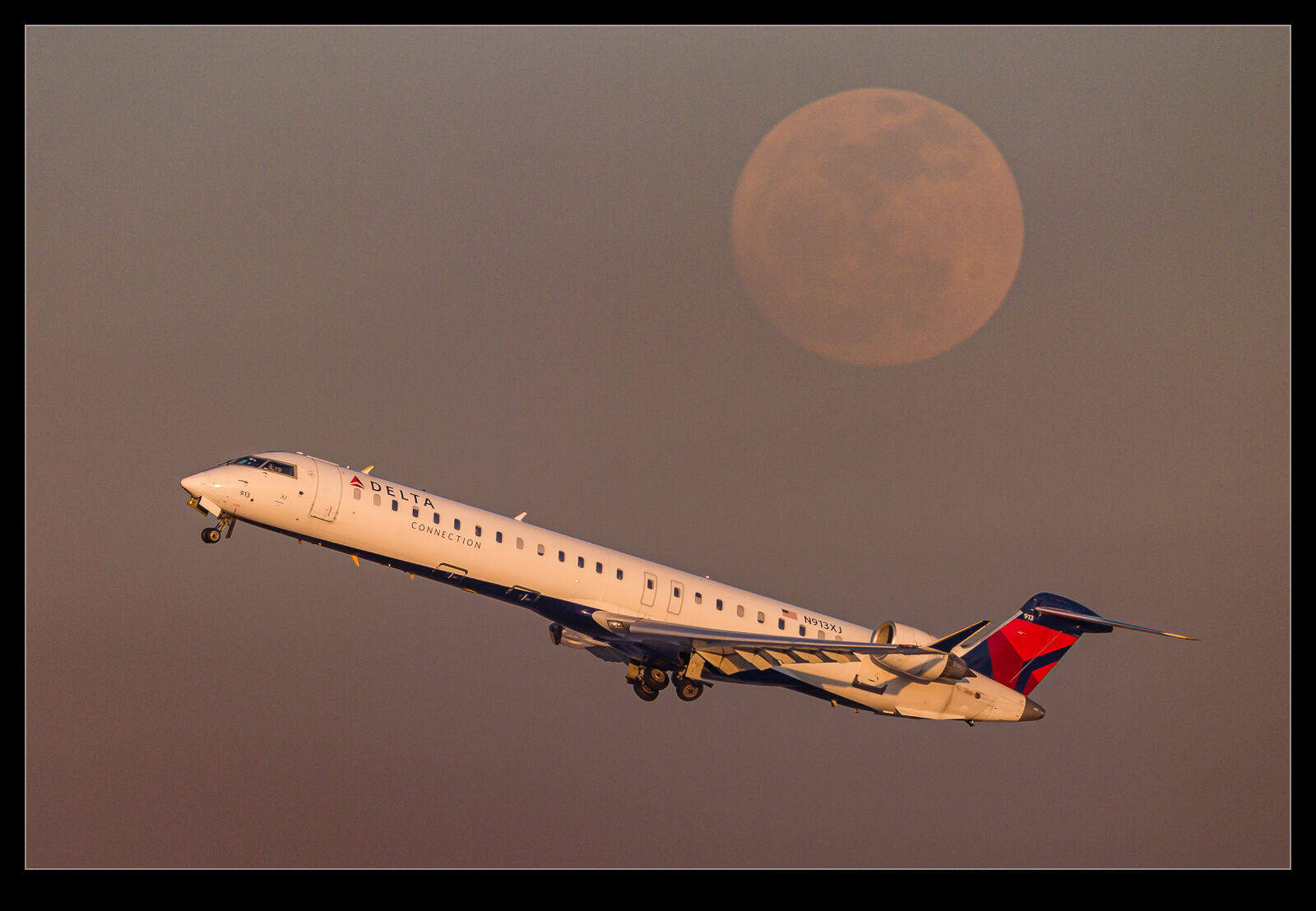
For some reason, I recently came back to an old photo I took of a Delta Connection CRJ900 as it climbed out of O’Hare.  It had climbed right by the moon as it was rising in the eastern sky towards the end of the day.  I had liked the photo at the time but now I was thinking about how to do a better job of editing it.  Now I have been using the masking tools in Lightroom a lot more, I figured I could take different approaches for the jet and the background.  The results were a lot better than my original efforts and I quite like how it now looks.

Clouds in the Mountains

The North Cascades Highway gets snowed in for the winter, so we decided to take a trip up there before the snow arrived.  It was also a good time for fall foliage, so we wanted to see what the mountains had to offer.  The colors in the trees as we drove up were very nice but, the higher you get, the more you are into the evergreens and the foliage becomes sparse.  However, we had something equally attractive awaiting us.

It was an overcast day as we drove up with any hints of sun from the lower levels gone as we got higher.  There were some really cool bands of clouds to see as we drove.  At one point we had the valley in sight and the tops of the mountains but a band of cloud in the middle.  It was while on a stretch of road with nowhere to stop so no shots of that.  However, as we got up to Diablo Lake and then Washington Pass, we got plenty of mountain tops in and out of the clouds.

I experimented with both normal shots and HDR.  With the shadow of the valleys and the brightness of the clouds, the dynamic range was pretty wide, and I thought HDR might give me some more processing options.  I was glad I made that choice as it really helped to get detail in all parts of the images.  That will be our last trip up there this year.  The snows will be getting heavy before too long and then it will be a waiting game until the pass is cleared in the spring.

Re-Editing a B-2 Shot

Periodically, when I am looking through my image catalog for a specific subject for one project or another, I come across some images from a while back that look okay but might benefit from some of the more recent approaches to processing that I have adopted.  This doesn’t always help but it can be fun to start from scratch on a raw file and then see whether the final version is any better than the previous attempt.  I created a new virtual copy in Lightroom and zero out all of the sliders, upgrade to the latest processing version and give it a go.

I did this a little while ago on a shot of a Northrop Grumman B-2 Spirit.  I shot this jet at Palmdale many years ago on a visit with my friend, Paul.  The shots were okay, and I was happy with them at the time.  Here I shall show you the current version first and then the next one down is the previous result of my processing from when it was shot.  Do you think it is a significant change?