Tag Archives: technique

My Approach to Shooting and Processing on Crappy Weather Days

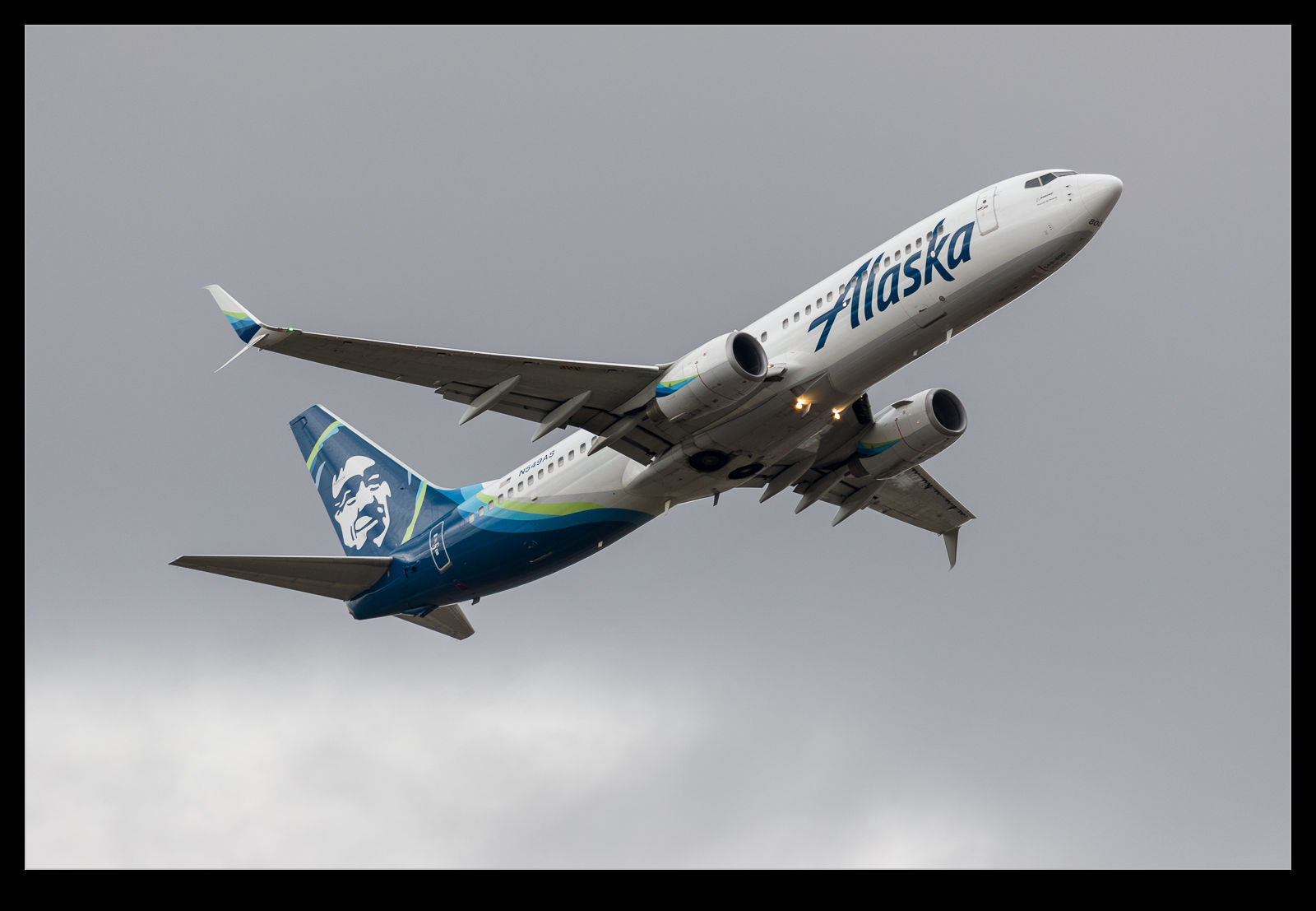
This is the finished image. This is pretty much what it looked like to the naked eye (through the viewfinder) when I took the shot given how dark the sky was.

A rare arrival was due on a day that was not good from a weather perspective.  It was dull and rainy and so not what you would hope for.  Conditions like this mean I try to exploit some of the features of the camera and the processing options available.  First, how to set up the camera?  With the light being bad and variable, I went to a pretty high ISO level.  I shot in aperture priority mode and added a lot of exposure compensation.

In my experience, the metering is pretty good when shooting against the sky in clear weather but, when there is a lot of cloud, the camera tends to treat the clouds as too bright and it underexposes the subject too much.  I use a lot of exposure compensation in this case with a setting of +2.0 being used on this day.  The reason I do this is that, aside from the exposure question mark, there is a lot more information available in the lighter end of the exposure curve.  Shooting in RAW gives you options.

This is how the camera recorded the image. This is the in camera JPEG that I extracted from the RAW file using Instant Raw From JPEG.

If you were to look at the aircraft at the time, you would see a dark and menacing sky but you would see plenty of detail on the plane.  The camera does not see that for the original shot.  The aircraft would be very dark.  When processing, this dark area would give you something to work with but the variation in data would be more limited.  Shoot overexposed and you get more to work with.

This approach will only work well if you are shooting RAW.  If you are using JPEG, too much of the usable data will be discarded during the processing in the camera.  To show you what I mean, here are two images.  These are both from the same shot.  One is the RAW file as it showed up when imported in to Lightroom and the other is the embedded JPEG that you can extract from the RAW file and which can be seen when the file is first imported before the rendering is undertaken.  As you can see, the JPEG is over exposed but the RAW rendering seems even more so.

There is way more data in the RAW file though.  Immediately, as I bring the exposure slider back down, the clouds go from being white to quite dark – just as they appeared on the day.  Meanwhile, the fuselage of the aircraft has a lot of the data intact and maintains a lot of the brightness that you could see at the time.  Very little needs to be done with the blacks and they are almost in the right spot by the time the exposure is good for the clouds.  The fuselage might be a bit too dark though.  A small tweak of the blacks and a little boost in the shadows to compensate for too much darkening with the exposure slider and suddenly the shot is looking a lot more like it did when I saw it develop.

My RAW processing baseline always results in a slightly more overexposed shot the embedded JPEG includes. When you first open the image, the embedded image you see in the previous shot initially shows up and then it renders the RAW file. This was the initial RAW rendering prior to any adjustments.

One advantage of shooting on such a crummy day is that the sky is a giant softbox – in this case a very soft one!  The result is that the light is a lot more even than on a sunny day.  The darker look can actually make the colors look a bit more intense than if they were losing out to the whites when the sun is right on them.  While there was only one plane I was specifically there for, playing around with these other shots and working on the technique was a nice extra benefit.
Aerial Views of Seattle

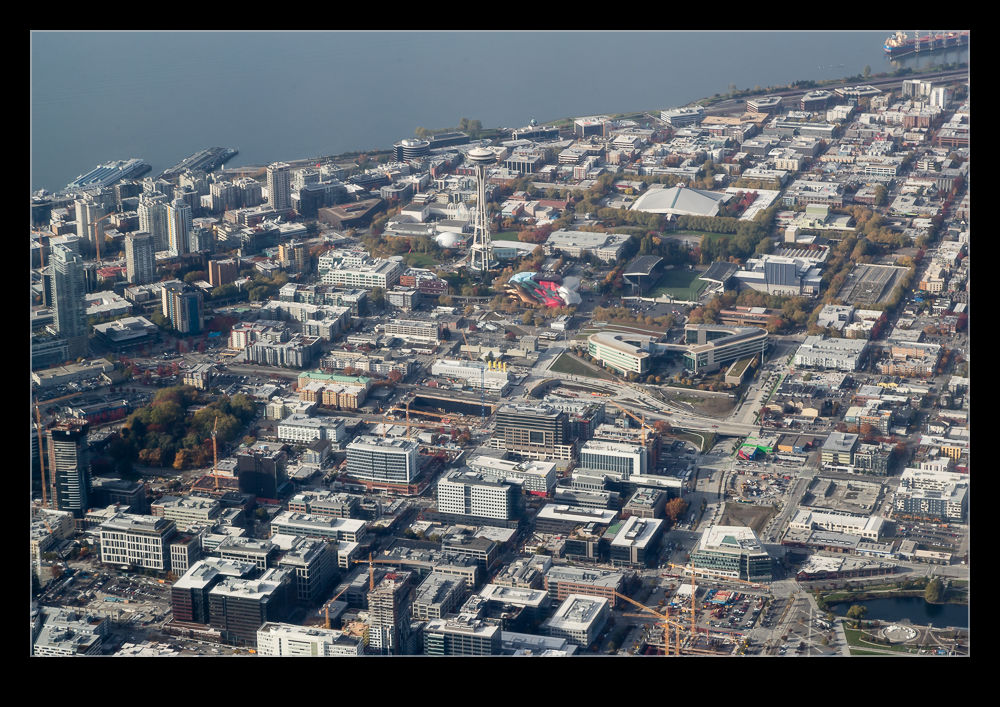
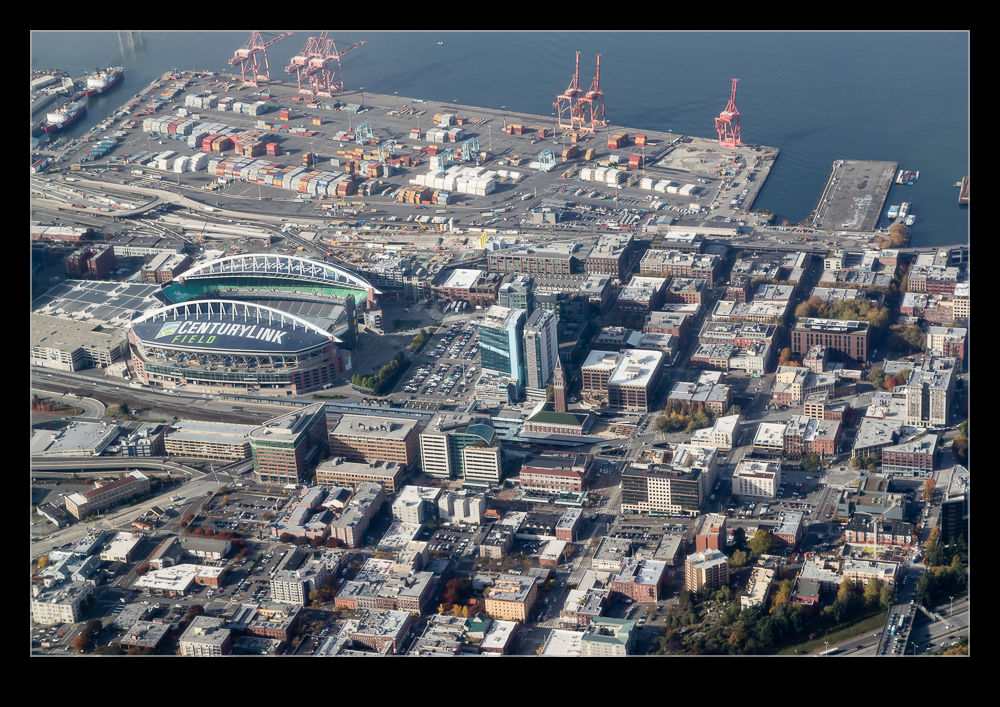
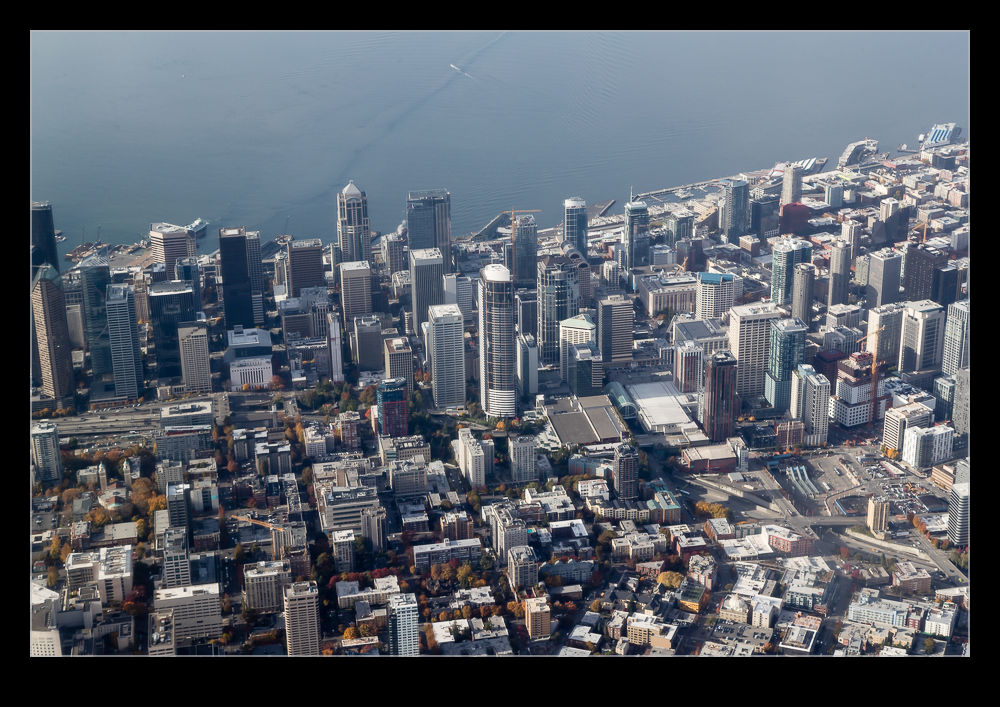
My brief trip to the UK was concluded by a flight back to Seattle from London.  I ended up in a seat on the right side of the plane and, as we came across the city, I had a good view of the downtown.  The seat was rather low compared to the window but LiveView came into its own and I could hold them camera above me pointing down and frame the shot using the rear screen.  Technology is a wonderful thing.  The Space Needle and the football and baseball stadiums both stand out from above.

Stitching a Moving Ship

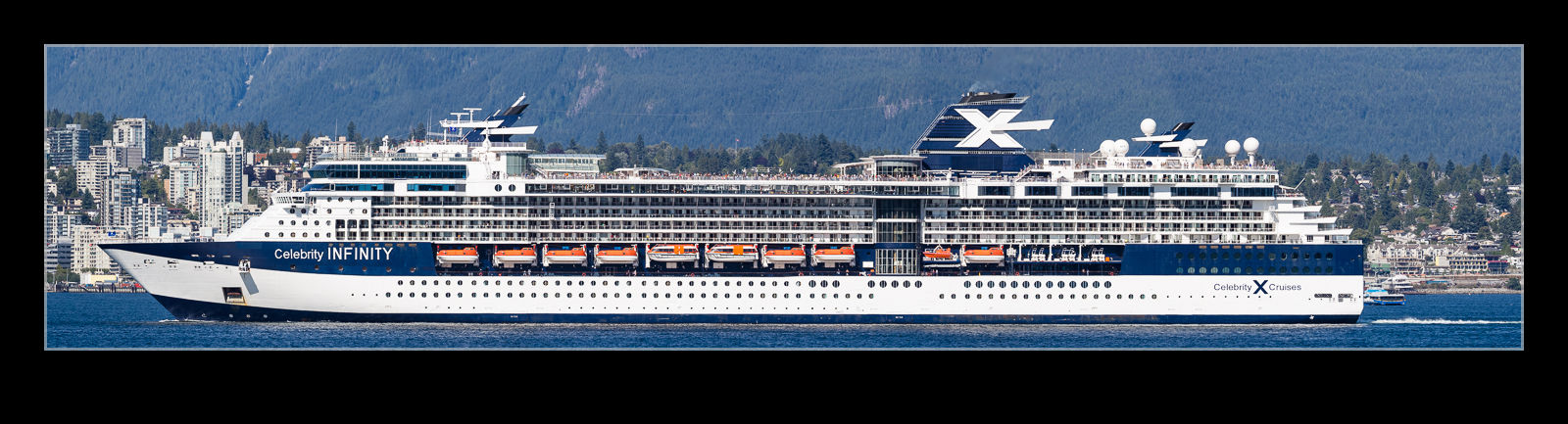
This is less of a technique post and more about the capabilities of modern software.  In a previous post I discussed a visit to Vancouver to meet up with family members that had come off a cruise ship.  We were down on the waterfront when the ship that they had come in on departed.  As it got further away, I shot a few frames with the longer lens to try and stitch together in a panorama.  The problem with this type of shot is that the ship is moving so the background is not consistent between the frames, even if you try and do them quickly.  However, I handed them over the Lightroom and it did its stitching thing and the attached shot resulted.  I think you would struggle to know that there was an issue based on the output.  Quite impressive software performance!

Cormorant at Low Shutter Speed

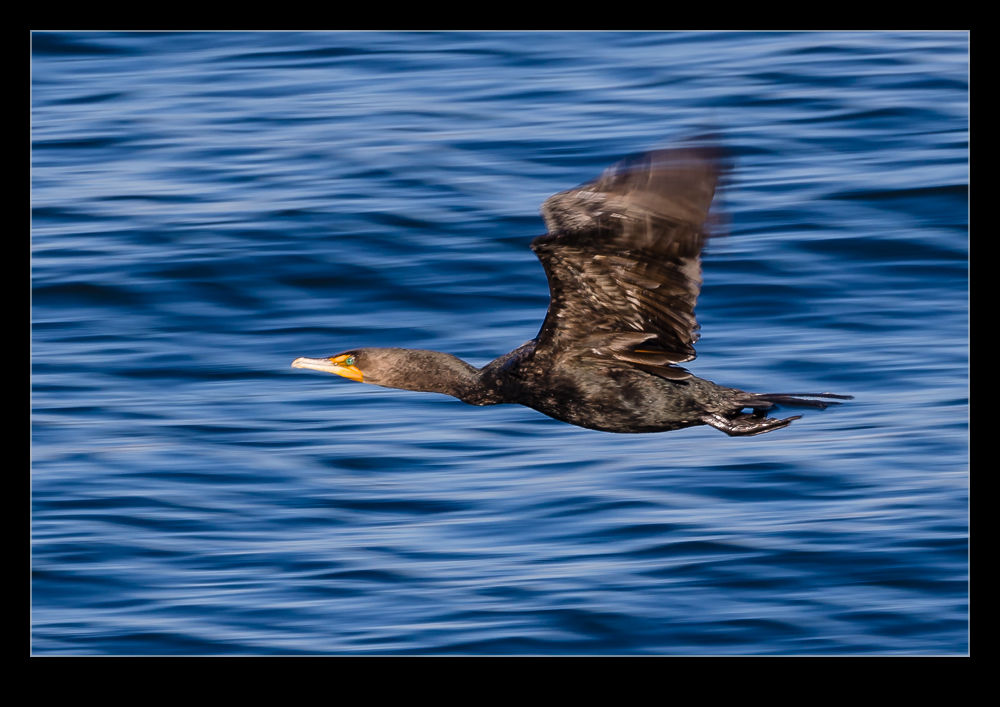
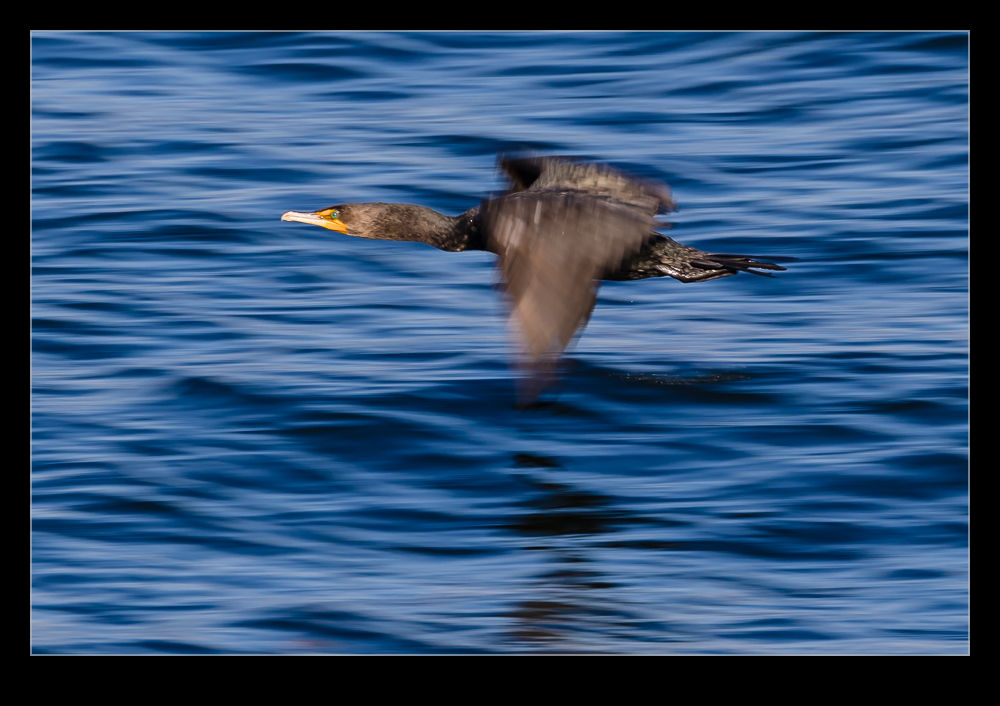
An impromptu shot of a cormorant is a good thing as far as I am concerned.  Normally when I photograph birds, I am shooting wide open at as high a shutter speed as possible.  However, this time I was set up for shooting at a lower shutter speed when the cormorant came by.  Consequently, the success rate was down a bit.  I did still get some shots though and the motion blur gives more of a feel of speed, even if it is just the water blurring out.

Making Use of the Camera’s Features

One of the things that I was glad to get when I last changed camera bodies was the ability to have exposure compensation while shooting in manual mode.  You might wonder why this is a useful thing to have but I was shooting a couple of time recently when it was useful.  Sadly, the first time I didn’t think to use it.  The second I did though.  This is the result of shooting in dark conditions when the light levels are changing quite a bit.

The problem in the first case was that I was shooting in aperture priority mode.  The light was low, so I went to auto ISO to allow it to adjust.  The camera looks to get a shutter speed that is related to the focal length of the lens you are using.  I was shooting a landing aircraft and, when I was out at the full length of the zoom, it kept shutter reasonably high.  However, as the plane got closer and I zoomed out, the camera dropped the shutter speed down which meant the panning resulted in a lower keeper rate.  I should have foreseen this and I was annoyed with myself.

The next time, I thought through the issue a bit better.  A gray sky meant that I needed to have some positive exposure compensation.  I went to manual mode, set the shutter speed and aperture that I wanted but included the exposure compensation.  Then I set auto ISO.  Now I had the ISO adjusting to get the combination I wanted while including exposure comp.  On my old bodies, this was not possible.  The result was the exposure I wanted with ISO adjusting throughout the sequence.  When conditions are not great and changing quickly, this is an approach I can highly recommend.

The Lucky Shot I Got By Accident

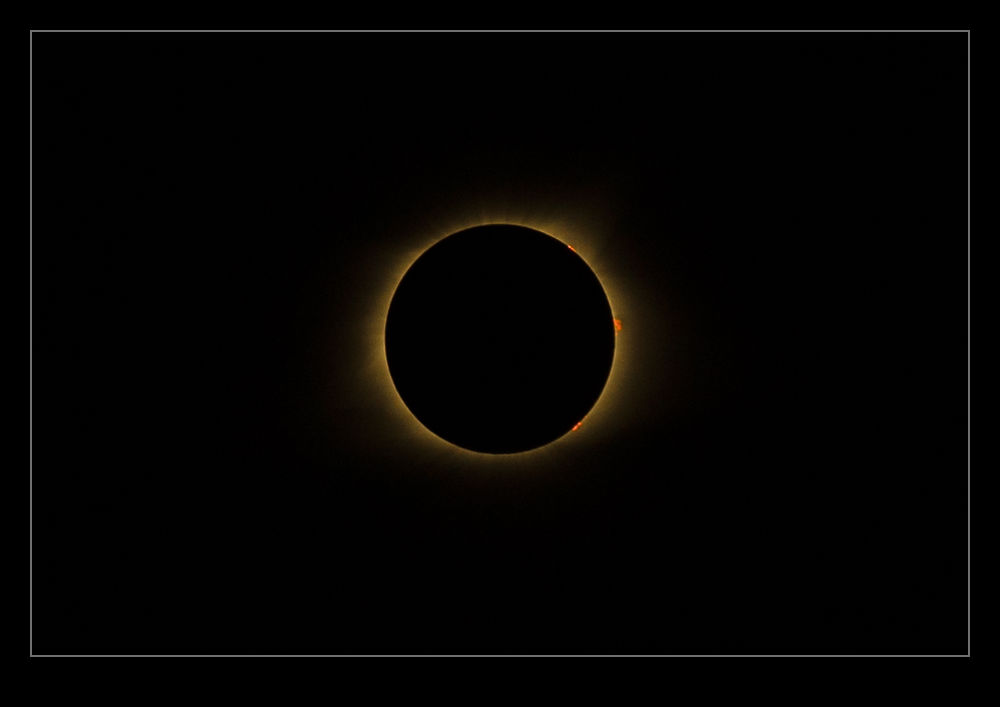
When totality occurred during the eclipse, I was literally and figuratively in the dark.  I had practiced shots of the sun prior to the day to get the exposure right and, while the eclipse covered up the sun, the remaining section was unaffected so the exposures were right.  Besides, I bracketed each shot because, we, why not?  At totality, I removed the solar filter and switched to program mode because I didn’t want to have to work anything other than the shutter.  I still bracketed the shots.

I got shots that I really liked but, I didn’t get anything that showed any detail around the edge of the eclipse.  Everything was bright.  Even with wide bracketing, the shots were quite blown out.  I was a little disappointed by this but it was a minor thing.  Seeing the eclipse had proved to be far more satisfying than any shot I got.  However, it turns out an error of mine had a lucky side effect.

I had been shooting a time lapse sequence on the other camera.  When I removed the solar filter (eventually) during totality, I didn’t change the exposure.  Consequently, the shots were a lot more underexposed than the shots on the other camera.  While the subject was a lot smaller in the frame because of the framing for the time lapse progression, I still had some detail of the eclipse and I realized some solar flares were visible on the side of the eclipse.  I hadn’t planned this – it just happened by luck and I am happy to take all the luck I can get.  As they say, “Better to be lucky than good!”

Can You Find Yourself in North Vancouver?

Standing on the shore in Vancouver on a sunny Sunday afternoon provided a great view of North Vancouver. Plenty of boats were making their way across the bay including some large ones which proved a little problematic for this task. I figured I could use the long lens, shoot a large sequence and create a panorama when I got home. It turned out that Photoshop and Lightroom both struggled compiling this panorama so I ended up positioning everything manually. However, it all worked out pretty well. Here is the result. Feel free to navigate around to see what you can find.

Another Go at Stitching iPhone Raw Shots

As I posted a while ago, I have been experimenting with stitching shots from my phone.  Since I am shooting in raw on the phone, I have some latitude to play with the shots in post that wasn’t there before.  This time, though, I thought about it a bit more and put the camera into manual mode to fix the exposure.  This should make the stitching and blending easier than when it changed between shots (although, to give the Lightroom team credit, it did a pretty good job anyway).  I allowed plenty of overlap and the merge seemed to go pretty well.  Since it outputs a dng file, you still have the chance to edit more aggressively than would be possible with a jpeg.  Meanwhile, you get a higher resolution shot than with the internal pano mode.  This may be my go to method from now on.

Sacramento Roundhouse

One end of the railroad museum in Sacramento is a roundhouse. It is accessible still from the line outside and I was there for a modern locomotive that was being unveiled. Access comes via a turntable which sits right next to the path along the river. I figured I would put together a panorama of the scene. However, I only had my phone (albeit able to shoot raw). I had never tried shooting a pano sequence with it before having only used its internal pano function.

I wasn’t controlling the exposure (although there is a manual function in the app I use) but I had noticed that the Lightroom pano function seemed quite adept at dealing with small exposure variation. I took the sequence and there was not a big difference across them. When I got home, I added them to Lightroom and had a go at the stitching function. It worked better than I had expected. Some small distortions were there but it actually was rather good. I had not been happy about the reduced size of the pano function of the phone so this has provided a better option to use in the future.

Shooting RAW on the Phone

The update to iOS 10 brought with it the possibility to shoot in RAW on the iPhone.  For some reason Apple didn’t bother to incorporate this feature in the base phone app but they did make it available to other camera app developers.  Camera+ is one that I use a bit so I figured I would start shooting in RAW via that.  Obviously RAW means larger files but, since I download my files to the desktop frequently and tend to clear out the phone, this wasn’t a concern.

First thing I found out was that other apps could see the shots.  I had taken a few shots and wanted to upload to Facebook and it turned out there wasn’t a problem doing so.  However, the main benefit was anticipated to post processing back on the desktop.  With the SLR shots (is there any point to saying DSLR these days?), it is possible to recover a lot from the highlights and shadows.  Would the same be possible with the phone?  Sort of.  You can get a bit more in these areas than would be the case with the JPEG when things are quickly lost.  However, the sensor data is still not anywhere close to being as adaptable as it is for an SLR.  You get more flexibility to pull the sky back but it is still pretty limited.

Is it worth using?  Definitely.  While it might not be the post processing experience you will be used to with SLR files, it is certainly better than the JPEGs provide.  The increase in file size is hardly an issue these days so I will using it from now on.  The camera app doesn’t have the pan and time lapse stuff so easily to hand so the phone’s base app will still get used but, aside from that, it will be my choice.  My main gripe now is that they have a random file naming protocol that is a little difficult to get used to.  Small problems, eh?