Category Archives: equipment

These Things Are Tiny!

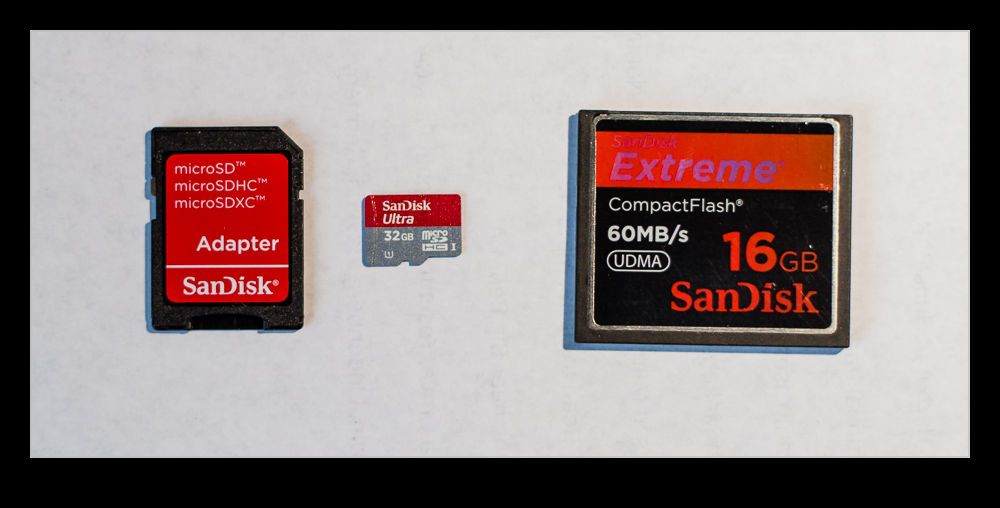
wpid5455-AU0E4768.jpgI shouldn’t be so old that I find some of the technological developments amazing but every once in a while you see something that impresses you.  I have been shooting with cameras that use compact flash cards for a long time now.  The form factor hasn’t changed in all of that time.  The SD card was seen as the way ahead but somehow the Compact Flash has always remained ahead of it.  The XQD card now seems to be the next step but we will save that for another day.

My cameras have a compact flash and an SD slot.  I have SD cards in them as backups if I suddenly need a little extra capacity but they aren’t used much.  The Compact Flash has always been faster to write to.  I do use them in my GoPro.  Recently B&H had a special on cards and, since I am about to buy a new GoPro and it uses the micro SD card, I took the opportunity to pick one up cheaply.  These things are small.

In the above picture you see a Compact Flash (16GB) and the adapter for the micro SD to fit in a standard SD slot.  Then you see the micro SD in the middle.  It is a 32GB card.  Am I the only one who thinks that thing is tiny?

Cheap Macro

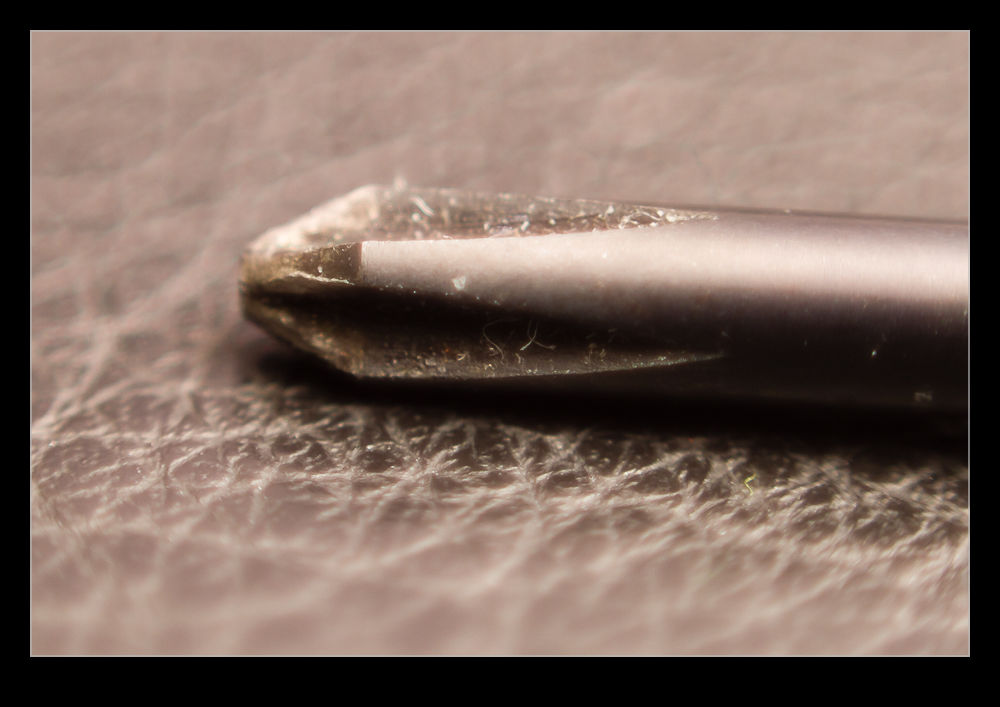
wpid5358-AU0E4107.jpgWhile the idea of trying macro photography has always been of interest to me, I have never got around to actually doing it aside from an old lens I had in my pre-autofocus days that had a macro setting.  The idea of renting a macro lens had occurred to me but the reason to do it hadn’t come up and I didn’t feel like renting the lens without having something to use it on.

wpid5360-AU0E4111.jpgThen I remembered reading about reversing a lens to use it for macro.  I have a 50mm that I I hand held in reverse to see how well the macro effect would work.  It seemed pretty good so I decided to get a mounting ring to reverse the lens on the camera.  Amazon came up with a bunch of options and the one I got set me back the enormous total of $8!

wpid5362-AU0E4114.jpgThe simple answer is that it works.  It is a little inflexible to use compared to something designed for the task but it does work.  The depth of field is extremely shallow and you get some odd distortion across the edges of the image.  Obviously there is no focus or exposure control.  I just set the camera to aperture priority mode and dial in the normal f/1.8 of the lens and the exposure seems to work out pretty well.  Then it is a case of moving the camera around to get focus.  Not something I am going to do a lot but, for $8, I don’t have to worry about getting a lot of use out of it!

Office Picture

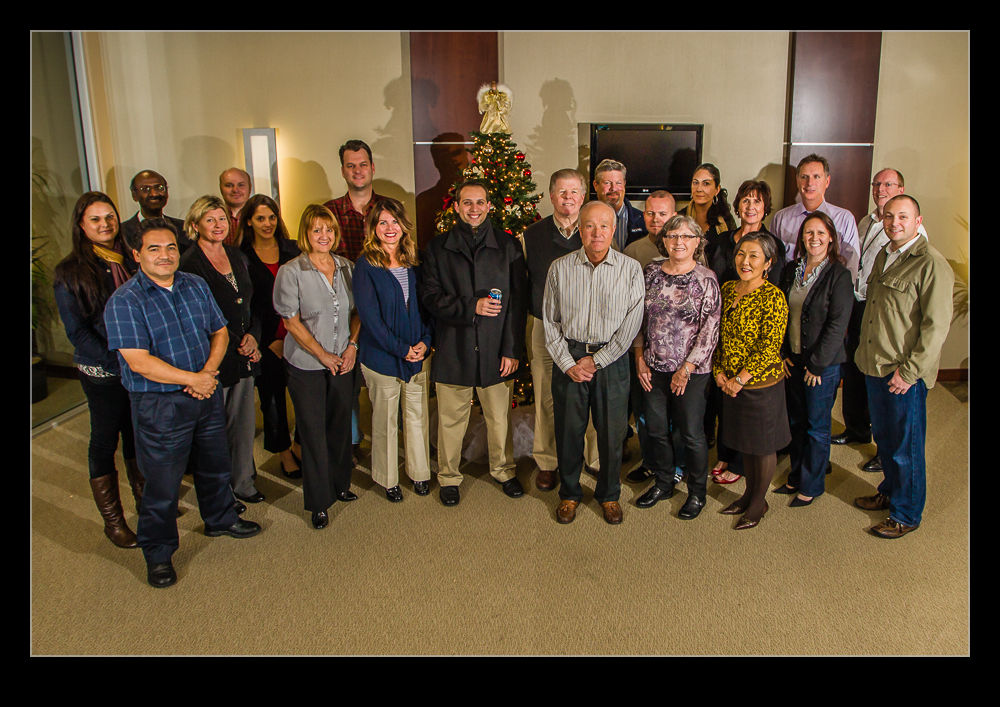
wpid5220-AU0E0982.jpgI have been working in an office in Sacramento on a project for a while.  With the end of the year coming up, an office calendar is being put together.  The majority of the pictures in the calendar are from the team members and their activities throughout the year.  However, there was also a need for a group photo.  I was asked if I would take the shot.  I was happy to do it but I also am a little less happy taking pictures of people than I am when it comes to inanimate objects!

I took a couple of flashes along with me and a remote trigger.  However, I was not willing to find out whether the whole thing would work only when everyone was there.  Therefore, a little early setup was in order.  I had a couple of volunteers to help by standing in various places to see how the light was working out.  Initially it was not good with the spread of light not avoiding some harsh shadows.  A bit of tweaking improved things a bit.  When everyone arrived for the shot, the result was a little different but acceptable.  A few people still managed to get in shadows and the corners did not look as good as I would have liked but the team seemed happy with the result.  I shall have to work out how I would do it differently another time.  Not an area I work in a lot but one I would like to be better at.

Back from ISAP

Another year’s ISAP symposium has drawn to a close and we have all headed home (or straight off to other assignments for some!).  This was a good year overall and I had a lot of fun.  Having been to a number of them over the years I have built up a number of friends that it is good to see as well as enjoying the content of the presentations.  Not everyone was there this year and I missed the presence of a few people but, hopefully, they will be back at the next event.

I saw a lot of fun things and got some shots so expect to see a few more posts in the coming days that show some of what we saw.

Lightroom 4 Impressions

It is a little while now since I upgraded to Lightroom 4 from the previous version (I will let you fill in the name here!). There were a few aspects of the new version that made me want to upgrade and I had played with the public beta version when it first came out. Of course, having ongoing support and updates is always helpful so staying with the old version was never going to be likely and when they halved the price, no further thought was required.

Now I have been using it for a while, what do I think? Well, on the whole I am reasonably pleased with the changes. The new sliders in the Develop module seem to be an improvement on the previous develop version. I was pretty happy with the way it worked before so the changes had to sell themselves to me. They have modified the way I think about the development settings since I used to be able to use Exposure alone to bring back a sky and maintain the shadows. Now I have to consider the White and Highlight sliders a lot more. I am not convinced that Highlight does a lot. White seems to be far more effective in my new approach.  Similarly the shadows slider is now more important to me than the blacks which is a change.

Another issue is with converting previous develop settings. Since the change of sliders is significant, going to the new develop version tends to result in all sliders being reset to zero. This can turn a reasonable image into something far worse initially. Lightroom does not have a conversion algorithm to get you somewhere close. It is back to the beginning. Maybe this makes a lot more sense.

The Map capability is a big improvement for me. Canon cameras are not well designed for adding a geotagging capability so I have ignored it on the whole or experimented with Jeffrey Friedl’s plugin. This is a very user friendly method and I shall make use of it a lot more I think. I like the book creation capability but would welcome some other outlets getting in the game. I have used Blurb before and they are fine but I have liked Adoramapix and have contacted them to see if they will be making templates soon. Let’s hope so.

So, is there anything wrong? Oh yes! It is slow!! The Develop module is awful at the moment. I have a pretty capable system but the sliders we very slow to react. The real time view of what you are changing is not there yet. You pick a slider, hope that the mouse click has actually selected it and then move to where you think works and then wait to see what happens. Is this acceptable? Not at all. Am I annoyed? Yes I am. Is it the end of the world? Probably not. I seem to recall that Lightroom 3 had similar issues when it first came out and was slow. Adobe released some updates pretty quickly and it ended up being a great tool. I am not going to revert back and will manage the sluggishness until they come up with a fix. If they don’t, I may have to consider but I am not the only one having an issue so I suspect it will be dealt with in the coming weeks.  Turning off the second screen makes a substantial difference but is not very useful so hopefully that will be tweaked.  A release candidate for version 4.1 is out now so, while I won’t try it out, hopefully that means the formal release is pretty close.

One other thing I will tag on her and that is the arrival of the beta version of Photoshop CS6. When the beta was released, I was not sure I would bother to try it out just yet. Photoshop is still part of my workflow but, as Lightroom has become more capable, Photoshop has been used less often and for more specialized tasks. I could probably wait, or so I thought. However, I watched some of the demonstrations of new features online and liked some of what I saw, especially the video editing. Since I shoot mo video these days, having an alternative video editor rather than upgrading the package I have might be good. It does seem to have some good basic capabilities and that is all I do most of the time. What isn’t there at the moment is good bio integration with Lightroom. Version 4 has some video clip editing for end points. It would be good if you could send the video to Photoshop in the same way you can an image. Since it would then come back to the catalog when you had finished, it would help in managing everything. Now I finish an edit and I have to import it – if I remember. If they could allow you to take multiple clips and open them as layers (again like you can with images), that would be even better since that lines up with the way video editing is set up in Photoshop. I commented on this on the Lightroom blog but we shall see if they are already working on this.

In conclusion, I am pretty happy with the new Lightroom. With the price halved I am even happier not least because the Photoshop upgrade is obviously not far away. Now to see whether they can tweak it enough to fix the minor problems.

Tidying Up a Computer

This one is for those of you that update your computers to add new capabilities and one day find you have created a monster.  I bought my computer with two hard drives installed.  I added other drives and ended up with seven of them in there.  It occurred to me that I probably wasn’t making the best use of the storage I had and I decided to make two changes.  The first was to replace the drive the OS was installed on and the second was to rationalize the drives for storage.

The original OS drive had been an SSD which was barely able to hold the OS and some of the user data.  however, at some point, something became corrupted and a new install was required.  Unfortunately, the install process which is supposed to allow a reformat of the drive as you go, somehow wouldn’t do it.  Since I needed it for work, I swapped it out with a spare normal drive I had.  This worked but took some speed out of the system.  Fixing this was the first goal.

SSD drive prices have fallen a lot so I actually bought a new SSD drive which allowed me to keep more on it without worrying about space.  This was the first part of the upgrade.  A couple of minor problems troubleshot and I was up and running.  The second thing I had to do was something I had prepared for ahead of time.  Reallocating all of my storage requirements.

Originally, I had a bunch of drives that had become part of the system over the years.  Some were in their third machine!  They were not the biggest drives around so I had a lot of space taken up with relatively limited storage capacity.  I worked out the requirements for all of my different data types – photos, documents, videos, Lightroom catalogs etc.  I then decided how I wanted them split up, what growth I needed and what drive sizes would suffice.  I was actually able to make use of drives that I already had – there were a bunch of reasonably large spares that came from updating my NAS a while back.  That also meant I had some large drives to act as intermediaries while I moved everything around.

I will have to update one of the drives in due course but it will suffice for a while.  My culling of old images will also buy me some time there!  Ultimately I got everything migrated across to its new home, the Lightroom catalogs updated to find everything again and I now have two less drives in the box and still plenty of capacity.  A bit of a pain to do but worth it I think.  Let’s hope everything behaves for a while and no further rebuilds are required!

Camera Bag Review

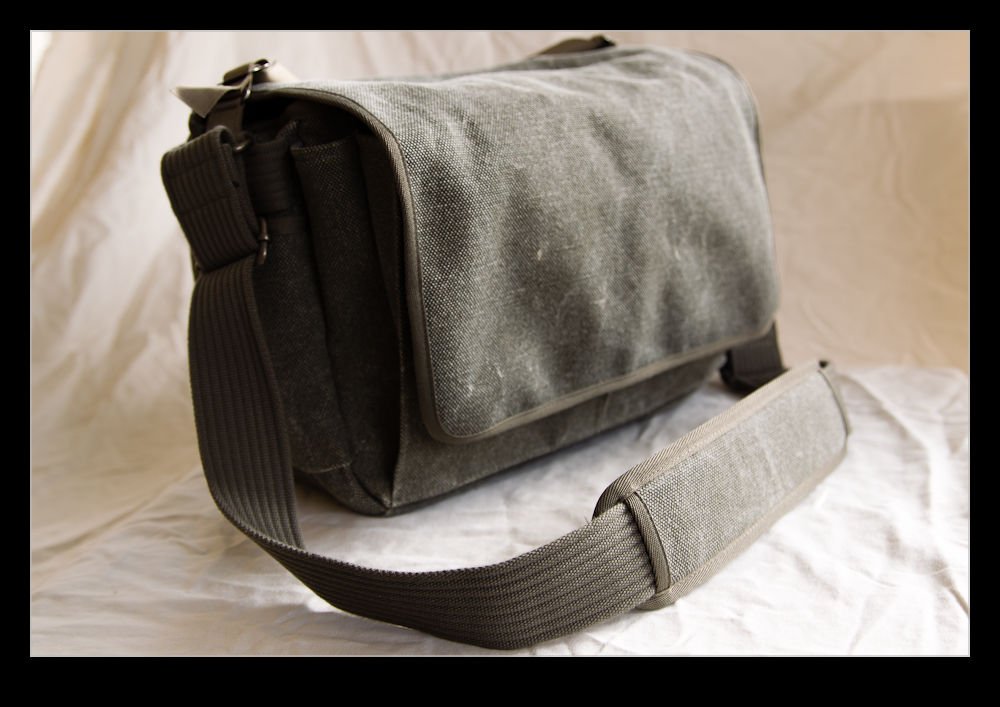
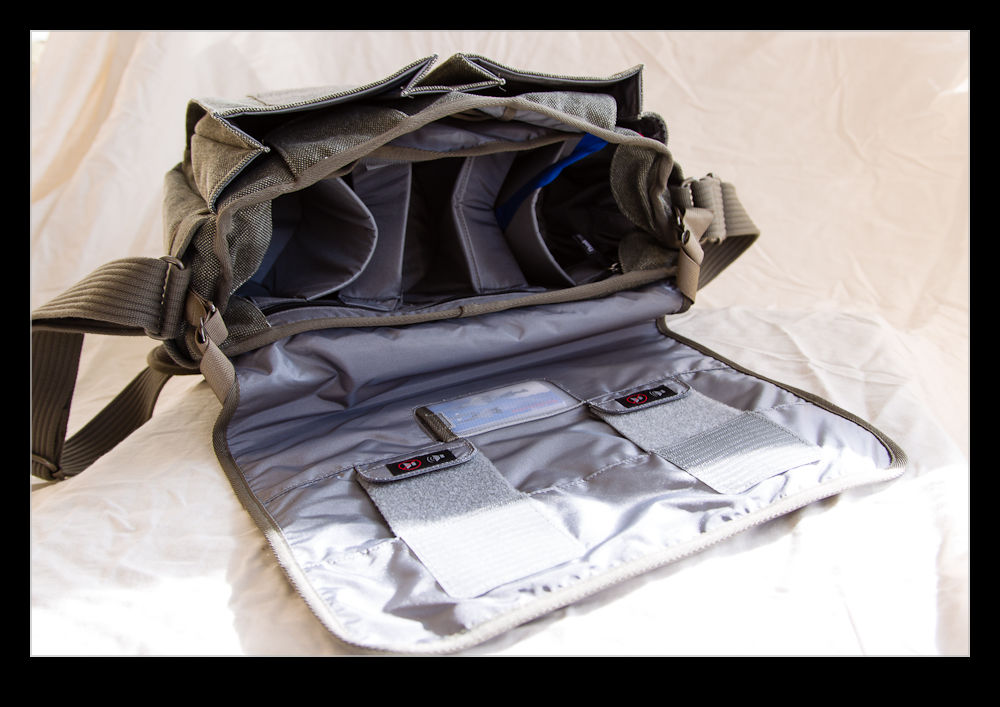
I was a lucky boy and got a new camera bag for my birthday.  Since getting my first piece of Think Tank equipment, I have been taken by how well their products are designed.  I have had (and continue to have) many camera bags and usually they come with some shortcoming or other that leaves me still searching for the right product.  My first Think Tank bag has never left me feeling that.

This time I was after a smaller bag that would be good around town.  The one I wanted is also designed to be inconspicuous since it doesn’t look like a camera bag at all.  It is called the Retrospective 30.  This is a great looking bag on its own.  The fact it is well designed as a camera bag too is a bonus.  Some nice little features include Velcro closures that can be doubled over to make the flap silent in use (obviously without being secured in the same way) if you are keen to be inconspicuous when accessing the bag.

It can carry a surprisingly large amount.  On its first trip out I ended up with as much in it as I sometimes get in a Computrekker backpack from Lowepro.  I had two bodies and three lenses plus some straps and a spare card holder and it did fine.  One thing to note, though.  It is a sturdy shoulder strap that carries all this and putting all that weight on one shoulder can be a bit tiring after a while.  The bag is fine – I’m more of a wimp!

Dust Spotting – It’s Over There!

A slight change in direction today.  I am going to talk about a post processing tip that I recently read in the NAPP magazine, Photoshop User.  It was a tip about how to manage dust in images.  This may be something that everyone knows about in which case I apologize for being late to the game.

Dust is a familiar problem to a lot of photographers.  It isn’t familiar to a lot more but it should be given the number of shots you can see that have dust spots all over them.  Cameras have got better in recent years with the addition of dust cleaning functions that shake the dust off.  However, not all cameras have them and they don’t always work perfectly.

When shooting aircraft against a blue sky, dust spots can be particularly conspicuous.  If the area with the spot already has a lot of detail in it, the chances are you won’t notice it – particularly if the aperture is reasonably wide.  In that case, you don’t really have a problem.  The difficulty with dust spots is that you can get to a point where you cease to be able to see them.

Lightroom has a nice feature to assist in dust spotting.  If you zoom in to 1:1 view in the Develop module and press Page Up or Page Down, you can look at the whole image to use your spot removal tool.  As it moves down to the bottom of the image, another press of the button will move you across and back to the top so you cover the whole image without having to think about it.  In the past, I have used this technique combined with really ramping up the Blacks slider to make the dust show up.  Even then, the results are not always perfect.

The tip from the magazine was the creation of two Tone Curves to help show up the dust.  I will describe the creation of the curves at the bottom since it is a bit long-winded and many may not be interested.  The two curves when applied to the image create a very freaky effect.  You could actually think of it as a creative finish itself but I will leave you to decide on that one.  You can save the curves as a preset and use them whenever you need them.  (I assume you can do this too in Camera Raw if you are using Photoshop since ACR and Lightroom use the same processing.)

The colors will be really messed up but the effect will make the dust spots really jump out of the image.  You might wonder why there are two curves but, interestingly enough, some spots will show up clearly with one curve but barely at all with the other.  I tend to apply one curve and run across the image, then apply the other curve and run back the way I came.  It really doesn’t take very long to do.

One thing to bear in mind with this.  The technique finds dust spots you had no idea were there.  You will start to think that your sensor is filthy.  Yes, it is – BUT – most of this stuff is totally invisible.  Don’t get paranoid.  You can get messed up with this.  I had some shots of a vintage prop aircraft and the slow shutter speeds had resulted in small apertures and more conspicuous dust.  I ended up with so many spot removal edits that the image rendering took a lot longer than normal.  I suspect I had gone overboard with those shots.

Do you have to do this with all shots?  Nah.  However, if you are planning on doing something significant with the shots and you are concerned to keep dust spots out of the image, this could be a good way for you to find the dust more quickly and get back to what you really want to be doing rather than hunting for dust which, I suspect, is not most people’s favorite task.

Creating the Curve:

The curves are reversed versions of each other.  One of them starts at 0,0 and the other starts at 0,100.  Create a point at each 10% across the x-axis with each point alternating between 0 and 100.  You then have a very aggressive looking sine curve (or cosine curve for the alternate I guess).

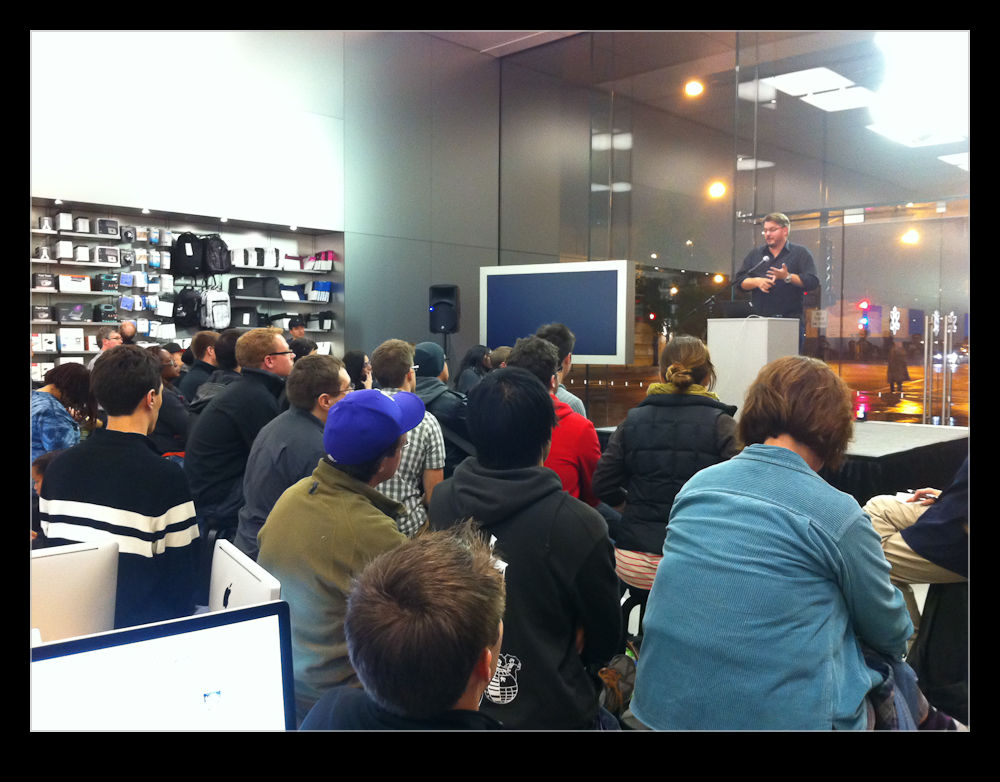
An Evening with Vincent Laforet

Okay, maybe not a full evening but an hour and a half so close enough.  A damp Monday evening in early November is not the sort of time that you are planning a trip out.  However, Vincent Laforet was giving a talk at one of the local Apple stores and I was keen to be there.

I saw Vincent once before at my first ISAP symposium in Pensacola FL.  He was still predominantly a still photographer in those days.  He gave a talk about his aerial photography in New York and an unbelievably moving account of his time in New Orleans during Hurricane Katrina which was accompanied by some equally moving imagery.

When Canon released the 5D MkII, Vincent filmed a short called Reverie to demonstrate the capabilities of the camera and it went viral.  I don’t know whether this was the start of his move to film or whether he was already on the way there beforehand but he is now a director and a bit of a go to guy on the techie issues with HDSLR video.

His talk was a combination of some of his history – a fair bit of stills work since his audience included a lot of photographers – along with some of the video work he has been doing.  I follow his blog so the video material was stuff I had already seen but that was not a problem.  He talked a bit about what the newer technology is bringing to the video world and how different the workflow is.

The real interest came at the end of the evening though when he had a Q&A session.  This really got to the heart of the issues people were interested in and he was very frank in his answers.  He challenged people to think about what they were doing and who was going to be coming after their work environment (and what that environment would even be).  He answered technical questions and gave thoughts on how to self-teach some of the things associated with film making.

He was a very approachable guy and willing to talk to everyone who wanted to get a moment with him afterwards.  If you get a chance to see him at any event, I would certainly recommend it.  In the mean time, his blog is well worth a look.  He doesn’t always blog regularly but, when he does, it is good stuff.  He also has a great gear page if you want some insight into the stuff he uses himself.  Check it out at blog.vincentlaforet.com if you are interested.

Something Fishy

Let’s get the statements of the obvious out of the way first.  Yes, I am a bit of a “gear head”.  I am quite partial to stuff!  Does this mean that I sometimes get things that I don’t necessarily “need”?  Yes, of course.  Having got past that, let’s move on.

One thing I have been pondering for a while on the lens front was a fish-eye.  Not something that is needed on a regular basis but something that has its moments.  Canon had a couple of fishes that I was looking at.  They had the 8mm fish and the 15mm fish, both of which had things that interested me.  Which one was better for me?  My two main bodies are 1.3 crops but I do have a couple of APS-C sensor cameras which have the 1.6 crop.  All of this impacts the effect.  Besides, when buying lenses, who knows whether I will have a full frame camera at some point.

The result of all of these variables was that I never bought a fish-eye at all.  I just pondered what I should do at length and did nothing in the mean time.  Imagine, then, my delight when Canon announced the introduction of the 8-15mm fish-eye zoom.  Have they been bugging my thoughts to find out what I want?  I guess so.  That reminds me, I must start thinking more about other things I want them to develop!

Of course, the announcement of a new lens does not mean the availability of a new lens.  Recently, it seems the announcement can be far ahead of the delivery.  Obviously the issues in Japan resulting from the earthquake and tsunami have had a major impact but I suspect there is more to it than that.  Anyway, the thing is finally in the wild.  My friend Jim Koepnick was the first person I saw to have one.  They would appear in stores and be gone almost as fast.  No biggie since it wasn’t like I had been struggling without it.  Once they were regularly in store I placed my order.

I have to say, I love the thing.  It feels great in the hand and, despite what I have heard from some reviews, I have had no issues with the lens cap.  It is also a chance for me to start learning what can be done with such a lens.  There are the obvious effects you can get and the access to a lot of width in tight spaces.  However, it can also create interesting effects by changing the angle at which you hold it.

I went out in the city to give some time to experimentation.  I ended up in Millennium Park which is a slightly odd place to play with a fish since many of the features already have a slightly “fishy” look to them anyway.  Of course, that does sometimes allow the subject to be more tolerant of some distorting effects.  It was a fun place to shoot since it is always busy and getting close and using the fish provides some options as well as making surrounding people disappear into the background quite quickly.

I also played around with a couple of effects.  There is a metal frame across the lawn at the Pritzker Pavilion.  By tilting the camera down, I could really emphasise the curvature but by tilting it up, the frame became almost totally flat.  Something to remember.  I also played around with slightly rotating the camera.  This made the edge of the frame level and the receding horizon appears to turn up dramatically.  Not something to overdo but still a concept to remember for the future.

I am certainly happy that I have added the fish to the arsenal.  Now I have to make sure I make good use of it without slipping over the edge into using it when I shouldn’t.  Hopefully my friends will warn me if that is the case.  That, and I have to remember to keep myself out of my own shots!