Tag Archives: video

Lightroom Craps Out With Videos

This is a tale of a problem I got in to with Lightroom.  I Googled solutions for this and got a bunch of suggestions but none of them worked.  In the end, Adobe sorted out the issue but I wanted to share what happened in case anyone else experiences the same issue and ends up Googling like I did.  Maybe this post will help someone out.  The source of the problem was an MP4 video file that apparently had some corruption within it.  This screwed up stuff within Lightroom that needed some detailed work to fix.  First, I shall tell you what the main error was.  This might be what someone is searching for.

Dynamic Link Media Server Failed to Launch

The result is that video files don’t import and then you seem to struggle to preview videos at all.  When you are in the Import dialog, the video preview doesn’t show and an icon of a camera comes up instead.  Some of the recommendations online were to delete the Dynamic Link Media folders in the App Data section of Windows and restart but that didn’t help.  I also tried that and deleting the media cache but no luck.  Next was to delete the Preferences folder for Lightroom which can often be a solution for unexplained problems but that didn’t work either.  That is when I got Adobe involved.

The support engineer tried a bunch of things.  Eventually, he created a new user on the machine and opened up Lightroom in there.  We tried importing a new video file from the same camera and that worked.  He then set about deleting the Lightroom related app data in my user profile and replacing it with the data from the new User.  We then tried importing the new file and it worked fine.  Next was the previous file and that caused the same problem as before.  Now we knew the file was the problem we could isolate that from everything we did afterwards.

Of course, I had damaged Lightroom again but now we knew what was required, it was a simple task to copy the folders across again.  The only downside to this was that all of my presets and information got deleted.  However, I had copied the old Lightroom folders before starting all of this.  It wasn’t too tricky to replace my camera profiles, develop presets and plugins.  At first I thought I had lost some functionality that I really like.  I have a plugin called LRInstagram which allows me to post from Lightroom to Instagram directly.  Facebook has turned off the ability to do this so, if you install the plugin now, it won’t work.  However, something about my legacy setup meant I had still been using it.  When I tried to set this up again, it failed to work.  However, my old Lightroom folder had a sub folder for the plugin which contained something like a cookie and, when I copied this across, I was back up and running!

All of this is to say, if you have a similar problem to me, there is a solution.  I won’t lay out the files that are involved because it is a bit tedious and there are some other things to bear in mind but, if this happens to you, get in touch and I will talk you through what we did.


Video of Haneda in the Rain

I posted some shots of the jets at Haneda reversing thrust and throwing up a lot of spray in the process as a result of the rain that day.  Stills can be good for showing off spray but the motion of the spray in the reverser flows is more apparent in video.  Consequently, I shot a bunch of video that day.  Only recently have I caught up with my video editing backlog courtesy of the ample time I have at home as a result of not being able to go out anywhere.  Here is a sample of the airliner movements from that day.


Gastown Steam Clock

One of the tourist attractions in Gastown in Vancouver is the Steam Clock.  Sitting on a street corner, this looks like a giant grandfather clock with steam whistles on the top of it.  It was surrounded by tourists and the number of selfies being taken was substantial.  We were there close to the top of the hour so we waited around to see what happened.  Below is some video of the lock striking the hour if striking is the right word.

Videoing the Hummingbirds

Sometimes you just forget what you have tucked in the garage.  I have been trying to get shots of the hummingbirds in our back yard and more recently shot a little video with the DSLR.  Then it occurred to me that they might be wary of people but not of inanimate objects.  Why not stick a camera on a post right next to the feeder.

While it hasn’t had much use recently, I have a GoPro (or two).  I have an adaptor that would sit on top of a lighting stand which is plenty tall enough to get up to the height of the feeder.  Moreover, I can control it all remotely using a phone/tablet including a live video feed.  I sat indoors with the iPad on watching for movement on screen while doing other things.  As soon as one appeared, a press of the button and they were being recorded.  The initial attempts failed until I remembered to switch off the beeps and the LEDs that flash during recording.  After that it was easy.  The results were rather pleasing.

Dreamlifter Video

Here is a bit of video I shot of a Dreamlifter heading out of Paine Field.  I was there with a visitor who wanted to see the large beast and, rather than shoot more stills, I figured I would go with just video.  If I had planned for it, things would have been a little better but hopefully it shares a little of the experience.

A Little Hovercraft Video

I got a few stills of the hovercraft but I also decided to film some video.  For those that haven’t seen hovercraft in action, stills probably do not give a suitable impression of how they rise up above the surface yet still leave a wake.  Quite a cool form of transportation and I do enjoy seeing them.  Hope you enjoy the video.

Squirrel’s Nibbling Won’t Be Disturbed By Us

Walking through the woods at Meerkerk Gardens, we came across a tree that had fallen across the trail.  Sitting on the log was a squirrel.  This squirrel was happily munching on its food.  We weren’t going to continue down the trail so were not likely to get in the squirrel’s way but we figured our very arrival would spook it.  We were wrong.  While it was clearly aware we were there, it did not seem to see any need to interrupt lunch just because of us.

777X Taxi Trials

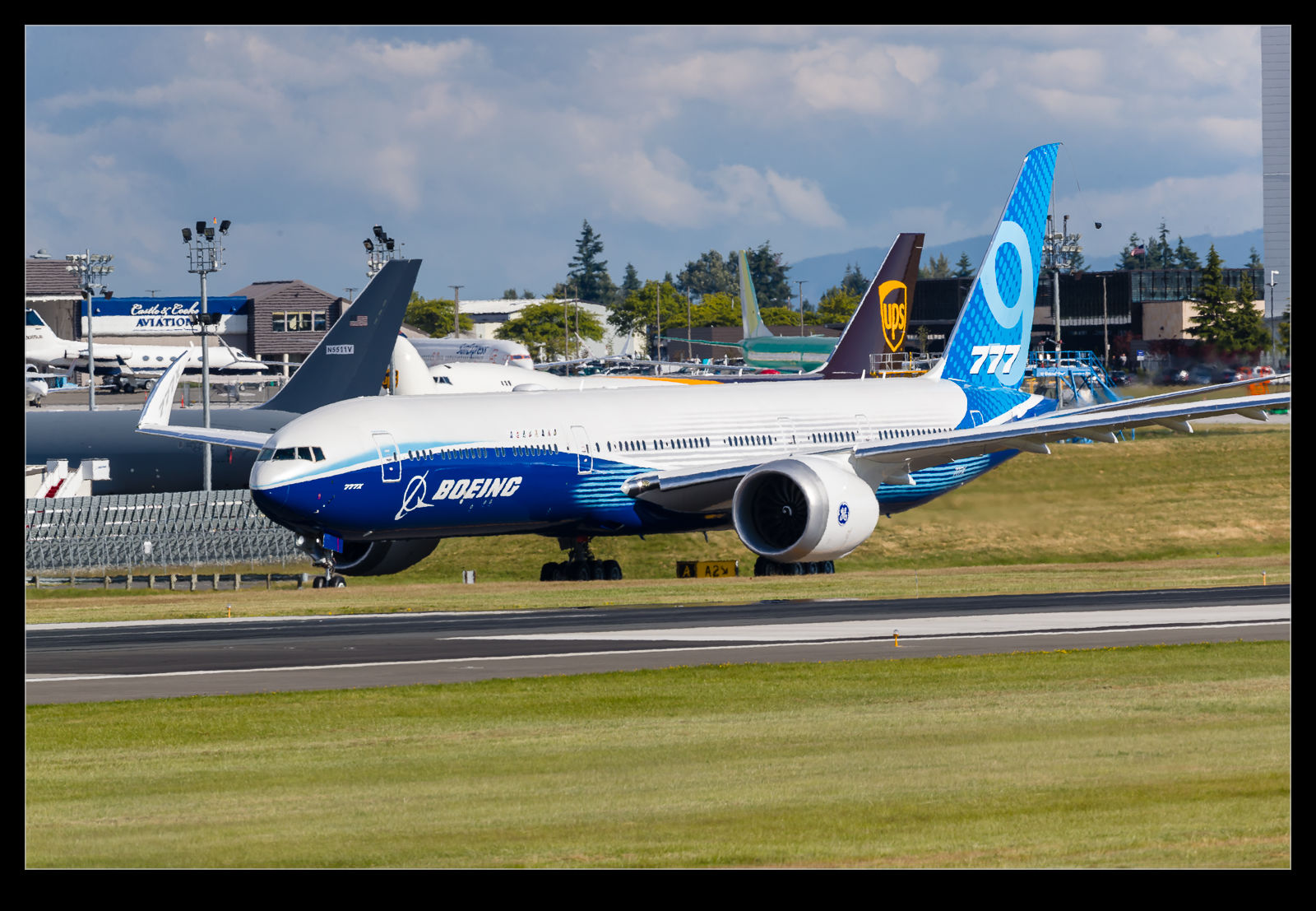
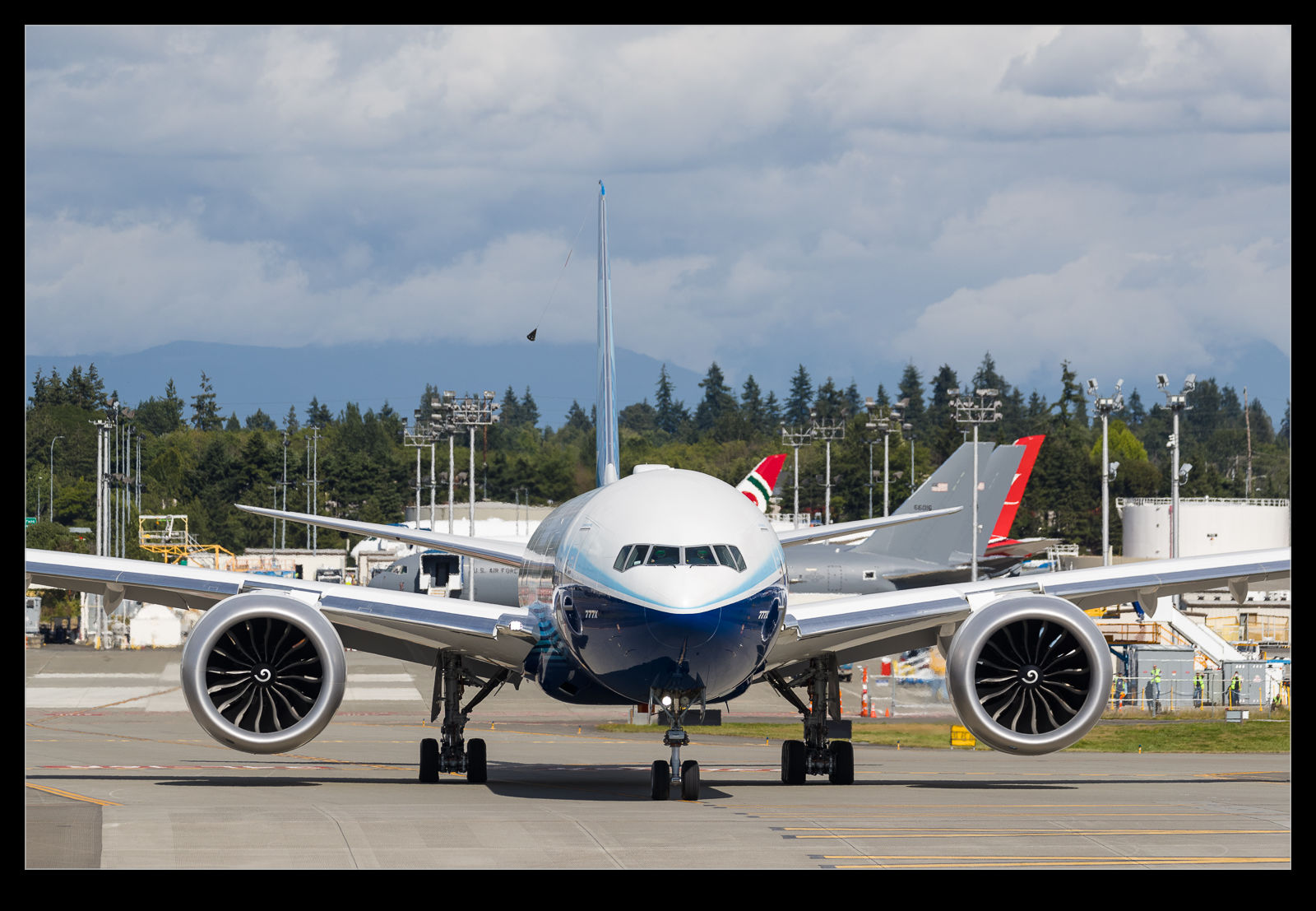
I had a lucky break one evening when I headed up to Paine Field for one thing, only to discover that the 777-9 development airframe was undergoing taxi tests.  I got there to see it on the Boeing ramp with cooling fans running to cools the brakes.  I was worried that I may have missed all of the action but this was not the case.  They had two more taxi trials that they ran before wrapping up.  Each time they would have a brake cooling session with the fans.

The engines are a problem at the moment so they don’t have a flight clearance.  That means that the taxi trials will not get too fast.  High speed taxi trials require a flight clearance to be available should the aircraft get airborne by accident.  These were not going to do anything like that so no lifting the nose wheel.  Just accelerate down the runway, gather data points and apply the brakes.  I wrote a piece for GAR which is here that covered the trial and there is some video below which includes a head on view of the folding wingtips being lowered into the flight position.

Video Editing With DaVinci Resolve

While it is not what it was designed for, I have been using Adobe Photoshop for my video editing for quite a while now.  It did enough for my purposes so I couldn’t see the point in investing in new software purely for video.  However, I was talking to someone hat was starting to play with video creation and they wanted something to work with, so I looked around at what was available.  I saw that DaVinci Resolve, while available as a full feature video editor commercially, came also with a free version that seemed to have a lot of the features that the basic user could want.

Since I was potentially going to recommend this, I figured I ought to try it out myself first to see how it worked.  I have to say I have been very pleased with it.  There are clearly plenty of features in even the free version that I am unlikely to take advantage of.  It is also a lot more user friendly than Photoshop when editing video (which is hardly surprising given that is what it is designed to do).  I have played with a few edits now and I am starting to get the hang of it.  One lesson I have learned so far is to choose the continuous save option.  I spent a lot of time on an edit and the software locked up after lots of work.  The whole thing was lost.  Now it keeps a running save going (although I haven’t tested that properly as it hasn’t crashed since).  This looks like it is my new go to for video work.

Dreamlifter Turnaround

The 787s fleeing the hurricane weren’t the only aircraft arriving at Paine Field while we were there.  The regular schedule of 787 component deliveries was underway with the Dreamlifters.  One of the jets landed just after we got there.  We watched from the rooftop as it taxied in, the crew opened up the tail and a fuselage barrel section was offloaded.  There was another Dreamlifter already parked up when we got there.

Once our tour was over, we headed back upstairs because this Dreamlifter was now ready to go.  It pushed back and taxied out.  I decided to try some video of it rather than more stills.  The jet was off to Japan and was fueled up.  Consequently, it used a good chunk of the runway to get airborne.  I was watching through the camera and can admit to being a little surprised how long it ran.  The video I got is below.