Category Archives: technique

More Time Lapse Sunset

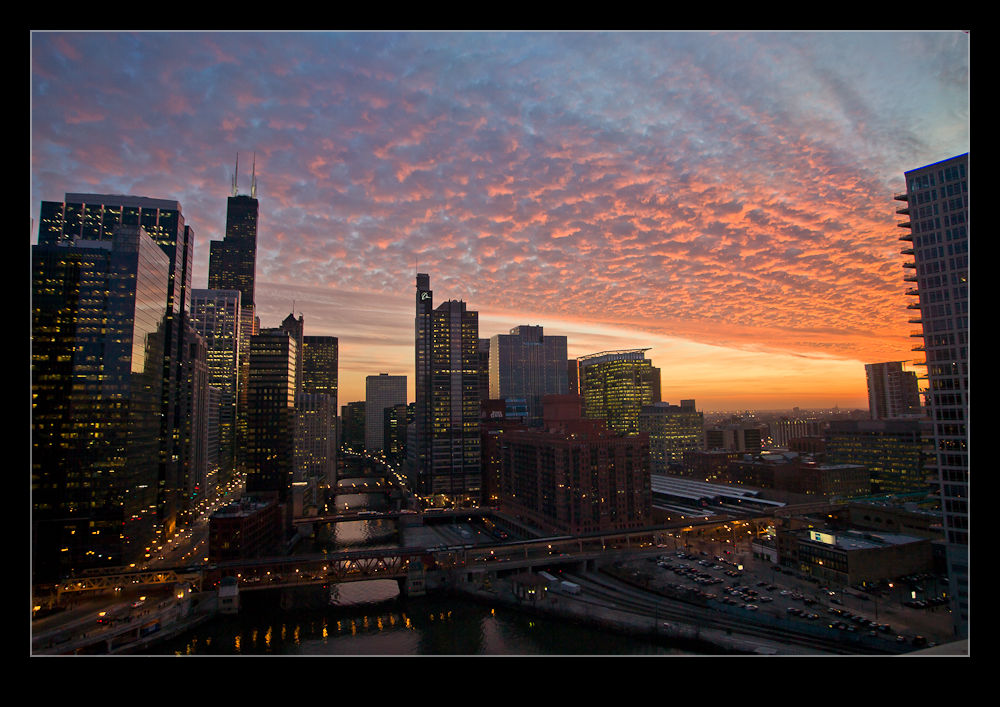
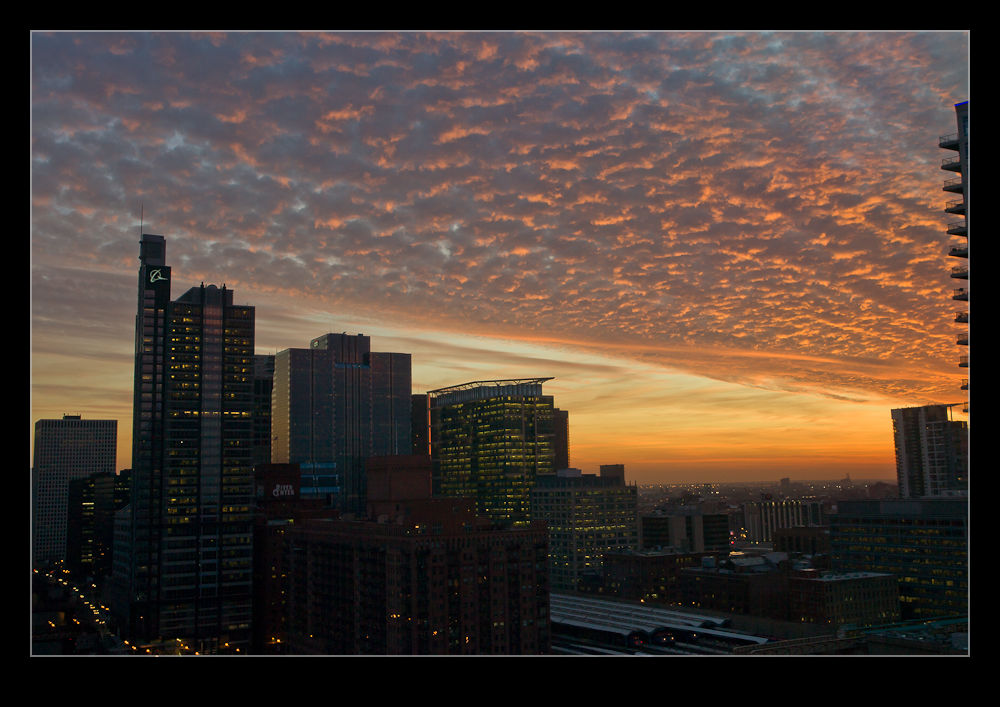
I had a plan to meet up with my friend Joel to catch up recently.  We were looking for a place to meet and went with the Holiday Inn by the Merchandize Mart.  It has a bar that is a comfortable place to talk and has the added benefit of a great view over the city.  I wasn’t there to shoot anything but, knowing the view was good, I took along some gear just in case.

Joel and I chatted for ages and didn’t get around to taking pictures for a while.  As the sun was setting, the sky was getting very interesting and I finally had to apologize and grab the camera.  I got a few shots and then set it up by the window next to me to shoot a time lapse.

This required no input from me so we could continue to talk without interruption but it should provide something interesting to check out later.  However, I hadn’t planned as well as I hoped.  As the light dropped, the shutter speeds were getting perilously close to the delay between each shot as I had set the ISO a little lower than I thought.  Changing it is not a problem but I was using a lighter tripod which was not as well locked off as I thought.  I managed to move the head a little.  I corrected but knew the alignment would be off a bit.

Fortunately, while I couldn’t completely remove the effect, when I processed the time lapse using Lightroom and LRTimelapse, I was able to find the frames where the jump takes place, set them as keyframes, adjust the cropping of the second of those two frames to almost perfectly align and the resulting video is a lot better than it would have been.

Thanks Joel for a fun time.  It was good to catch up and I appreciate the stuff you gave me.  Here is the video that resulted!

Dust Spotting – It’s Over There!

A slight change in direction today.  I am going to talk about a post processing tip that I recently read in the NAPP magazine, Photoshop User.  It was a tip about how to manage dust in images.  This may be something that everyone knows about in which case I apologize for being late to the game.

Dust is a familiar problem to a lot of photographers.  It isn’t familiar to a lot more but it should be given the number of shots you can see that have dust spots all over them.  Cameras have got better in recent years with the addition of dust cleaning functions that shake the dust off.  However, not all cameras have them and they don’t always work perfectly.

When shooting aircraft against a blue sky, dust spots can be particularly conspicuous.  If the area with the spot already has a lot of detail in it, the chances are you won’t notice it – particularly if the aperture is reasonably wide.  In that case, you don’t really have a problem.  The difficulty with dust spots is that you can get to a point where you cease to be able to see them.

Lightroom has a nice feature to assist in dust spotting.  If you zoom in to 1:1 view in the Develop module and press Page Up or Page Down, you can look at the whole image to use your spot removal tool.  As it moves down to the bottom of the image, another press of the button will move you across and back to the top so you cover the whole image without having to think about it.  In the past, I have used this technique combined with really ramping up the Blacks slider to make the dust show up.  Even then, the results are not always perfect.

The tip from the magazine was the creation of two Tone Curves to help show up the dust.  I will describe the creation of the curves at the bottom since it is a bit long-winded and many may not be interested.  The two curves when applied to the image create a very freaky effect.  You could actually think of it as a creative finish itself but I will leave you to decide on that one.  You can save the curves as a preset and use them whenever you need them.  (I assume you can do this too in Camera Raw if you are using Photoshop since ACR and Lightroom use the same processing.)

The colors will be really messed up but the effect will make the dust spots really jump out of the image.  You might wonder why there are two curves but, interestingly enough, some spots will show up clearly with one curve but barely at all with the other.  I tend to apply one curve and run across the image, then apply the other curve and run back the way I came.  It really doesn’t take very long to do.

One thing to bear in mind with this.  The technique finds dust spots you had no idea were there.  You will start to think that your sensor is filthy.  Yes, it is – BUT – most of this stuff is totally invisible.  Don’t get paranoid.  You can get messed up with this.  I had some shots of a vintage prop aircraft and the slow shutter speeds had resulted in small apertures and more conspicuous dust.  I ended up with so many spot removal edits that the image rendering took a lot longer than normal.  I suspect I had gone overboard with those shots.

Do you have to do this with all shots?  Nah.  However, if you are planning on doing something significant with the shots and you are concerned to keep dust spots out of the image, this could be a good way for you to find the dust more quickly and get back to what you really want to be doing rather than hunting for dust which, I suspect, is not most people’s favorite task.

Creating the Curve:

The curves are reversed versions of each other.  One of them starts at 0,0 and the other starts at 0,100.  Create a point at each 10% across the x-axis with each point alternating between 0 and 100.  You then have a very aggressive looking sine curve (or cosine curve for the alternate I guess).

Airliners versus Jetphotos

I bounce backwards and forwards about whether I am interested in the two most prevalent of the online aircraft photograph databases, Airliners.Net and Jetphotos.Net.  I have pictures on both services and they have (very) occasionally brought some useful contacts my way.  Getting images on to their databases can be a frustrating process if you let it since they have very specific requirements about what they accept and what they want.

They own their websites and they can have what they want on there.  If I don’t like it, I am sure they won’t be losing sleep and recognizing this a while back made my life a lot less stressful!  Indeed, I stopped uploading to Airliners.Net and focused on Jetphotos for a while.  They became similar in their issues over time and I stopped bothering altogether.  It hadn’t done much for me so I didn’t see the need.

Every once in a while, I thought it might be useful to have something further there based on the occasional contacts I got.  Therefore, I would get back into the idea of creating edits of my images for the websites.  However, I now make the edits, submit the shots and, if they are accepted, fine.  If not, fine a well.  I am not chasing database statistics with these people.

I have recently come across a few shots of mine that I thought might be good for the sites so made the edits and uploaded to each site.  This was one of those moments when I wanted to compare them in their acceptance policy.  They have a desire for a high level of sharpening but don’t like things to be over-sharpened.  They also can have different views as to what over-processing is – something I like since they often reject for that when I have done very little processing at all!

I have now got the results back and it continues to amuse.  Both sites have accepted some and rejected others.  The fun comes from the fact that they have taken very different approaches to their analysis.  Airliners have rejected some things that were accepted by Jetphotos.  Similarly Jetphotos have rejected some that Airliners accepted.  Rejections were often for similar reasons but for different images.  Is there any rhyme or reason?  I don’t know.  I used to appeal shots that I thought they had been incorrect on.  Now I don’t bother.  Will this ever change?  Probably not.  Will I change my approach?  Probably not.  Does it matter?  Probably not.  The most important thing is to not get stressed about this stuff I guess.

El Centro Video

We were kindly hosted by the team at NAF El Centro for a photocall.  I will post later with some of the shots from the visit to the base itself.  However, one of the things I wanted to do this time that I learned following my previous visit to El Centro was to shoot more video.

I was still going be predominantly shooting stills but the motion and proximity of the aircraft is hard to appreciate sometimes from a still image (a failing of mine as a photographer of course).  Video gives you more of a  sense of the activity.  Therefore, I took a GoPro with me to the day and mounted it on top of my camera on the hot shoe.

This had the advantage of allowing me to shoot video at the same time as stills.  It did have a couple of disadvantages.  One is that the sound of the shutter clicking is picked up by the camera on the soundtrack.  When the jets are close it isn’t too bad but when they are further away, it becomes more intrusive.  Second, the GoPro is fixed at quite a wide angle so it makes everything look a little further away than it is.  However, this is an add-on to my normal shooting so both compromises are worthwhile.

I did shoot a small bit of video with one of the SLRs and it probably won’t be hard to spot which bit of film that is when you watch.  I didn’t bother with any music since I think the sound of the jets does a pretty good job.  Here is the result.

Gerry Holtz Exhibition

I was recently in Los Angeles and, while there, took the opportunity to catch up with Gerry Holtz.  Gerry is a great guy I met at the Kennedy Space Center when we were both there to witness the launch of the space shuttle Atlantis.  Gerry lives in LA where he runs his own business in the video editing and production business with much of his work being on your TV screens on a regular basis.

However, Gerry is also a photographer and a pretty good one at that!  One of the things that he has been working on in recent years is a form of panorama shooting that creates a 360 degree view in a single square format image.  Gerry has an exhibit running presently at a cafe in Hollywood.  If you are nearby, the details of the venue are below and, without jumping to the end of the story too quickly, I do recommend a visit.

Gerry makes use of some familiar software tools to create the panoramas but the important elements of his work are the ability to visualize how the components of the scene will appear in the finished image and the willingness to do more than just use the basic software tools.  He works on the details of the image – both the elements and their blending and the dynamic range that can be present in a shot covering such a wide area.  The result is a far more time consuming process to create the final image but a result that justifies the effort.

He also has put a lot of effort into the display of the images for this event.  A number of them have been mounted on rotating frames since the image can be viewed from many angles and the rotating frame makes this easier for the viewer to achieve.  A smart idea and one that works very well.

You might have noticed that I normally have a number of images in my posts but this time there are none.  Since this is Gerry’s work, I did not want to reproduce it here.  However, you can certainly take a look at what he does by visiting his Facebook page.  Go to www.facebook.com/gerradaholtzphotography to take a look at examples of Gerry’s work.  I think you will be both impressed and fascinated.  Some of the images can appear very abstract but then you can explore them further to see more of what is there.  Some will be of familiar locations and others you will not have seen before.

I would like to thanks Gerry for taking the time to show me around the exhibit and to wish him well with further displays of the work.  I understand he is considering a book of more of the images and think this would be a great idea.  The exhibit is at 6547 Santa Monica Boulevard, Los Angeles, CA 90038 .  If you are in the area, take a look!

Oh, to have been digital then…

When I am working on a project that relates to something older than 10 years ago, I have to dig into my film archives and see what I have shot in the days before digital came along.  Almost invariably, when I undertake such a task, I am struck by how things have changed when shooting digitally compared with film.

There are two main differences I notice between now and then.  First the number of shots and second the quality I can get from them.  I should, at this point, confess that I always shot negatives rather than transparencies (well, almost always) when I was a film shooter and they will be plenty of photographers who will consider never speaking to me again as a result.  However, while the reasons for that are in the distant past, I don’t know whether it would really change much at this point.

Numbers are easily explained.  When I shot film, every frame had a cost.  The film had to be bought and then it had to be processed.  It also then needed to be stored which I didn’t always do as well as I should.  Consequently, some images that should be available are in less than perfect condition.  That is my fault, of course, not that of the technology.  This cost meant that shots were taken sparingly.

When I went to airshows in the late 80s, I would probably shoot about six or seven rolls of the 36 exposure.  I used to think this was a lot and my none photographic friends used to think it was extravagant.  About 200 shots was a lot.  Compare that to a show today and I can safely say things have changed.  I would miss good shots because I was waiting for what I hoped was the slightly better one to come.  Now I shoot all of them and worry later.  A reduction in skill and technique?  Maybe or perhaps it is just making use of what is available to you.  Certainly, I can experiment with a number of different shot types now in a way I couldn’t before.  Slow shutter speeds are a particular example.

I still have to store them of course but storage is cheap and digital files don’t degrade – you can lose them completely of course but backups are straightforward which they certainly weren’t for film!

Quality is another issue.  RAW converters continue to improve and you can extract some good detail from the shadow and highlight areas if you are not too reckless.  The film is set at development and then you have to work with it.  Again, a skill that can be controlled but going back is a lot more difficult.  I don’t have access to the best of film scanners but getting a crop out of an old neg is a bit hit or miss.  Compare that with a crop of a digital file and I think the benefits to me are obvious.

I look at shots of long gone airframes from events in my past.  First, I wish I could have them as digital files from a camera rather than a scanner.  However, I am more shocked when I see something rare and look at the next few frames to see what I shot and see a totally different subject.  How could I have been so blase?  I guess this is a lesson to learn now.  We might be bored with what we see a lot of now but, one day, these things will be history too so we had better make the best of what we have now and learn from our/my mistakes of the past.

Something Fishy

Let’s get the statements of the obvious out of the way first.  Yes, I am a bit of a “gear head”.  I am quite partial to stuff!  Does this mean that I sometimes get things that I don’t necessarily “need”?  Yes, of course.  Having got past that, let’s move on.

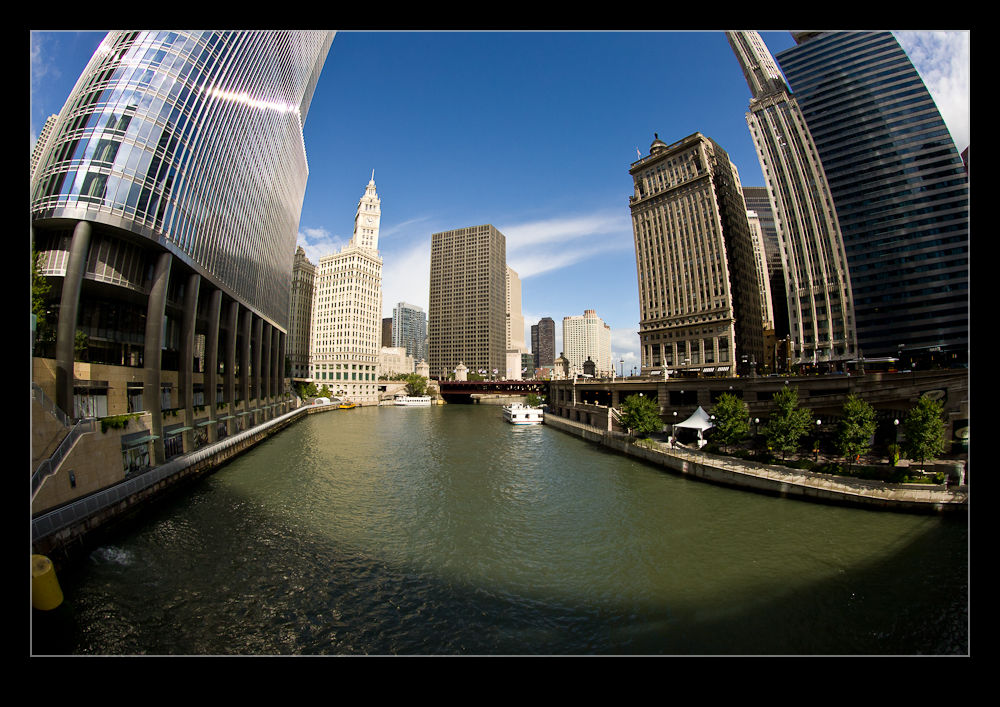
One thing I have been pondering for a while on the lens front was a fish-eye.  Not something that is needed on a regular basis but something that has its moments.  Canon had a couple of fishes that I was looking at.  They had the 8mm fish and the 15mm fish, both of which had things that interested me.  Which one was better for me?  My two main bodies are 1.3 crops but I do have a couple of APS-C sensor cameras which have the 1.6 crop.  All of this impacts the effect.  Besides, when buying lenses, who knows whether I will have a full frame camera at some point.

The result of all of these variables was that I never bought a fish-eye at all.  I just pondered what I should do at length and did nothing in the mean time.  Imagine, then, my delight when Canon announced the introduction of the 8-15mm fish-eye zoom.  Have they been bugging my thoughts to find out what I want?  I guess so.  That reminds me, I must start thinking more about other things I want them to develop!

Of course, the announcement of a new lens does not mean the availability of a new lens.  Recently, it seems the announcement can be far ahead of the delivery.  Obviously the issues in Japan resulting from the earthquake and tsunami have had a major impact but I suspect there is more to it than that.  Anyway, the thing is finally in the wild.  My friend Jim Koepnick was the first person I saw to have one.  They would appear in stores and be gone almost as fast.  No biggie since it wasn’t like I had been struggling without it.  Once they were regularly in store I placed my order.

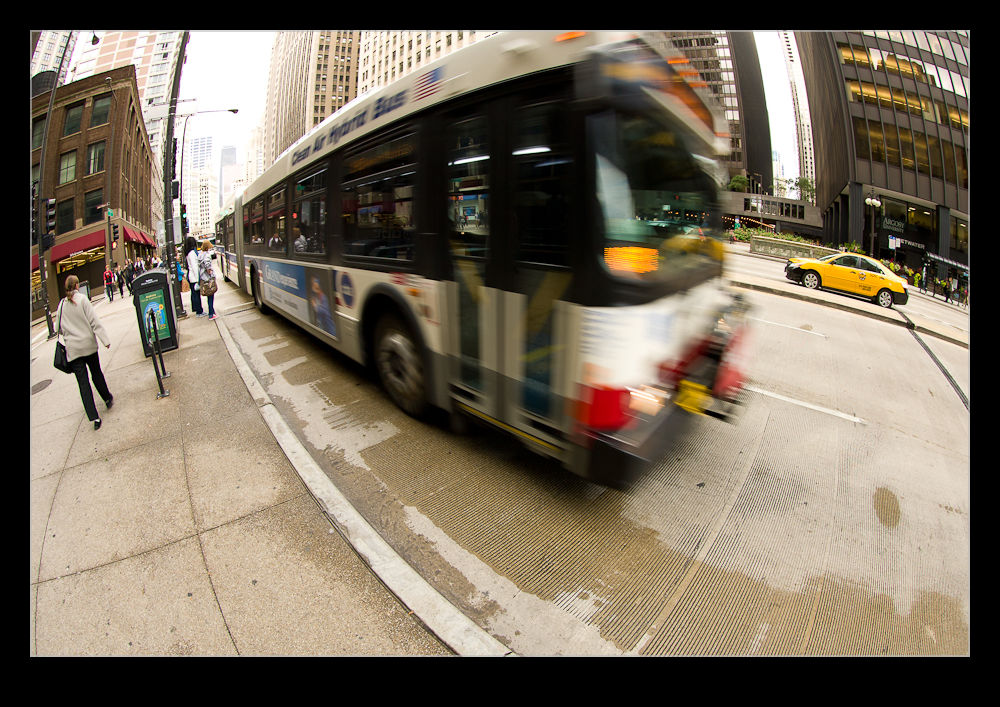
I have to say, I love the thing.  It feels great in the hand and, despite what I have heard from some reviews, I have had no issues with the lens cap.  It is also a chance for me to start learning what can be done with such a lens.  There are the obvious effects you can get and the access to a lot of width in tight spaces.  However, it can also create interesting effects by changing the angle at which you hold it.

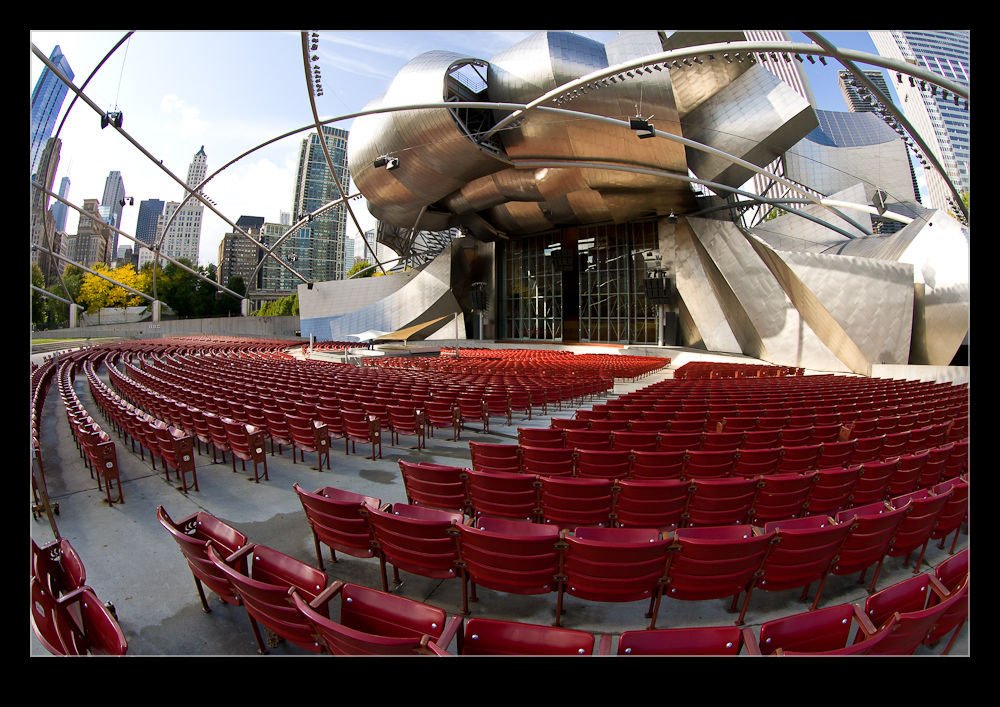
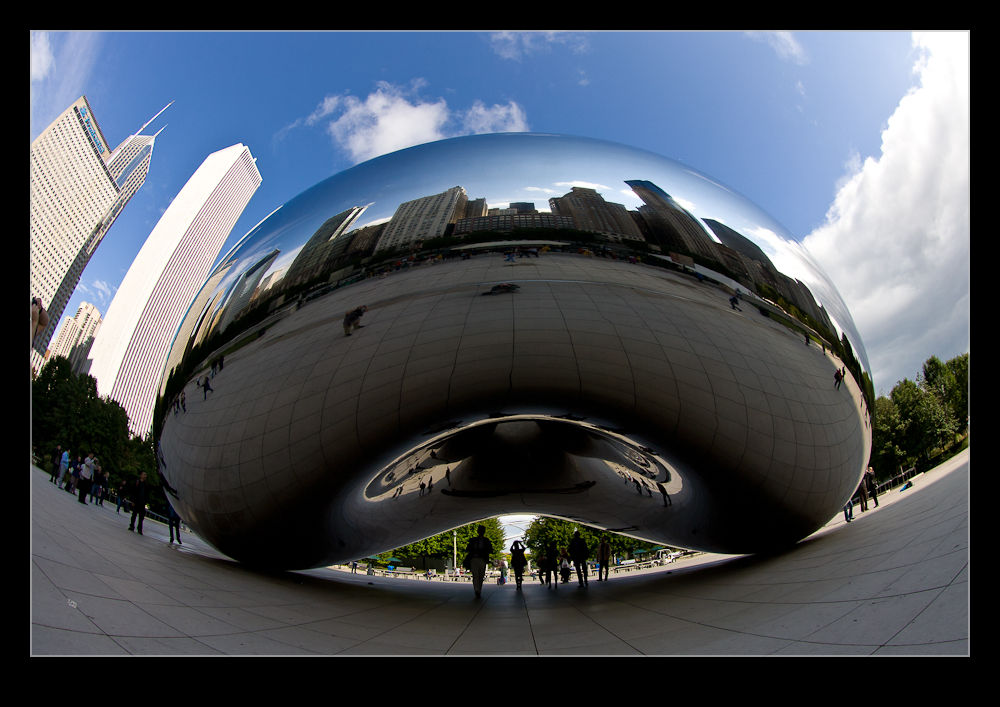
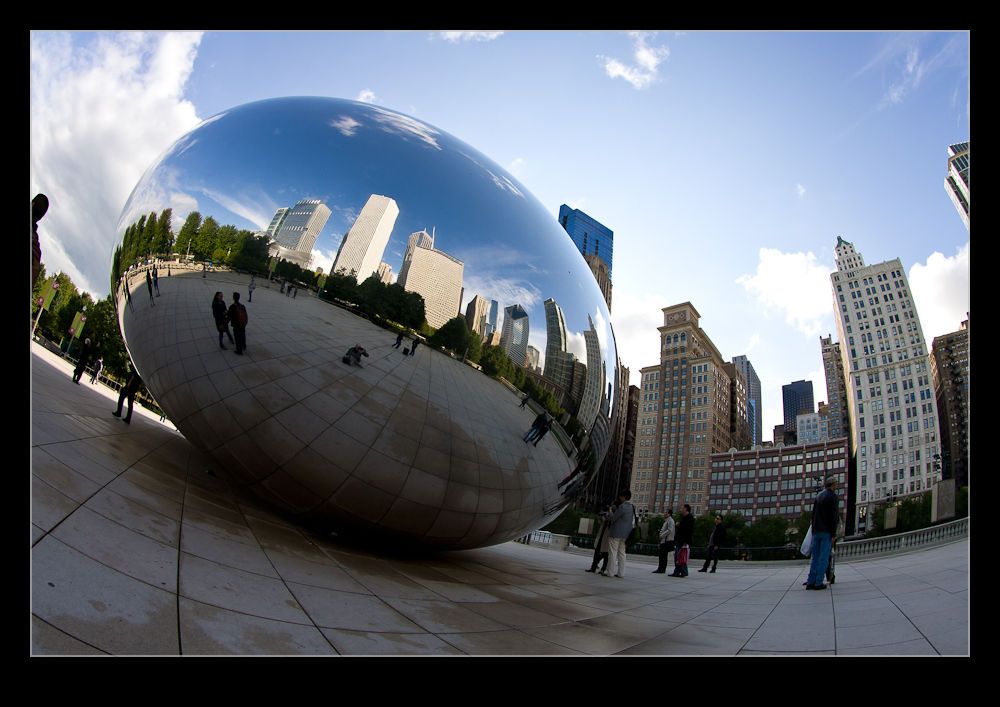
I went out in the city to give some time to experimentation.  I ended up in Millennium Park which is a slightly odd place to play with a fish since many of the features already have a slightly “fishy” look to them anyway.  Of course, that does sometimes allow the subject to be more tolerant of some distorting effects.  It was a fun place to shoot since it is always busy and getting close and using the fish provides some options as well as making surrounding people disappear into the background quite quickly.

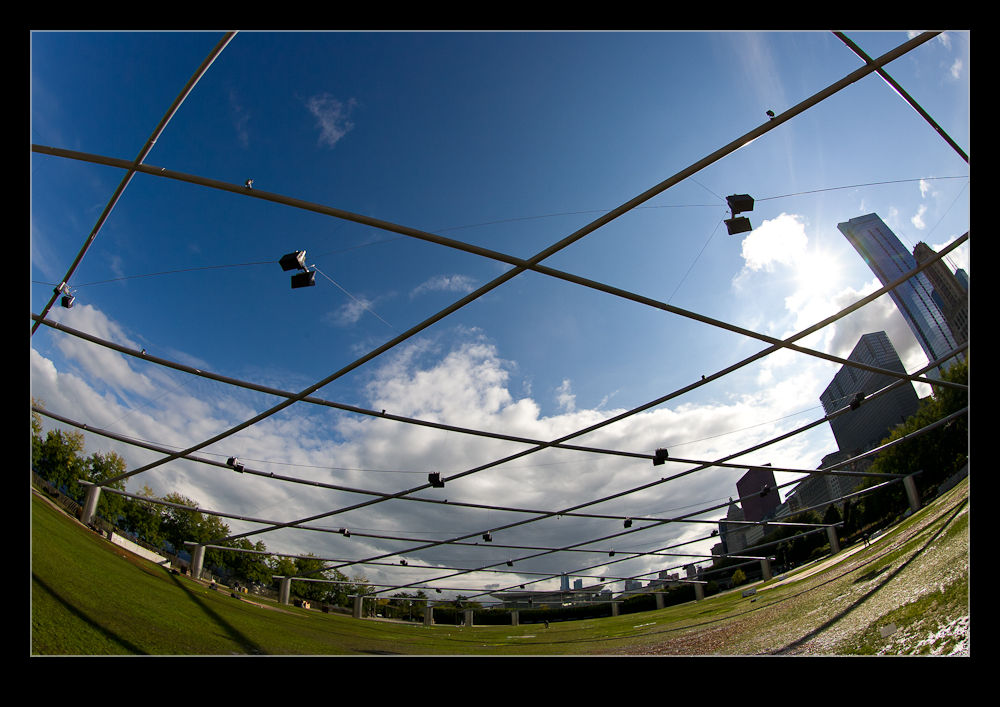
I also played around with a couple of effects.  There is a metal frame across the lawn at the Pritzker Pavilion.  By tilting the camera down, I could really emphasise the curvature but by tilting it up, the frame became almost totally flat.  Something to remember.  I also played around with slightly rotating the camera.  This made the edge of the frame level and the receding horizon appears to turn up dramatically.  Not something to overdo but still a concept to remember for the future.

I am certainly happy that I have added the fish to the arsenal.  Now I have to make sure I make good use of it without slipping over the edge into using it when I shouldn’t.  Hopefully my friends will warn me if that is the case.  That, and I have to remember to keep myself out of my own shots!

More Time Lapse Fun

I have been messing around with time lapses for a while as regular readers will know.  One of the things that I had been thinking about was getting a panning effect in a time lapse.  I was chatting with Ken Sklute at ISAP and he told me that, rather than bothering with expensive motorized panning heads, it was simpler to use the full image size that a DSLR offers and let the video software undertake the panning for you by cropping in on the shots.

I am not a big video guy and have Pinnacle Studio as my package.  It is fine for the basic stuff but doesn’t have the most impressive features.  When I goggled this topic, I came up with After Effects techniques for doing what I wanted.  I tried the free trial but struggle to come to terms with what was required, despite the detailed tutorial.  Guess that says something about me as a self teaching student.

Then I got lucky,  My friend Jo Hunter over at futurshox posted some video from Oshkosh of time lapses doing exactly what I wanted.  I dropped her a message and she came straight back with the solution.  The program is called LRTimelapse and it is a standalone program that makes Lightroom develop settings that you can then combine with a video output setting to make the final product.  It is developed by a guy called Gunther Wegner and you can find the whole thing at his website.  It is donationware and I have made one because it works and has solved a problem that had been troubling me for a while.

I need to get better at the effect but for the time being, here is a sample of the effect.  For comparison, first I have the original time lapse and second I have the panning version.  No change in the content but certainly a more interesting thing to watch I think.

Time to get brutal

When I first started shooting digitally, I didn’t delete any pictures. I’m not sure how this started but, as time went by, I found old shots that benefited from more modern processing and software capabilities.  It was sometimes surprising how a shot that previously I didn’t think was any use could actually be turned into something better.

Of course, this was a tiny proportion of the shots.  Most of the crappy shots were still crappy shots whatever the software that was used.  Being horribly out of focus or even something taken accidentally like the floor or the inside of a camera bag is never going to be fixed with some miraculous software.  However, for a while storage was cheap so I didn’t care.

At various times additional drives have been added to the computer and the back up NAS has been rebuilt with ever larger drives.  (I have lots of spare drives if ever you need one!)  The problem is that I keep taking ever more pictures and the cameras have ever larger file sizes.  Besides, how many pictures do I actually need?  Each time I re-shoot a subject I get a few new shots that are keepers and some of the previous shots of that subject go down the priority list.  Am I ever going to need a thousand different shots of a Strike Eagle?

Consequently, I have finally grown up.  I am getting rid of stuff.  (I should point out that I do have BluRay backups of everything made early on so, if I really wanted to, I might be able to drag out any file!)  I am now getting brutal with stuff as soon as it is shot.  Meanwhile, I am progressively going through a lot of older stuff to get rid of the crap.  This is a two stage process.  First I am going through to take out shots that are clearly not good – blurry, poor focus etc.  If I spot that half of the subject is missing at the same time those will go.  However, zooming in to spot the duds sometimes means you don’t see that the shot is also crap.

Those will get picked up in the second phase.  Then I shall assume the shots are basically useable but remove the ones that just look bad as well as weed out the obvious duplicate.  However, phase one is taking a long time so phase two will come later.  Also, this is a great crappy winter day job and now it is summer.  I am spending more time doing fun things.

Will anyone else see the benefit of this.  Certainly not the hard drive manufacturers but hopefully I will.  The shutter actuations on the cameras won’t reduce but at least I will try and make life easier for Lightroom!

Getting a jump in the woods

I recently read a very interesting book on flash photography specifically for Canon shooters. The book was by Syl Arena and he obviously has put a lot of time and effort into developing his technique and understanding the way the Canon flash system works. I don’t know whether a similar book exists for the Nikon shooters out there but, while a lot of the specifics in this book relate to the Canon technology, a lot of the techniques and concepts are equally applicable and might make the book worth a read.
Anyway, having read this book once through and picked at it a number of times for specific sections, I have become quite enthusiastic about experimenting with high speed sync and making the action pop out of the shot while de-emphasizing the background. Some of his examples had included skating and there is a skate park not too far from me that I am interested in trying out at some point soon.
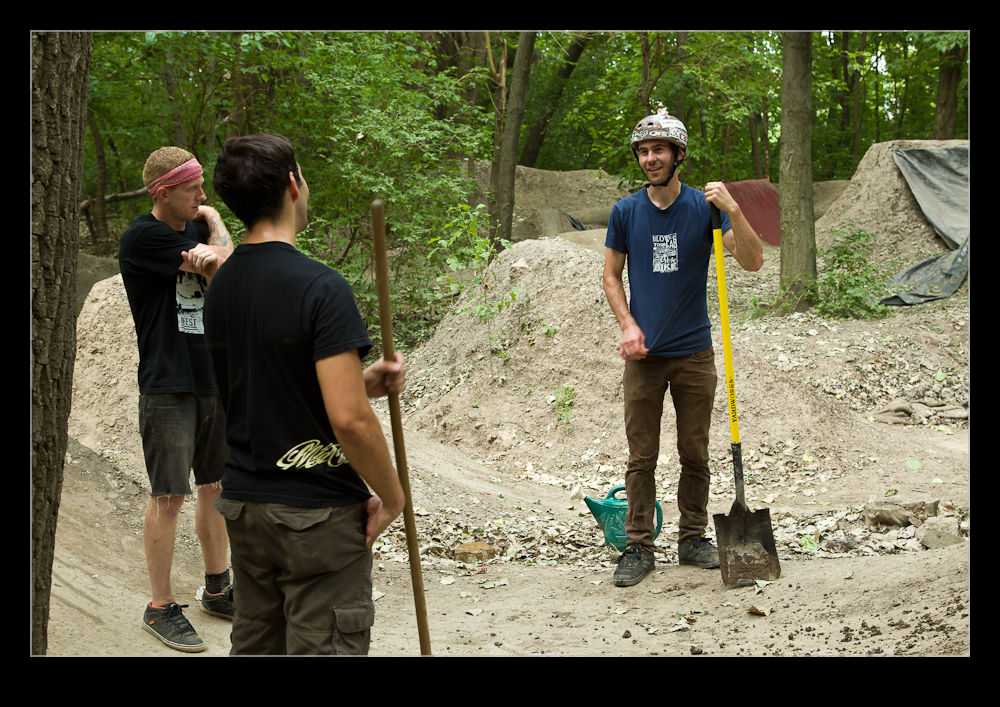
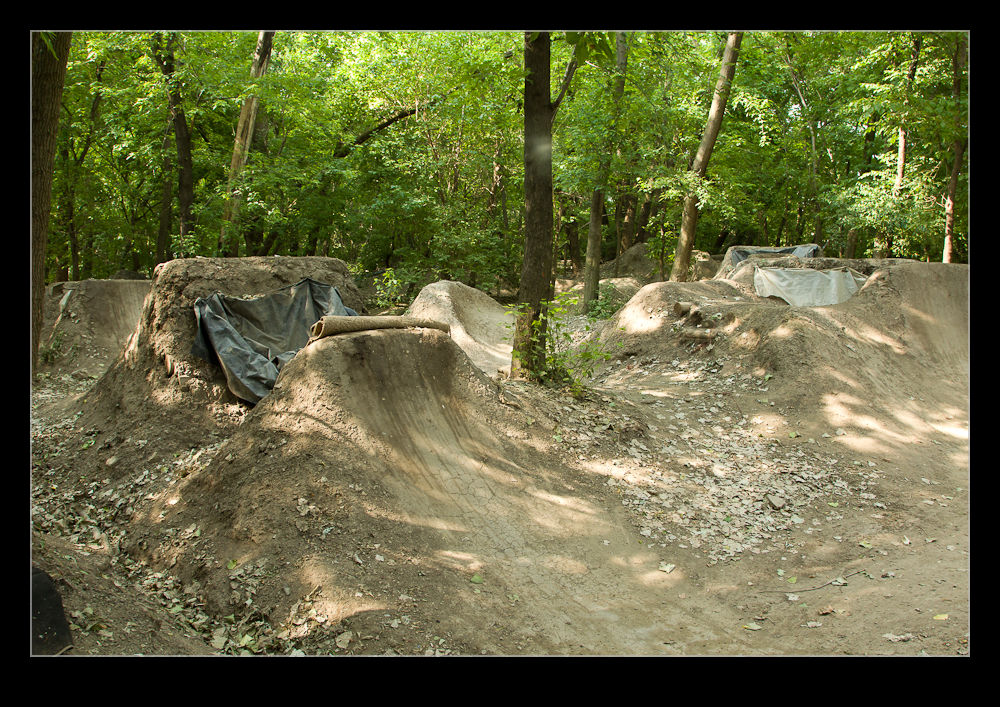
However, the start of my experimentation has actually been some biking. A little way north of me in the city is a park called Clark Park that has some routes laid out by the local cyclists. The area is called The Gardens and is a partnership between the riders and the city. The routes include jumps and berms and I decided to try and check it out to see whether I could get any good shooting opportunities and to see how well I could implement some of the ideas in Syl’s book.

I contacted one of the guys who helps organize things and he was very welcoming about me coming down. I headed down one Sunday when a bunch of them were getting together. Unfortunately, the weather had not been good that week and the ground was wet under foot. Everyone was grabbing shovels and working on developing some of the runs. I grabbed a shovel and a wheelbarrow and got to work too. It has been a while since I did anything at could be considered real physical labor and the blisters and aching muscles that I had the next day were a testament to my easy lifestyle!
There was no riding that day and in the following weeks the weather was not helpful tending to dump a ton of rain every few days making it hard for anything to dry out properly. That combined with my own other activities meant I didn’t get a chance to go back for a while. However, finally the stars aligned again and I got to head back.
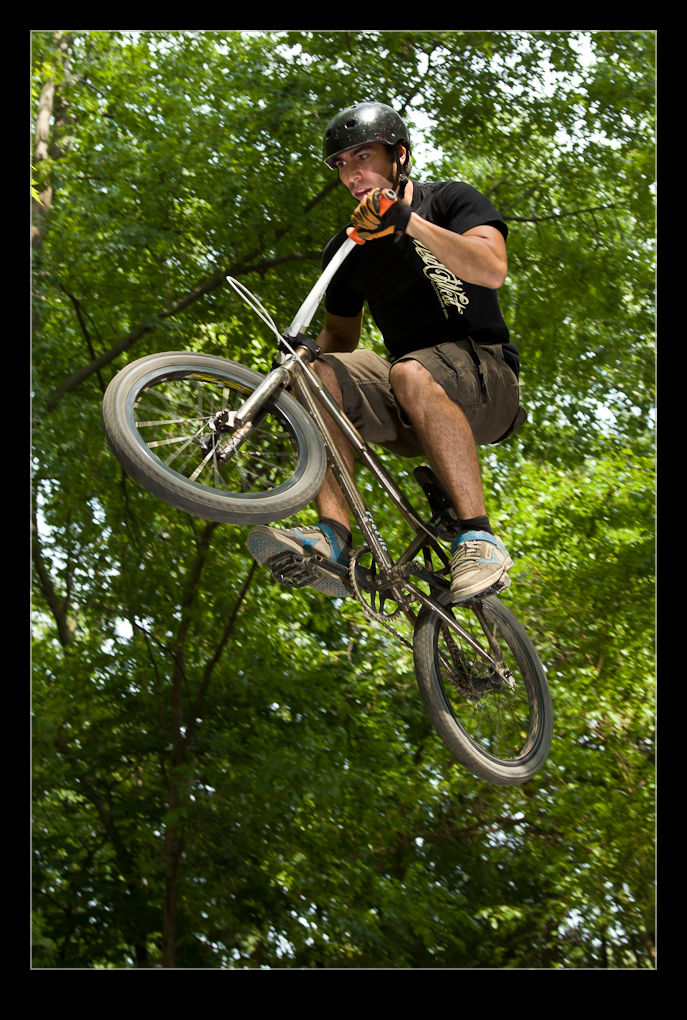
A bunch of guys were already there when I showed up and were starting to get some runs in. The jumps are very dramatic to look at and I suspect more dramatic when you riding toward them. There are a sequence of jumps along a run so the guys get up some momentum as they go. It all looks really cool.
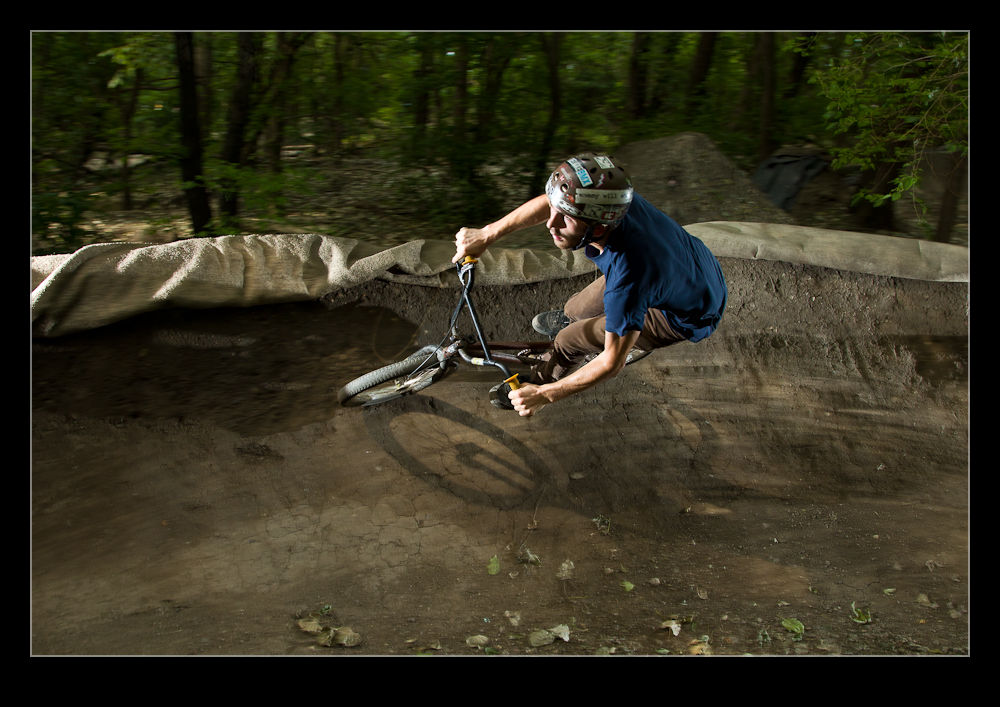
I had a couple of flash units that I was triggering with an IR controller. This is something that is considered unreliable outside but, since we were under tree cover, it proved to be reliable provided I was pointing the right way. I did bring a long cable connection as a backup but didn’t need it on the day.

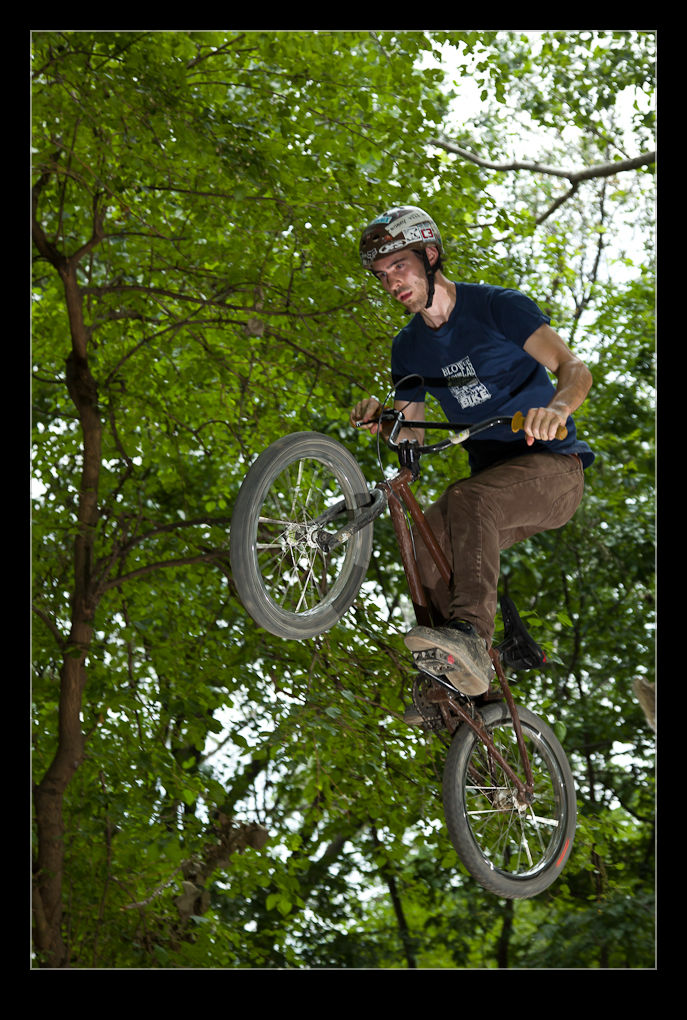
The guys were happy to try a few things for me as I experimented. I shot a lot of flash on the jumps and around a berm along with some ambient light shots. The tree cover meant those needed the ISO cranked way up but, even then, it was hard to get a good shot. However, some of them gave a good sense of the motion. I shot in manual with the exposure dialed down to make the background less apparent and then used high speed sync at about 1/400th of a second to illuminate the rider. This seemed to work quite well although I did end up taking the flash exposure compensation down to -1 stop.
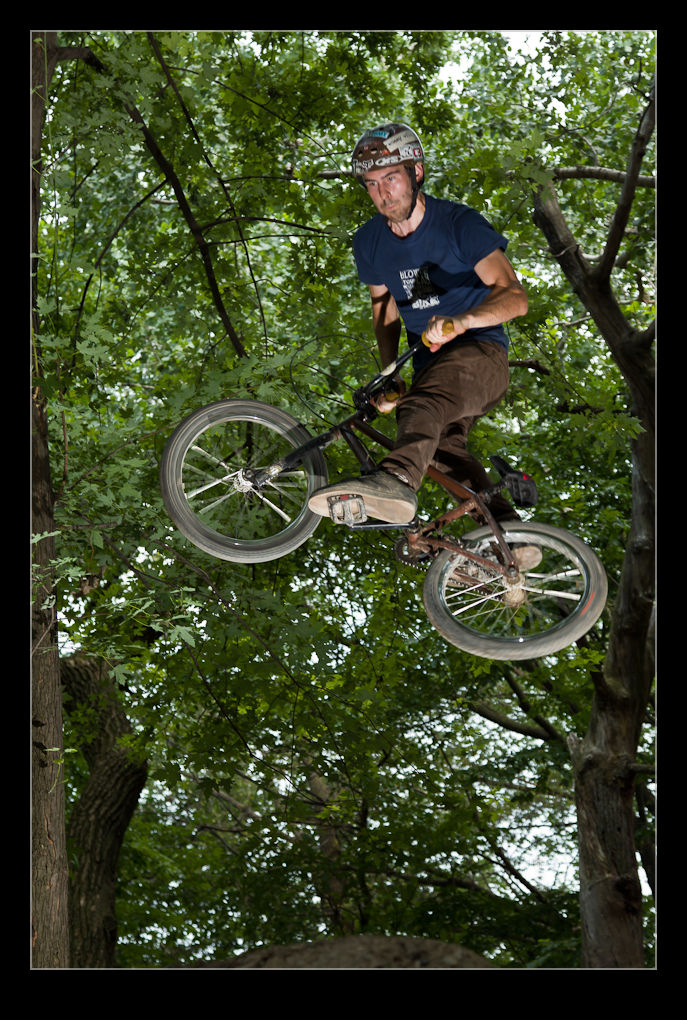
I balanced the two flashes 2:1 with the foreground getting the greater proportion of the light in the rider’s face and the fill coming from behind. Next time I shall experiment a bit more with this. One of the tricky elements is finding a good spot to locate the flashes since the jumps are steep and slightly broken up at the edges. I had one flash on a Gorillapod and the other on a bean bag. The Gorillapod was the better solution and I will have to get another one at some point.
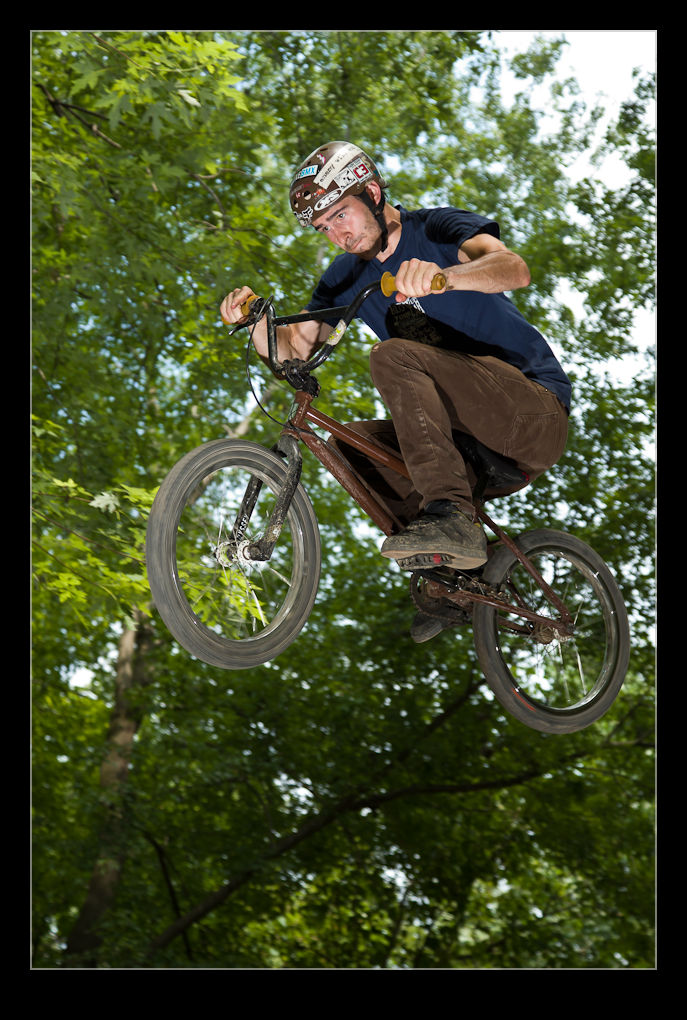
One other thing I experimented with while I was there was mounting a GoPro video camera on the hot shoe and shooting some video at the same time. This worked out okay but the sound of the shutter firing on the camera below tends to be a dominant sound. Some editing will be necessary with the music to blank that out.  When I have done that, I shall put something up here.

For additional shots, go to the gallery at this link.