Muddy River Runoff

I took a walk along Alameda Creek down in Fremont.  There is a trail that runs along the top of the levee and, with a sunny Saturday and not much to do plus having been in Newark for something, I thought a stroll would be nice.  I haven’t walked along the creek before so I don’t know what normal water levels are but, with the large amount of rain that we have been having, I assume that the levels are well above normal.

The things that really tell how the weather has been are the color of the hills and the color of the water.  The hills above Fremont are very green.  It doesn’t take long when the rain comes for the ground to get transformed from dry brown to lush green.  Given how much rain there has been, the green is pretty strong.  The brown has been transferred to the river.  The water was rushing through and it was obviously carrying a lot of sediment down from the hills.  The water was very muddy.  What would have been good to do would be to go flying over the bay and to get shots of where the rivers are flowing out into the bay.  I imagine the run off would be very conspicuous right now.

Smokey the E-8

A jet I don’t often get to see in action is the E-8 JSTARS.  There aren’t a huge number of them and they often fly at times that don’t suit photography so I have not previously got a lot of shots of them and certainly not too many in flight.  Based on the 707-300 airframe, they were pretty old when they were selected for conversion to the JSTARs mission.  They are definitely showing their age and the USAF is in the process of competing for a replacement program.  There are a few years left for the E-8 but they won’t be around for too much longer.

One feature of their age is the engines that they have.  The jets are fitted with old JT3D engines.  A program had been put in place to re-engine them with JT8Ds and a modified jet did fly.  However, the program was put on hold due to the potential for a replacement aircraft making the payback period unviable.  As a result, we got the old smoky jets.  It isn’t as bad as the old pure jet days of the KC-135s and B-52s but it still is easy to track the jet as it climbs out courtesy of the black trail it leaves behind.

Flocking in Some Numbers

I don’t know whether a murmuration is a thing specific to starlings or whether it applies to any large flocks of birds.  I was looking out across San Francisco Bay recently and there was a large flock of birds whirling over the water in the direction of the San Mateo Bridge.  It looked just like a murmuration of starlings I had seen once before but I don’t think these were starlings.  I have no idea what type of bird they were and what they were up to – hunting or something else – but I was transfixed watching them for a while.  A still doesn’t give you much impression of the motion but at least you can see that it was a big flock swirling around.

Flexing Fighters

B11I3202.jpgRegular visitors to Nellis will know this and can move along.  For those that haven’t shot there, Nellis departure routes when taking off from the 03 runways can be one of two things.  The jets tend to climb quickly and they are offset from the usual photography location alongside the speedway.  You can get shots but they are pretty samey with side on shots of the jets further away or slightly underside shots of the jets coming off 03L.

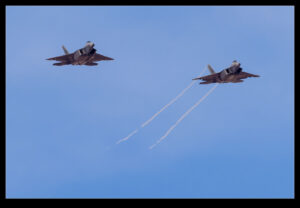
B11I3111.jpgHowever, anything that is playing as Red Air tends to take a Flex departure.  This involves a break to the left from the normal route with a different heading to take the, to the ranges to deal with the incoming Blue force.  The aggressors tend to flex most of the time.  The other aircraft that may be augmenting the aggressors might flex too.  The nice feature of this is that they break towards you.  Then you are playing a guessing game as to how quickly they will break.  You pick a spot along the road and hope that they will come your way.  Sometimes they will turn tight and catch you out.  Other times they will delay a bit and still be far away from you.  At their speed, it doesn’t take much to increase the distance from where you are.  At least you get more dynamic shots.

B11I4180.jpg

My Revised Workflow

My approach to processing images after a shoot is something that constantly evolves.  I have written about how I do this in the past but a few things have changed since I wrote that so I thought I would write up the latest approach in case it is of any use/interest to any other shooters out there.  I should say at the start that my workflow is based around the use of Lightroom.  If you don’t use Lightroom, this might not be of any use to you although I imagine that a similar process could be achieved with other software.

One thing to highlight at the start is that, when shooting aviation (and that is the majority of my photography), I aim to slightly overexpose my shots.  I have found that going a slight bit over and then bringing the exposure back down in post-production gives a better balance of exposure across the shots and also makes for more pleasing sky colors.  This is something I do when shooting RAW.  If you shoot in JPEG, this might still work but your latitude for adjustment afterwards is a bit reduced so you might not get the same effect.  I don’t shoot in JPEG so I can’t state what happens.

All the shots are imported in to Lightroom and I will form a Collection Set for the shoot.  I don’t have specific folders for shoots, nor do I have a renaming convention.  I keyword all shoots and this is how I manage files and find things later.  Keywording is a story for another day.  Within the Collection Set, I shall create a series of Smart Collections.  They vary depending on what I have shot.  There will always be Not Rejects, Rejects and Picks.  Then, depending on what else there is, there might be Videos, Time Lapse, Blend Stack, Pano Originals, Pano Edits, HDR Originals and HDR Edits.  I keyword any of these types of shot with that term so the smart collections will pick them up.  The Smart Collections may be looking for a date range or shoot specific keywords depending on what I have been shooting.

The aim for all of this is that I get a Smart Collection which is unrejected shots which doesn’t include and shots from HDRs, panos, time lapses or blend stacks.  I don’t want to get rid of those shots by mistake and I want to be able to edit those shots at a convenient time.  Then the Not Rejects folder becomes my focus.  I am aiming to get all of them roughly corrected for exposure so I can make decisions about which shots to keep.  I will be looking for sharpness/focus issues and exposure variation can really mess with how you perceive sharpness.  I will open a shot up in the Develop module and I will have the Grid view on the second monitor.  I can now select shots with the same exposure and choose Auto Sync.  Then a change to one shot will be reflected in all of them.

It used to be that I would select the shots by eye.  Then it occurred to me that the Metadata filter is powerful here.  I select the filter of shutter speed and then I can select each shutter speed in turn.  Now it is easy to select the similar shots and edit together.  This really speeds up the quick edit process.  I know tweak whatever needs tweaking and get everything basically okay.  I won’t bother with detailed editing unless a shot is going to be used for something further.  Now I select all files and, in the Library module, select Render 1-1 Views.  Then I head off to do something else for a while.

When the rendering is done (I don’t try and do anything else while it is underway because, while you can do other Lightroom tasks, everything gets pretty sluggish.  It is easier to wait.  I may even shut Lightroom down and restart it after the rendering is done because it seems to like the chance to clean itself up.  Then I go to the first of the Not Rejects shots.  I have it full screen on the main screen and then zoom to 100% on the second screen.  The Smart Collection is set up to show any file that is not marked as a reject (or all of the other stuff I mentioned earlier) so now I can click through the shots.  If a shot is good, I Right Arrow to the next one.  If it is bad, hit X and it disappears.  Now I can run through the whole shoot and quickly get rid of all shots that are not good, be they unsharp, chopping off a bit of something or just clearly useless.

When this first pass is done, I am now left with a bunch of shots, many of which are very similar.  Since I know they all are basically acceptable, I can now select all the ones that I won’t have a need for and hit X.  Very quickly I am down to a far more manageable number of shots.  Then I can pick which ones I want to do something with.  Hit P for those and they will automatically appear in the Picks Smart Collection and I can come back to them at any time.  If I have shots that will be used for a specific piece, I may create a Collection specifically for that publication and just drag the shots in so I can deal with them at any time.

That pretty much sums up how I handle a shoot.  Some will have pano shots, some will have HDR, occasionally there will be time lapses and often videos.  Sadly, the integration of video between Lightroom and Photoshop is non-existent so I have yet to have a good process for video editing.  Maybe one day Adobe will fix that.  They tempted us by having video in Lightroom but they never took it any further despite the fact that the opening in layers option for stills would be ideal for video editing.  One day…

Can I Make a C-17 Different?

If you go to a few airshows, you get to see a lot of familiar types in the static display.  The goal is how to get something a bit more interesting.  I am okay with having a record of what I have seen but you do want to try and do something different.  I have seen C-17s at shows and on bases in the past so I have a lot of shots.  Detail shots of parts of the airframe, low shots from near the nose, views up the ramp and under the tail.  What about something different this time.  Shows are a bit restrictive because there are other people around so I decided to try and minimize them by going wide.  Then it evolved into shooting some wide angle shots for a pano sequence from right under the wing tip.  This creates some significant distortion.  It was okay but I think I could have done it a bit better to add to the drama.  Maybe closer in with a wider field of view.  I’ll have to try again.

Egrets

How about some photos of egrets?  They aren’t rare and they all look pretty similar but they are still an interesting looking bird and, since they like to hunt in the shallows, they end up being pretty close and therefore accessible to shoot.  I have shot a bunch of them while waiting for something else and, occasionally, specifically because they were there.  Here are a few of the more recent shots I have got.

Did Someone Patch This Raptor in a Hurry?

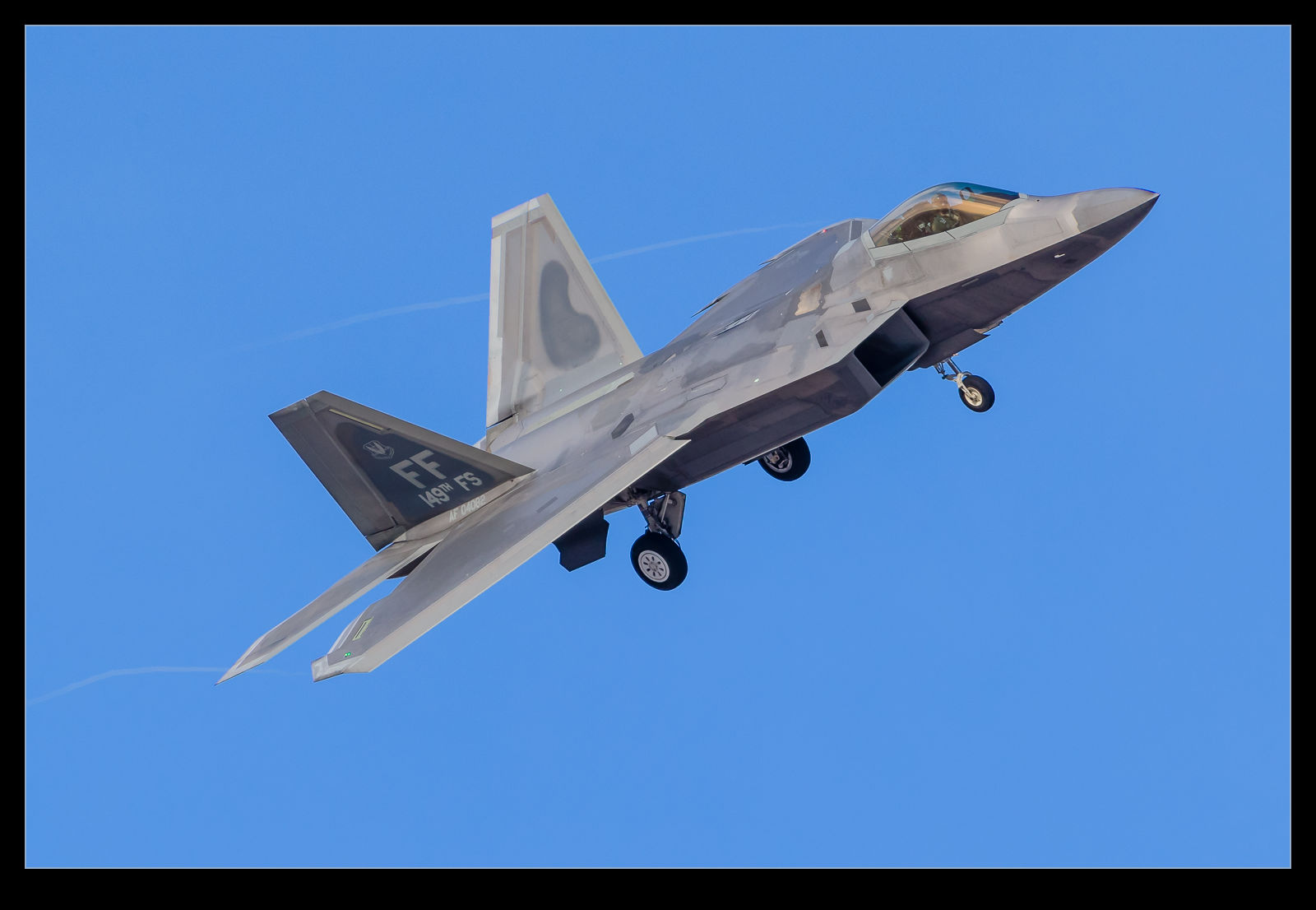
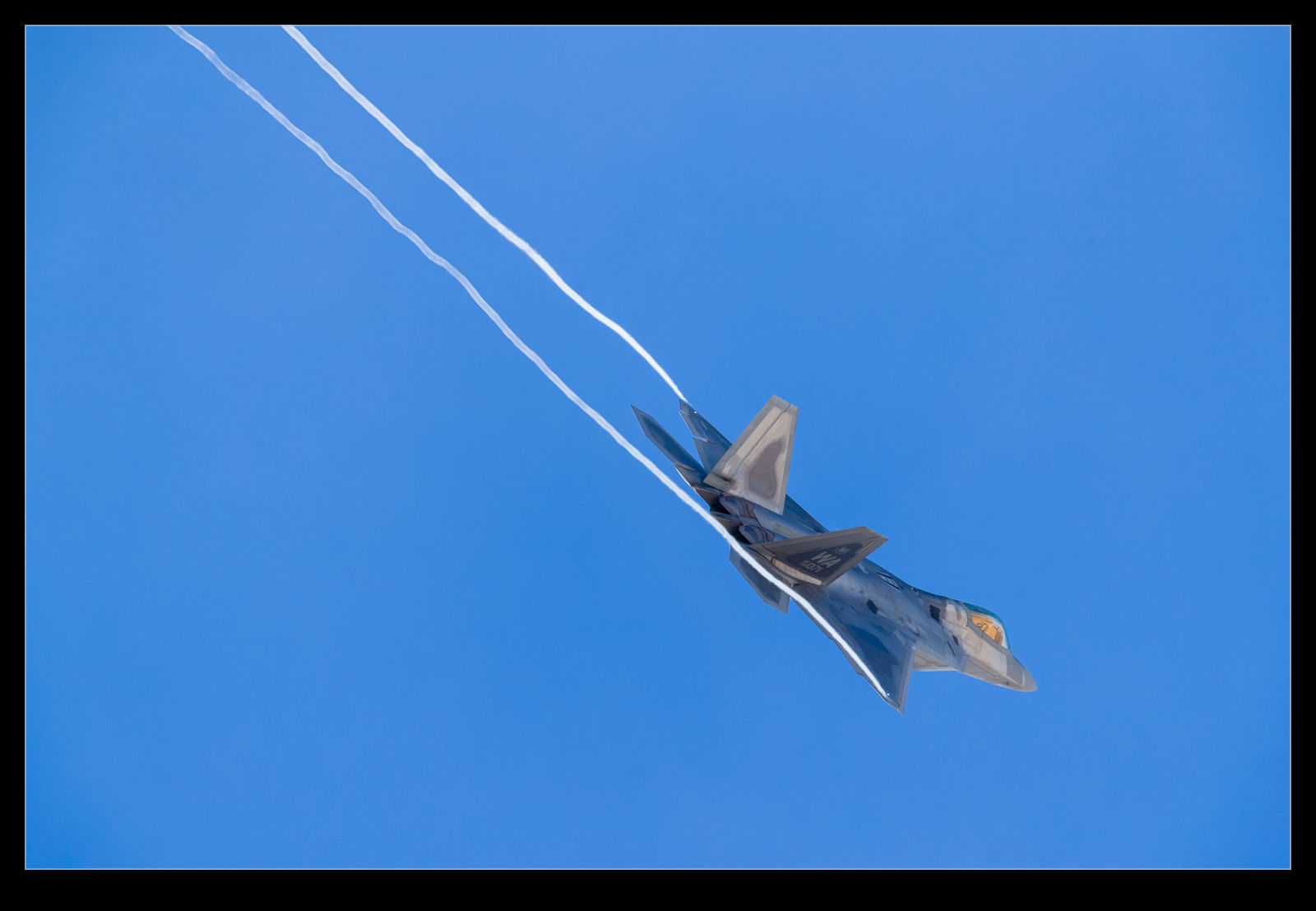
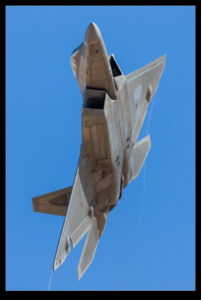
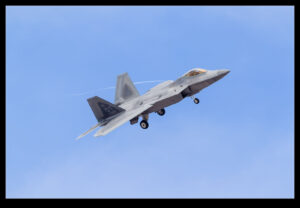
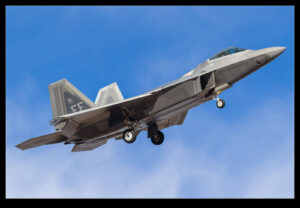
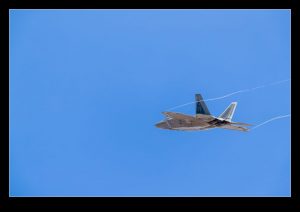
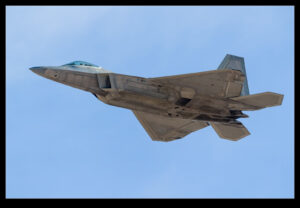
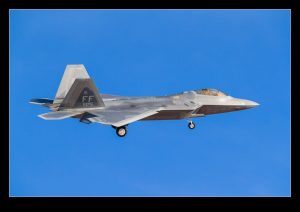
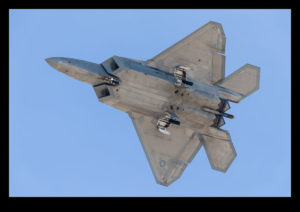
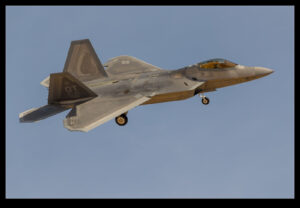
The F-22 Raptor has a complex coating system on the skin of the airframe that is part of the overall approach to stealth.  Normally, they look pretty well finished in order to preserve the performance of the system (although I have spotted a few jets with the green primer showing through worn finishes).  However, one or two of the jets that were at Red Flag had what almost looked like a panel missing from the spine of the jet.  Looking a bit closer, I think the panel had been replaced and the finishing of the surfaces around the work remained to be done.  It did look a bit of a mess though.  Checking some of the other jets, they also show this panel in a slightly different color.  Perhaps they have all been undergoing a modification program in this area?

Trains Along the Bayshore

Having had a post with a train in it, I was reminded that I had actually photographed some trains a while back and they had never made it on to the blog.  It was actually a work related reason I was out there.  I was waiting for the delivery of a pair of our locos (a delivery that was o late it was after the light had gone) but, since we often need imagery for proposals, I thought it would be good to get some new shots.

The location is up in Pinole.  The trains are running along the shore of the bay so it provides a quite photogenic location.  A number of Amtrak California trains came through.  Since these trains are part of my work, I found myself checking out what was in each train and what condition it was in.  I guess I have been doing this for too long!  Anyway, here are some train pictures.

Going Further Gets You There Quicker

The title of this post is a pretty weak premise for the pictures I am posting.  The pictures are of Air India Boeing 777-200LRs.  In the pictures, they are not doing anything special.  However, I shall justify the pictures with a slightly interesting fact.  Air India has been serving SFO for a while.  It is a long flight from Delhi to San Francisco and they were looking in to alternative routes.  A lot of negotiation ensued that finally allowed a polar route to be used.  This route is nearly 1,000nm longer than the route that they were previously flying.  However, the prevailing winds on the longer route are helping the jet along.  The result is that the longer route is actually two hours quicker.  Strange but true.