Tag Archives: photo

Hound Dog

AU0E3819.jpgSometimes you see something that just looks the right way. Tucked under the wing of the B-52 at Castle Air Museum is a Hound Dog missile. This was a nuclear armed stand off weapon carried by the B-52s for a number of years. It is a slim airframe with a jet mounted underneath. It is all points and sweep back. If anything looks like it should go fast, this thing is it. I have no idea whether it was a good design or effective. It was never required in anger thankfully. All I know is that you are left in no doubt what it is supposed to do!

Pegasus

AU0E5087.jpgSome programs always seem to be trouble. Boeing’s efforts to turn the 767 into a tanker have not been smooth over the years. The original versions were a single boom tanker for Japan which was not too late. The three point version for Italy was a far more difficult affair and was several years late. When the USAF was after a new tanker, Boeing initially lost out to Airbus with their A330 based offer. A successful protest and s new competition followed and this time Boeing won.

Whether winning was good for them remains to be seen. The contract involves a cap on cost growth after which Boeing picks up all of the overrun. Supposedly they are already past that point so the split on overrun costs is now all theirs. Combine that with messing up the wiring and having to wire the flight test jets and you will see why the flight test program is behind schedule. The first of the four development jets flew last year in a civil configuration without the refueling equipment. It has since been on the ground at Boeing Field for further work. Very recently it took to the air again. Shortly before that, I passed by and saw it parked up on the Boeing ramp.

We shall see whether Boeing can pull back some of the delays and get the minimum number of jets into service by the contractual deadline. Whatever happens, I imagine these jets are going to become a lot more familiar in the coming years.

Experiences with Lightroom CC

I have discussed some of the new functions of Lightroom CC here and here. Aside from those changes, how have things been with the program overall? To be honest, I am a bit underwhelmed by the new version. There have been a few minor functionality upgrades but nothing huge. I do like the ability to add images to a collection when importing them since that has saved a step for me. However, the presets do not seem happy remembering which collection it is so that is rather buggy. Many of the bugs in the previous version also exist so, if they have really recoded a lot, they have still reused a lot of the code.

The new version also seems to have a fair few bugs of its own. The crop tool seems to have developed some new quirks that result in it deciding you have finished selecting the area a short while after you actually do so, if you have moved the cursor away, you get some very odd effects. I still can’t get it to stop trying to create a backup copy of my files when I import new images. Nothing new was added for video which I think is daft. They give you the capability to import video and even trim and edit clips. However, with Photoshop having the ability to be a basic video editor (and now my default), there is no way to connect videos in Lightroom with Photoshop in the same way as you do for stills. That baffles me.

The big benefit is in processing speed. My workflow involves rendering 100% views to speed me through the culling process. The new version certainly renders them a lot faster. I did have to upgrade my graphics cards though. My vintage cards did not have the necessary version of OpenGL to let Lightroom take advantage of them. It also has lens profiles for two of my lenses that were not in the previous version which is nice to have.
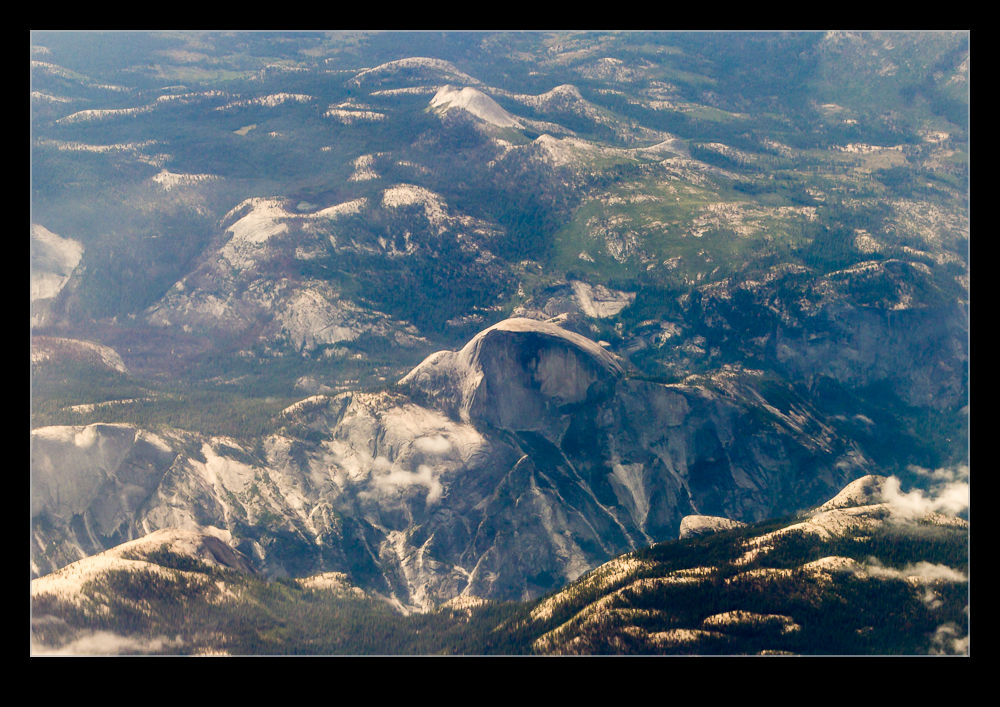
Overall, I am okay but a bit underwhelmed. Since I pay for the subscription, I am paying for it but it does have the feel of being free so I am less concerned even if I can understand the truth. What I am hoping for is a bit more frequency in fixes to deal with the bugs and maybe bring some extra capabilities.
Dornier DO-228

IMG_2702.jpgA recent arrival at San Carlos is a Dornier 228 that is apparently configured for aerial survey work. The guys mentioned that it had been active prior to my visit but it was not doing much the day I was there. However, it was parked close to the fence. It wasn’t easy to get a shot of it but a bit of reaching above the fence line meant I could at least get something. It is a cool looking plane so I hope I get a chance to see it in action at some point.

HDR Within Lightroom

The changes in Lightroom CC that included the Photomerge also included a change to the processing of HDR images. Again, the functionality has been brought within Lightroom rather than requiring the move out to Photoshop and the output file is again a DNG file. This means a smaller file than the 32 bit TIF that I was previously getting. A while back I wrote about some of the odd experiences I was having with moving these high bit depth files between Photoshop and Lightroom so a new workflow is of interest.

According to some of the publicity at the time of roll out, the new processing approach does not require as many images to work with. I have been shooting five images for HDR to date. They say that only a couple are necessary. I have tried carrying out the processing with five and with two and there doesn’t appear to be an obvious difference in the output. There is a benefit in the time taken to process the images though so this does appear to be a good improvement.

You can either let the output be automatically toned using the normal Lightroom processing functions or do it yourself. I let it have a go at first but have not liked the choices it made so have reverted to carrying out the toning myself. It is not a time consuming process so seems worthwhile to me. While I felt that Photomerge was not as capable as using Photoshop, in to case I think it is a better solution and this will be part of my workflow. Now to reset the camera to shoot fewer bracketed images!

Lightroom’s New Panorama Feature

Lightroom CC comes with a number of new features. High on the list is the new panorama feature. Previously, if you wanted to stitch a panorama, you would select the shots in Lightroom, make sure you had them synced up for any exposure edits and white balance corrections and then send them to Photoshop. Photoshop had a Photomerge function that you could use or you could open them as layers in a document and carry the merge out yourself with a bit more control. This was the approach I used and I wrote about the technique here a while back.

The new Photomerge in Lightroom CC is designed to do without Photoshop. It takes your original files and then makes a new DNG file which is the stitched panorama but, as a RAW format, it still allows you to edit the image using the normal editing tools. I had to give this a go so, how well does it work?

The answer is a mixed one. In many cases, it works just fine. It stitches together the shot nicely and you can go on your way. While the initial preview process takes up a little time, the processing of the final stitch is done in the background so you can get on with something else – something I find very handy. However, it does have some shortcomings.

First, it doesn’t always find the way to stitch the shots. I have had a couple of times when it couldn’t work out the alignment. When I tried the same shots in Photoshop, they worked just fine. Not sure why these didn’t work but the algorithms must have some limitations. Next, it doesn’t always deal well with curvy edges. I have had a couple of stitches that I tried where the aircraft fuselage, although a smooth curve, ended up with some kinks at the area where the stitch took place. Photoshop never caused me trouble with these either. Big panos also seem to make it unhappy with some very odd alignments being chosen (after a long time processing) so they may have to stay in Photoshop for now.

The last problem is cropping. You have the option to have the whole stitch or to have it crop in automatically (or you could crop manually afterwards). Cropping pulls you in to the shot more aggressively to get rid of any blank pixels. You can fix this by shooting a lot wider to have more to work with. However, having been used to being able to fill odd little gaps using Content-Aware Fill in Photoshop, not being able to do so in Lightroom is a limitation. I can, of course, open the file in Photoshop and do just that. However, if I do so, I might as well use Photoshop to do the merge in the first place.

Overall, it is pretty good. I suspect there will be some tweaks behind the scenes as CC gets updated progressively so I might not even know that Adobe have fixed some of the issues. The Fill issue will be more obvious though. I shall probably keep using it unless I feel the Photoshop is merited and it is a good addition but I hope they take it further so I don’t have to consider Photoshop in the future. We shall see because the new update of Photoshop is out and includes Content Aware Fill of the gaps in panos which might be enough to sway me back.

Drakens

C59F1748.jpgChino Airport is home to all sorts of interesting aircraft, many of which are unlikely to ever fly again but for which the dry environment is one that means they do not deteriorate quickly. The ramp has a collection of single and two seat Saab J-35 Drakens. The Draken is a cracking aircraft and one I sued to see fly a lot in Europe when I was young. I have also seen one flying around at Pt Mugu on a Navy contract.

C59F1752.jpgI am not sure how these jets arrived here but the appear to be Danish in origin.  Most have their wings removed and stacked at one side.  One does have them attached though.  There are single and two seaters and they all have recce noses.  I doubt we shall see them fly again but it is nice to think that you might.

C59F1750.jpg C59F1746.jpg


Helmet Mounted Sights

C59F0781.jpgA feature becoming more and more common in fighters these days is a helmet mounted sight/display. These allow the pilot to look at the target he is interested in and designate it or to have his attention cued to something courtesy of the helmet displays. The more complex helmets now coming in to service on the F-35 have access to distributed viewing systems around the aircraft so the pilot can actually look through the aircraft – just as well given how crappy the visibility is from the F-35 cockpit!

C59F0285.jpgThese helmets need to know exactly where they are all the time so they can align accurately with the other sensors on the aircraft. They also have to have the image generator for the pilot displays built in. Consequently, they appear a bit bulky compared to traditional helmets.

IMG_1322.jpgThey still have to be kept light in weight since the pilot does not want a lot of weight on his or her head when pulling g or, even worse, ejecting. Therefore, the bulk is a space issue but less of a weight issue. Spotting the helmets is not too tricky. The accompanying shots give you a number of different pilot shots and you can see what they are all wearing. Some two seat jets only have the helmet mounted display for one occupant. Compare the normal helmets with the display helmets. The Typhoon’s helmet is very conspicuous with a load of bumps covering the positional sensors.

RAF Sentinel

AU0E4737.jpgI really do appreciate an aircraft that looks elegant. One such type is the Bombardier Global Express. Built to take on the Gulfstream family, it is a great looking plane with a graceful front fuselage, cracking looking wing and even the empennage is stylishly done. Therefore, you might be forgiven for thinking that I was not impressed when Raytheon took a great looking plane and grafted on some enormous lumps and bumps to create the Sentinel.

Built for Britain’s Royal Air Force, the Sentinel is a battlefield surveillance aircraft in the mold of the USAF JSTARS program but a generation on a bit more compact. It also makes use of a more modern airframe as its starting point. While the changes have not done anything to make the plane look pretty, I do have a soft spot for unusual aircraft configurations and large radomes and sitcom covers fit with this idea. Consequently, I rather like the Sentinel. Seeing them in action at Red Flag was a nice opportunity.

AU0E3119.jpgHaving spent a lot of money on the Sentinel, the UK government announced that, with the reduction in involvement in Afghanistan, the Sentinels would be retired. Retirement sounds inappropriate for something so new but that was the story. Fortunately, it appears that the plan has been adjusted and they have been reprieved for now. We shall see how that develops.

The aircraft are operated by 5 (AC) Squadron of the RAF. 5 Sqn was one of the early Tornado ADV squadrons when it converted to Lightnings. I liked their colors with the maple leaf on a red background. When I worked at Warton, one side project I got involved with was the repainting of a restored Lightning in 5 Sqn colors before it was put on display. Having the Sentinels showing up from 5 Sqn was nice, not least because one of the two jets had the squadron colors displayed over the usual dull grey finish. Both aircraft flew while I was there both day and night. They are an unusual sight to see so it was good to catch them at work.

Sailing with a Wing

AU0E4271.jpgAs we were driving along the harbor in San Diego, I saw something odd in the marina area. We doubled back and found somewhere to park so I could investigate further. It was a sailing boat which had an airfoil style of mast as opposed to a normal mast with rigging for sails. The wing section appeared to be in multiple parts which, I imagine, would provide a greater degree of control. Since the boat was moored, we didn’t see it in action so I have no idea how well it performs but it certainly looked pretty interesting.

AU0E4266.jpg