Category Archives: technique

Pano 360

There is an app I have had on my phone for a while called 360 which is for taking panoramic photographs.  I have had it for quite a while and have mentioned it before here but they have progressively introduced new features over that time.  While the new operating system has a pano function built into the camera (if your phone isn’t too old), it is rather basic and nowhere near as good as this one.

Taking images requires a little planning since you are able to take a full spherical image.  Doing this without having the whole thing look strange in close requires you to keep the camera point itself unchanged as you turn around.  This is harder than you think.  The software can compensate a bit but you need to try and get it right in camera as much as possible.

It shows you a grid of the total shot and so you can see which bits you have shot and what is needed to fill it all in.  It gives you a live preview as you shoot including looking straight up and down when required.  Once the image is complete (or as much of it as you want), it processes it and then you can upload it to a website to view later.  The links here are from that site.  It is a great app and fun in some situations and valuable in others when showing off a wide view is hard to do any other way.

When checking this examples out, don’t miss out on a cool feature.  At the top of the viewer are three buttons.  It starts on the middle setting which allows you to pan around.  If you click on the left button, it creates a view from the ground up.  The right button creates a view looking straight down.  (This only works properly if I have shot a full 360 image.)  This looks like the work that Gerry Holtz has done and I blogged about here although his is far superior.

Half Dome Sunset

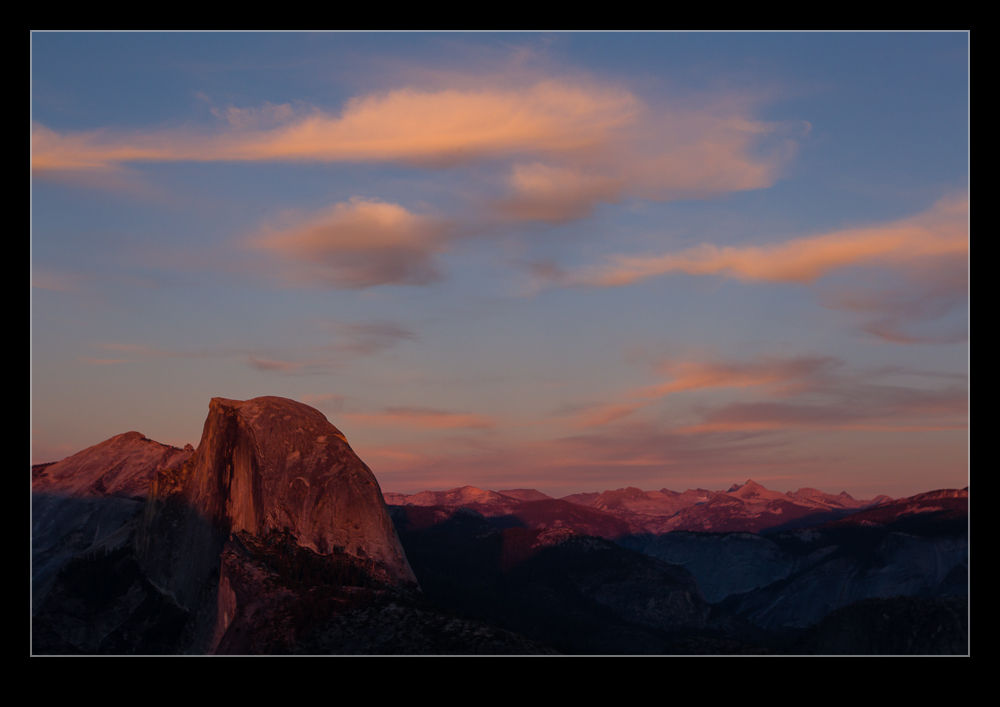
One of my goals while in Yosemite was to go to Glacier Point later in the day and watch the sunset casting its warm light over Half Dome.  Half Dome is always an impressive sight to behold.  Taking pictures of it never allows you to experience the scale and impressiveness of it but you do the best you can.  I got up there about an hour before the sun was due to set in order to get a few other shots.  I had intended to hike up to Sentinel Dome but I was running out of time so that part of the trip got scrubbed and saved for another day.

Shooting sunset type shots is a funny thing.  The view looks great and you take a few shots.  Then, as the sun dips lower, the light gets better and you shoot some more.  This continues until suddenly it stops getting better and it is all over.  You have to shoot a bunch of stuff since you never know whether it is at its peak or not.  Consequently, you end up with a lot of shots that you will never use again.

The other odd aspect about this shoot was the discrepancy between the view and the atmosphere.  Sunset at Glacier Point is a popular thing as you might expect.  Plenty of people are there.  Lots of them are families and families often include small kids.  Small kids are not so enthusiastic about sitting around for an hour waiting for the sun to set.  Consequently, the scenery looks great but all you can here is crying kids and desperate parents trying to buy off a tired and grouchy kid.  Not quite what you had in mind.  I just hope the parents still enjoyed the beautiful view since the rest of it looked painful for them.

Auto ISO

There is a function built in to my cameras that, until recently, I had never bothered to use.  It hadn’t been something that immediately grabbed my interest and so I had forgotten about it to some extent.  Therefore, when it could have been useful to me, I had not thought about how to make good use of it.  This is Automatic ISO.  This is an interesting idea when you start to think about it in more detail and one that might cause some to react in strange ways.

Many photographers will react poorly to the camera doing anything automatically.  They will say how they like to have control.  Then they will totally contradict themselves by telling you that they always shoot in aperture priority mode, totally ignoring the fact that the camera set the shutter speed for them in this mode “automatically”!  Therefore, for anyone reading (is anyone reading?) who jumps to the “I am against automatic anything” approach, why don’t you go and analyze exactly how your camera works and you use it.  If you are totally manual in everything you set, congratulations.  You obviously don’t need to read this anyway.

For anyone else who is a little more open-minded and who hasn’t played with this capability, let me explain why I tried it.  Plenty of times I have the camera in aperture priority in a situation where it is quite dark.  I know this is not clever of me but I often notice that the shutter speed is low because I can hear that it is!  In situations like this I might then tweak the ISO setting to try and bring things back into a range I am comfortable with.  My technique for this is rolling the dial a bit and seeing what I get.  Not clever analysis by any stretch.

Recently I was shooting a job in natural light (or lack thereof) that started long before the sun came up.  I knew I was going to be using some pretty high ISO settings to get useable shots and this is when the auto ISO function came to mind.  I went to manual mode, set the aperture and shutter speed I wanted and switched ISO to A.  Now, it worked out what was needed to get the exposure right.  As the light conditions improved, the ISO got dialed down but I didn’t have to do anything other than find what I wanted to shoot, compose and get on with it.  The only limitation I had was that I don’t know how (or even if) you can add exposure compensation in this situation.  Something for me to research – maybe even take the dreaded step of reading the manual!

The results were very satisfactory.  I got the images I wanted and didn’t have to constantly wonder about whether my ISO setting was right.  Obviously, this is not a solution for every situation but it does provide a good approach in some conditions.  Maybe you will have a time when it is worth a go to.

Experimenting with Multiple Exposures

Right away I must admit that this is not my idea.  I know that is true of many photographic tools but I once saw someone do something just like this and I wanted to try it out myself.  The question was how to go about it.  I improvised a bit and trusted the camera to do what I wanted which it didn’t always do so I have learned some lessons already.

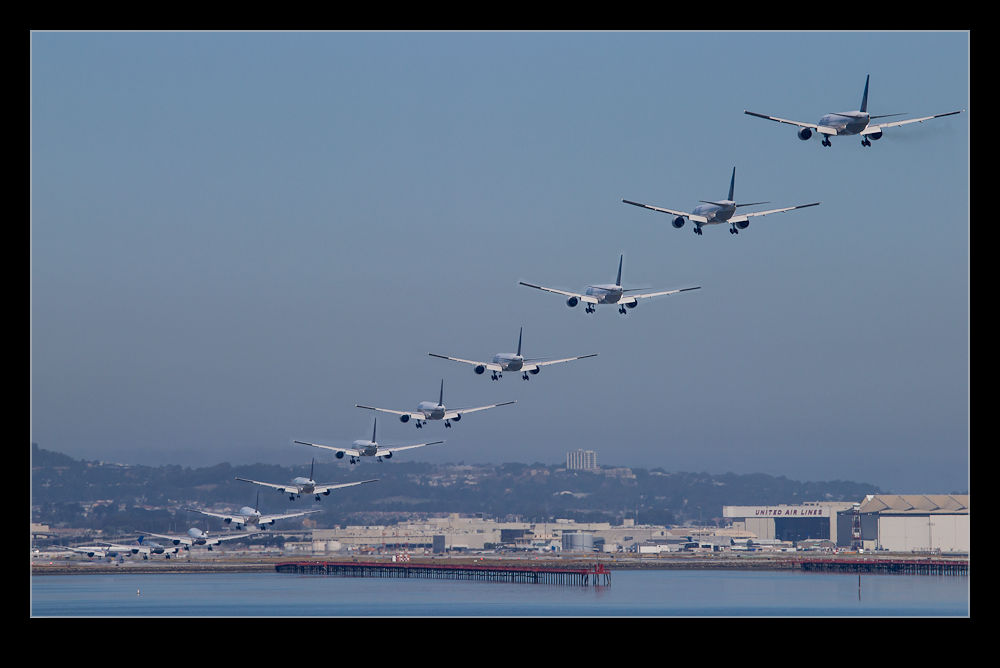
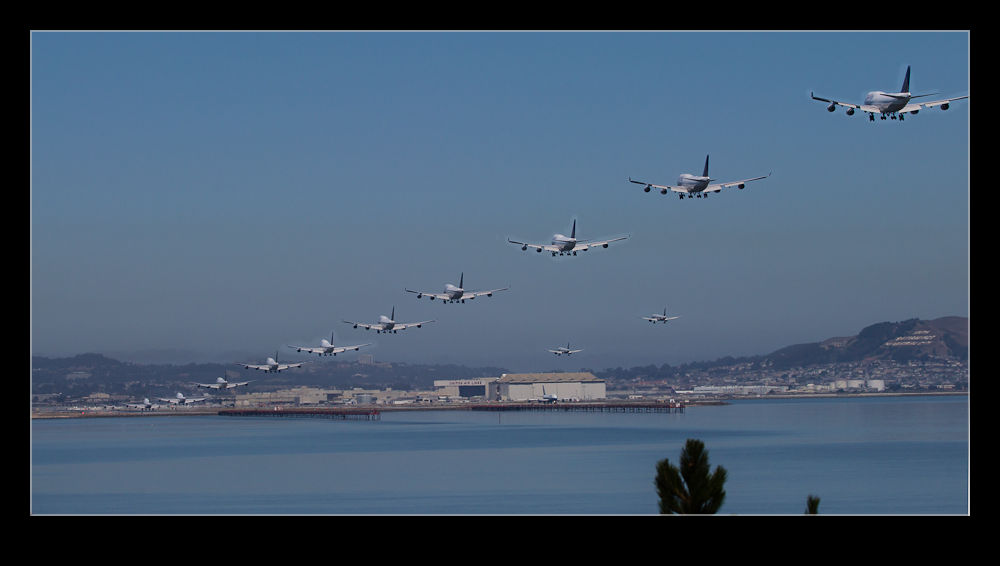
The idea is to take multiple exposures of aircraft on the approach and then combine them into one image in which the aircraft appear multiple times.  I would set myself up in a position and then take a sequence of shots as the aircraft moved through the frame.  My first mistake was that, because I was taking the same shot each time, I thought the exposure would not change.  Not true!  The camera will make some minor tweaks and this will make the whole thing less easy.  White balance may also vary but I shoot in raw so syncing that afterwards is no problem.

Since I was not using a tripod, the shots are not all perfectly aligned.  I took all the images in Lightroom and used the Open as Layers option to Photoshop.  Then I used the auto align layers option to get everything perfectly in place.  It is surprising just how much you move doing something like this!  I originally thought I could just set every layer above the base one to Difference blending mode and everything would pop right out.  However, that didn’t work as I had hoped.  The aircraft all had an odd color cast.

Instead, I put a layer mask on each upper layer and then painted in the aircraft one layer at a time.  This is more time consuming but it did the trick.  Of course, if the exposures are perfectly matched, you don’t have to paint too accurately.  if not, the sky color is different so a far more accurate painting on the layer mask is required.

This was a fun thing to experiment with.  SFO is a great spot since you can get parallel approaches in one direction and parallel departures on the cross runway.  This puts lots of aircraft in a single shot which makes it more interesting.  Another time, I will take the lessons from this time and try and get them a bit better.

Lightroom 4 and ACR

One of the guest speakers at ISAP this year was Scott Kelby.  Nikon have sponsored Scott to speak at ISAP in the past and it was good that they brought him again this year.  He had a longer slot than in past events and so was able to go into a great level of detail in what he discussed.  He also brought his normal style of presenting which combines a lot of humor with the educational elements.  I find him a good guy to listen to.

I learned a lot of little things from him during the course of his presentation but today I want to focus on just one thing.  This relates to the processing of images using Lightroom 4 and Adobe Camera Raw in Photoshop CS6.  As he pointed out throughout his session and for those of you that don’t already know, these two things are exactly the same.  The processing engine and the controls are identical and the images can be processed in either and get exactly the same results.

What I found fascinating was the level of aggressiveness possible with the controls.  Having used the previous three versions of Lightroom, I have become accustomed to just how much I can use the sliders without the whole thing becoming a total mess.  With Lightroom 4 there is a new processing engine available and the sliders have been changed in their functionality.  I have been getting used to them and experimenting a little with what they do.

What Scott showed us was that you can really be a lot more forceful with the slider use.  Previously, if you used too much of a slider, the image would begin to look really bad.  Now, the sliders are a lot better controlled and you can use far more of the available range without everything becoming scary.  Scott’s methodology through the sequence of sliders also helps out with this.  After his lecture, I went to the laptop and had a go.  It was true.  You really can be a lot more aggressive and the results are really good rather than horrifying!  This was a great learning opportunity and will significantly impact how I approach things in future as well as making me revisit a few previous shots!

Back from ISAP

Another year’s ISAP symposium has drawn to a close and we have all headed home (or straight off to other assignments for some!).  This was a good year overall and I had a lot of fun.  Having been to a number of them over the years I have built up a number of friends that it is good to see as well as enjoying the content of the presentations.  Not everyone was there this year and I missed the presence of a few people but, hopefully, they will be back at the next event.

I saw a lot of fun things and got some shots so expect to see a few more posts in the coming days that show some of what we saw.

Glorious Cheating!

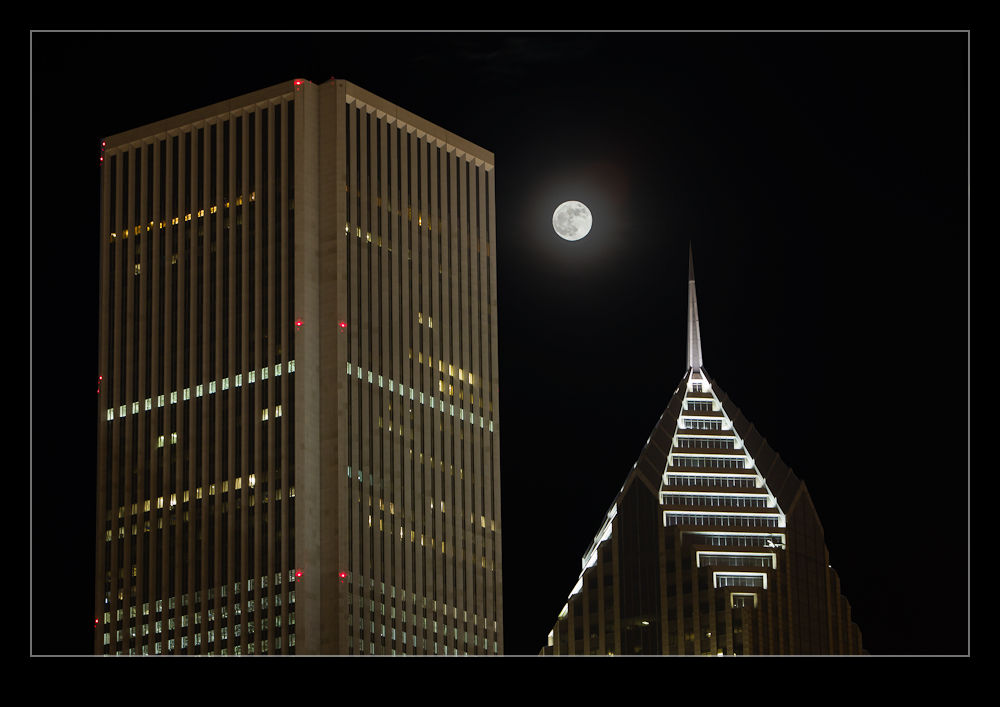
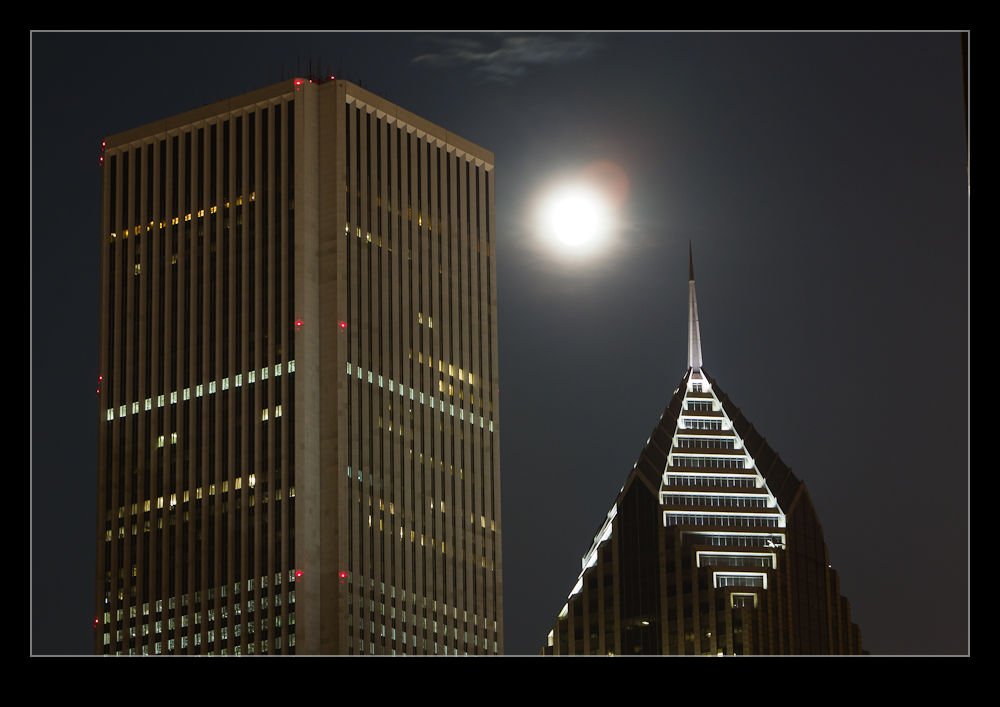
The moon was supposed to be at its biggest recently. I was all ready to head down to the lakefront and get some shots as it rose and the atmosphere magnified it to the greatest extent possible. However, as the afternoon started to wind down, the fog started to roll in. As the sun was setting, the fog banks were wafting between the buildings around us and you couldn’t see the harbor wall let alone the horizon. Oh well, what can you do?

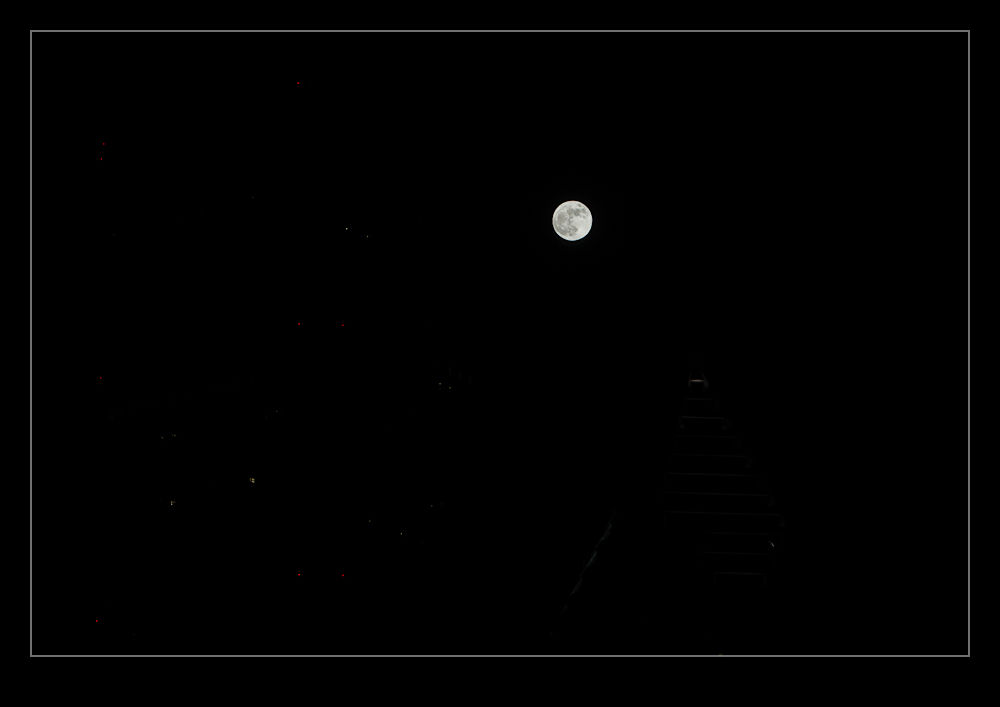
As the evening rolled on, the fog finally cleared out but, by then, it was too late. The moon did appear amongst some of the buildings so, while it didn’t look significantly different to normal, I still decided to get a couple of shots. The problem with this is that the moon is effectively in sunlight while the city is in night. The top picture is the cheat that resulted. Below are the two shots I took next to each other. One was exposed for the buildings and the other was for the moon. A bit of layering and masking in Photoshop was necessary to get the result at the top. I am not a Photoshop wizard and I suspect those that know their stuff would tell me why it is not as well executed as it could be but this was hardly a client job! Just a bit of fun.

ISAP Here I Come

It is that time of year again when ISAP members get together to share knowledge, learn knew things, see what each other have been up to and generally have a lot of fun.  Throw in some chances to shoot some great airplanes and you have a great time.  I can hardly wait.  Hopefully more to report from the trip.  We even have an air show tucked in at the end of the weekend so it should be fun.

You shall find out more when it happens – or a little while afterwards…  Blogging might be a bit sporadic while I am gone.

Lightning Up the Mood

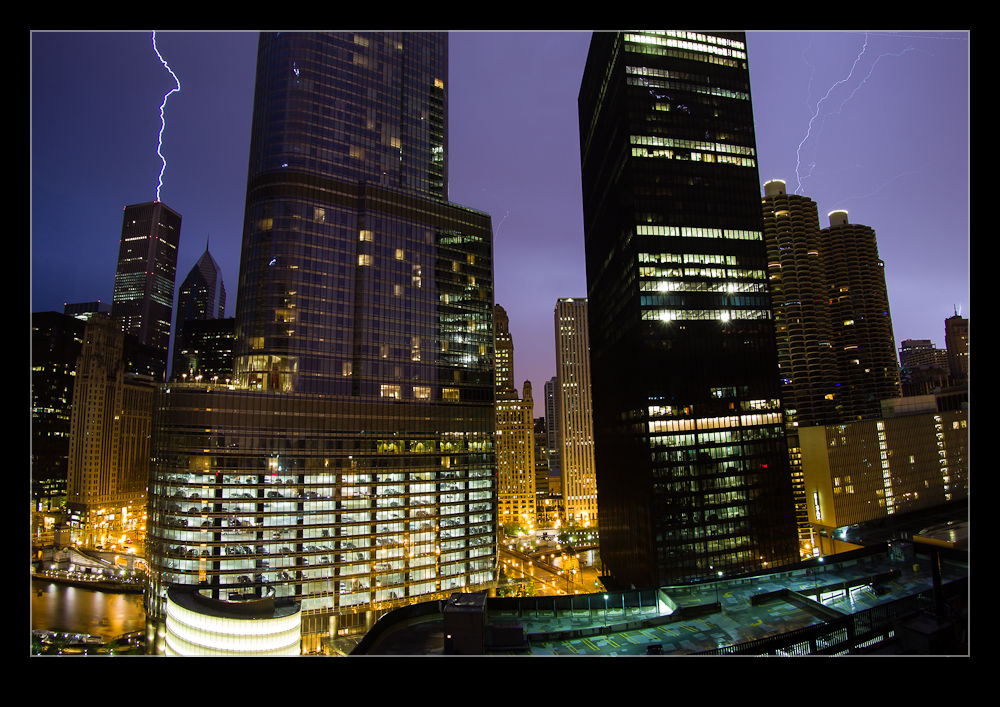
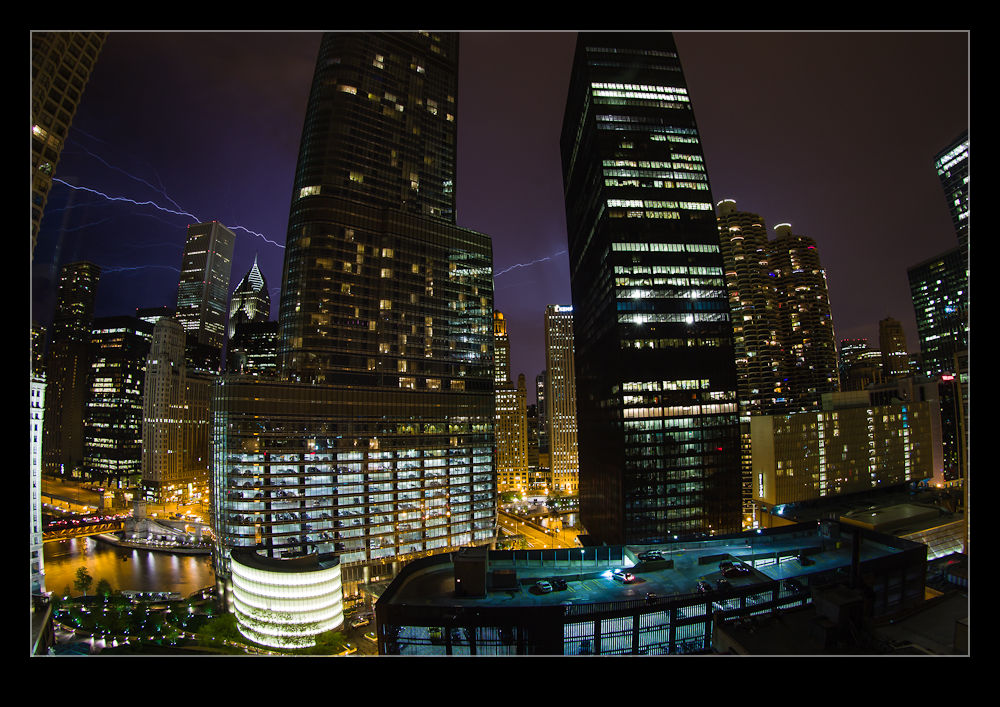
A little night shooting today and a confession about my role in what was going on. We moved to Chicago eight years ago. When we first got here, we were amazed by the storms we got. There seemed to be lots of them and they were really pretty spectacular. When looking out of the window we would see lightning all the time. Sometimes the storms went on for so long it was hard to believe that it was a storm and not someone planting an emergency vehicle outside the window – a neat trick at the height of our place!

Strangely, for the last few years, we have had very few storms. They seem to miss the city and go either north or south of us. Some people are getting a lot of them but not us. This was a bit disappointing to me because I love storms! They are so dramatic and very cool. They are, of course, rather destructive but watching them is exciting. This week we got a good storm. The sky was alive and it was a lot of fun. It was also rather late and I needed to go to bed. Consequently, I cheated.

My 17-40mm lens is not enough to cover the full view south of us so I went with the fish-eye zoom instead. I set the camera up on the tripod, added the intervalometer and basically set it on its way. The gap between the shutter closing and the trigger for the next shot was just long enough to allow the file to write out. Then I went to bed. The result is a LOT of pictures with almost all of them of no use. However, it did capture a couple of shots that I really like. I even tried using the new lens correction facility in Photoshop CS6. Our view is a little less impressive since the Trump Tower blocked a big chunk of the skyline but it still gives a nice look to the storm. Hope you like them too.

Lots of Work Down the Drain

No pictures in this piece and that is kind of the point.  I have been working for a long time on setting up a photo shoot.  The plan was to get some pretty unique shots of a rare jet that is owned buy a great guy I have worked with for a long time.  The plan was to charter a camera ship that allowed some options to get shots that are harder to get normally.  I had found an operator of the right aircraft that was in the right place and was happy to do the job.

We had the pricing agreed and they had even sent me the draft lease documents.  I had made some amendments to these and sent them back to be finalized and then suddenly everything goes quiet.  I send a follow up and hear nothing for a while.  Then I send another email and the response I get is not good.  They have found a more lucrative job and I am no longer on their schedule!  How about that?  You spend time briefing what is required, discussing all of the details, agreeing the pricing and you think that you have it all agreed.  You are finalizing a lease document which includes a down payment so you think they are serious.  Then you are dropped like a stone.

I think it is fair to say I am really pissed off.  I am not going to name names because that isn’t going to help and one day I might need them for something else so I will keep the details out of this.  However, I try to always be professional in the way I deal with people whatever part of my work is involved.  I guess not everyone shares that approach.  If they found a better job, perhaps they might have tried to solve my problem as well.  They gave me a name for an alternative but this short a notice period is unsurprisingly meaning that an alternative is not available.  The other guys tried hard to come up with a suggestion and I am grateful to them for that.

Having ranted I shall now wrap up.  I was really hoping that you would see here the great results of what had been planned but I shall have to say instead that it just didn’t happen.  Now to see if there is something we can come up with instead.