Category Archives: technique

It’s ISAP Time Again

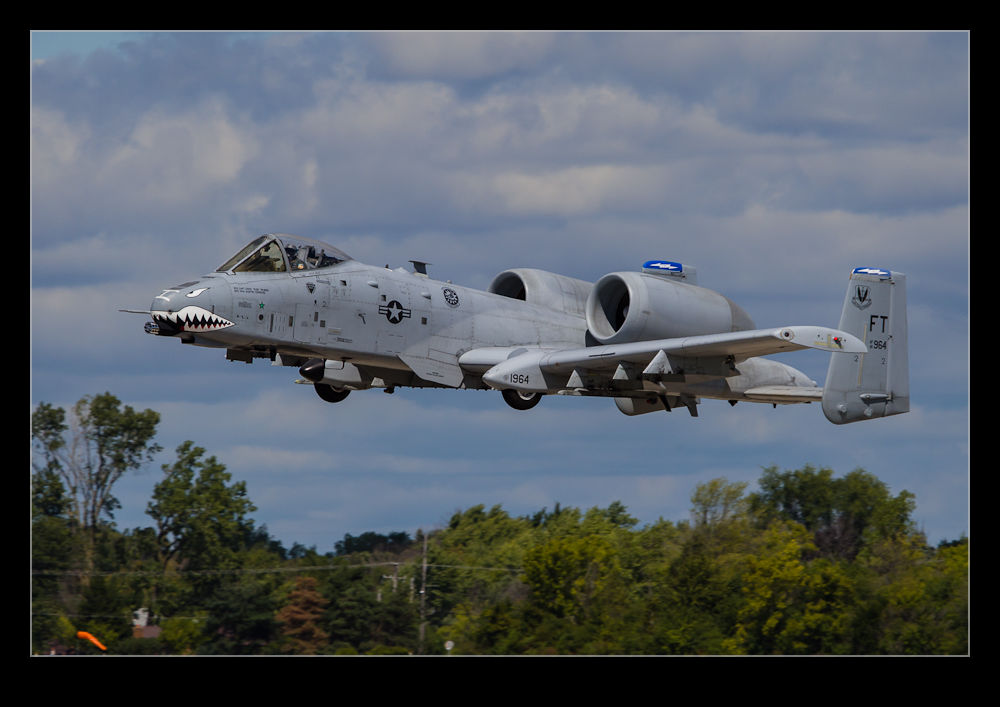
wpid4590-C59F3417.jpgOnce again the annual symposium of ISAP, the International Society of Aviation Photographers is back around. This year it is being held up in Seattle. It is always a good chance to meet up with old friends and spend a few days discussing planes and taking pictures of them. I am looking forward to seeing how it all plays out this year. Hopefully, it will be a great event. We shall see.

No doubt, there will be some pictures from this event that make their way onto the blog. Stay tuned to see what shows up here in the coming weeks! As to the reason for the A-10 picture above, it has nothing to do with ISAP. It’s just a picture of a plane that I like!

Cool Kit If You Are a Video Person

I shall start by pointing you at a blog that is far better written and far more informative than this one. Not a huge challenge of course. However, the author of this blog is a fantastic photographer and now also a director – Vincent Laforet. Vincent’s blog can be found at blog.vincentlaforet.com and he posts quite frequently on the subject of film making, techniques and equipment. Vincent started out as a photographer and a very good one at that. He has won a Pulitzer Prize and is a Canon Explorer of Light. I first saw him at an ISAP event where he talked about his aerial photography as well as a very moving description of his experiences after Hurricane Katrina.

His life changed dramatically when Canon released the 5D Mk II. Vincent had early access to the camera and made a short called Reverie to demonstrate the video capabilities. This short went viral and suddenly making motion pictures with SLRs was a big deal. Now he has moved geographically and professionally and works in the film business. (As an aside, if you ever get the chance to hear him speak, do go as he has some fascinating experiences to share and may well move you in the process.)

Recently, on his blog, Vincent talked of some new device that he considered a game-changer that he would be announcing. The anticipation got quite a few people interested and, when the announcement came, it did not disappoint. The device is called the MOVI (there is a cool stylized way in which MOVI is written that this blog is not going to do justice to I’m afraid) and it is made by Freefly. It is a stabilized mount that is handheld and provides the ability to get smooth shots with a single hand allowing some very creative approaches to moving the camera.

I am not much of a video guy. However, when I had my first SLR with video capability, I started experimenting with shooting video and this has progressively become more important on the projects I am working on. Video provides a very different way of presenting some subjects and it complements the stills well. My video shooting and editing skills might not complement my stills quite as well but we have to keep learning.

Since I am not investing in a significant amount of video equipment but, instead, I shoot video as part of my stills efforts, I have to be limited in how adventurous I can be. Steady handheld shots without a rig are a challenge but can be achieved. Moving is out of the question without making the viewer feel very uneasy. I recently shot some cockpit video from a jump seat during the takeoff roll and during refueling and the vibration made the majority of the footage unusable. A few small excerpts showed the experience but not long enough to make people uncomfortable.

Getting a stable platform in difficult situations is a great step forward. The MOVI is a very cool piece of gear. It is not cheap but, compared to other pieces of equipment, I think it is very affordable. More importantly, it is the start of something new. People will take this concept and run with it and we are likely to end up with many types and levels of complexity of stabilization that will suit different pockets. This could mean something that works for me. This is why I am so excited. The MOVI is great and I would love one. I don’t have the justification for one for my projects but I feel confident I will see something come from this that will make my work easier in due course.
Cheap Macro

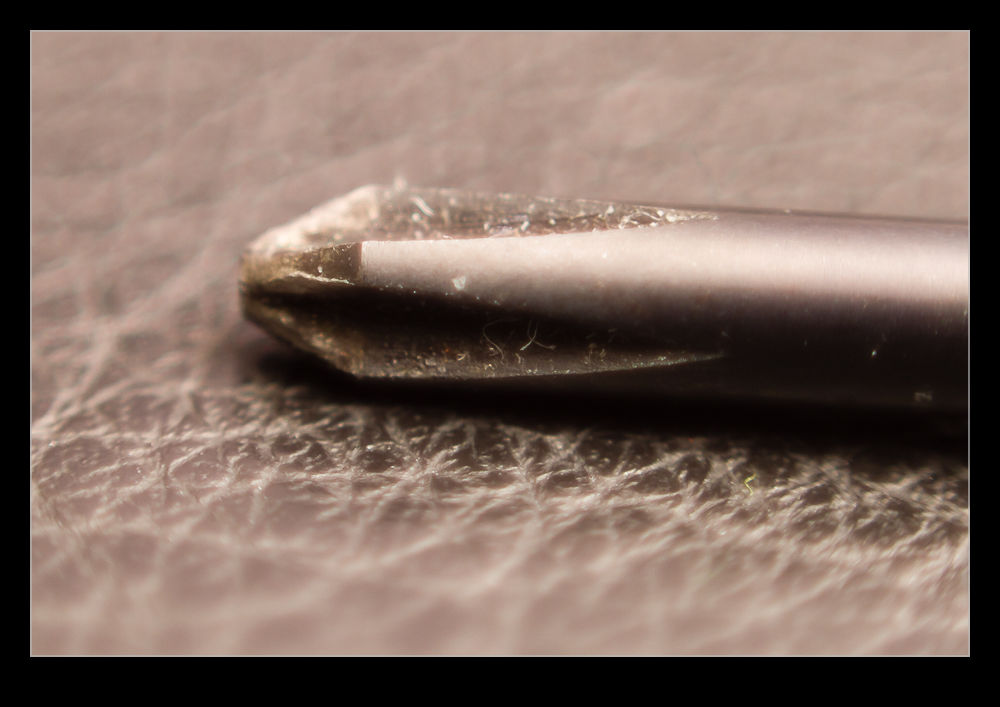
wpid5358-AU0E4107.jpgWhile the idea of trying macro photography has always been of interest to me, I have never got around to actually doing it aside from an old lens I had in my pre-autofocus days that had a macro setting.  The idea of renting a macro lens had occurred to me but the reason to do it hadn’t come up and I didn’t feel like renting the lens without having something to use it on.

wpid5360-AU0E4111.jpgThen I remembered reading about reversing a lens to use it for macro.  I have a 50mm that I I hand held in reverse to see how well the macro effect would work.  It seemed pretty good so I decided to get a mounting ring to reverse the lens on the camera.  Amazon came up with a bunch of options and the one I got set me back the enormous total of $8!

wpid5362-AU0E4114.jpgThe simple answer is that it works.  It is a little inflexible to use compared to something designed for the task but it does work.  The depth of field is extremely shallow and you get some odd distortion across the edges of the image.  Obviously there is no focus or exposure control.  I just set the camera to aperture priority mode and dial in the normal f/1.8 of the lens and the exposure seems to work out pretty well.  Then it is a case of moving the camera around to get focus.  Not something I am going to do a lot but, for $8, I don’t have to worry about getting a lot of use out of it!

32 Bit HDR

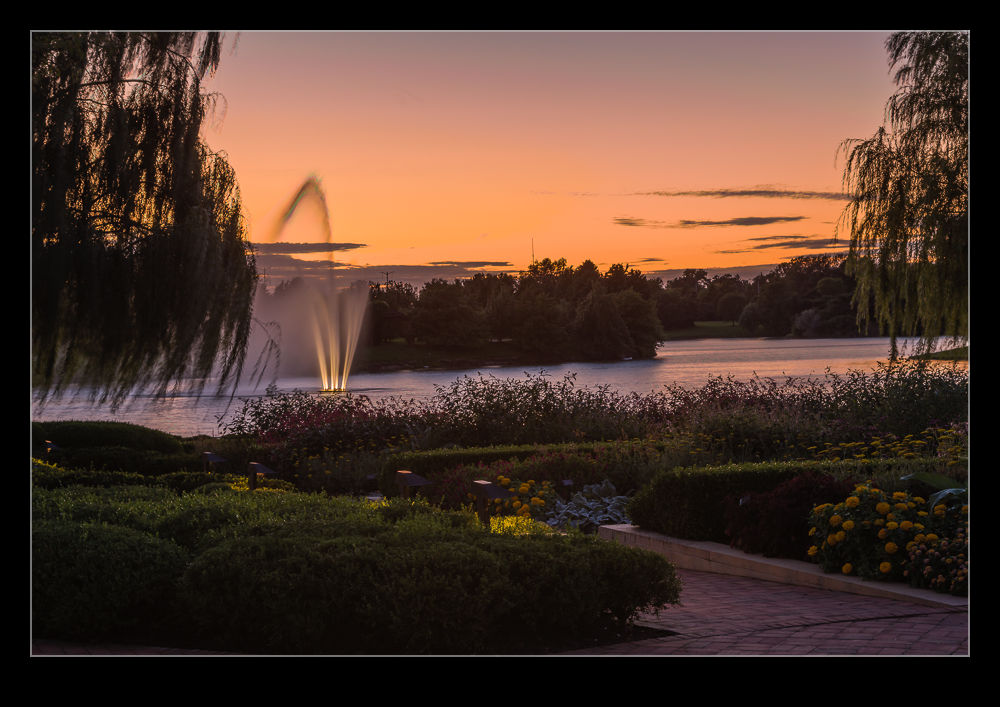
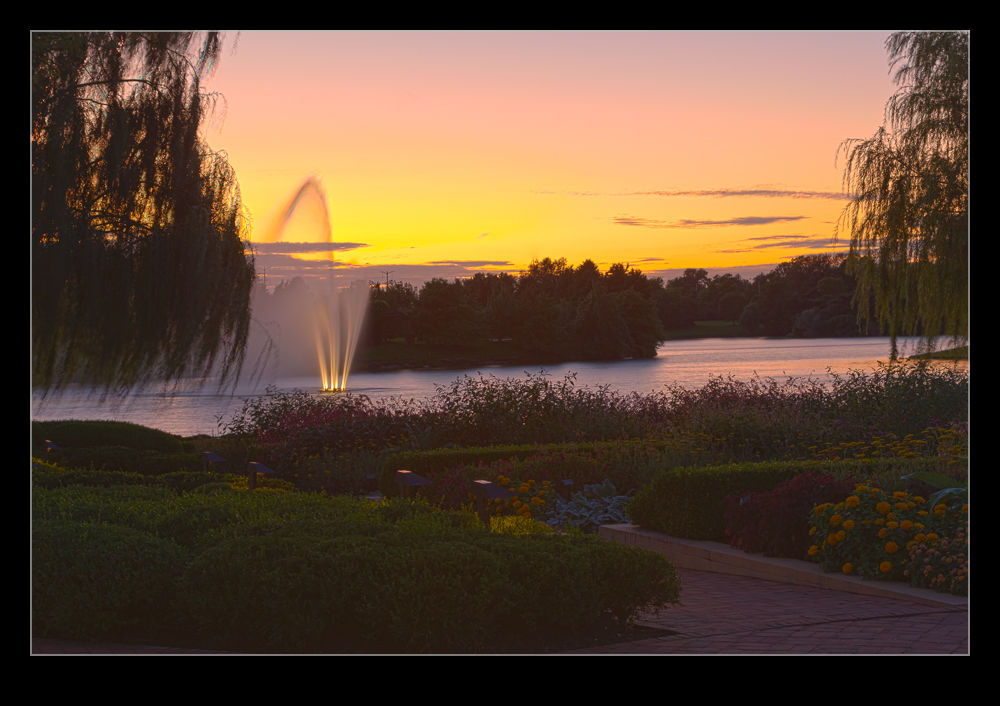
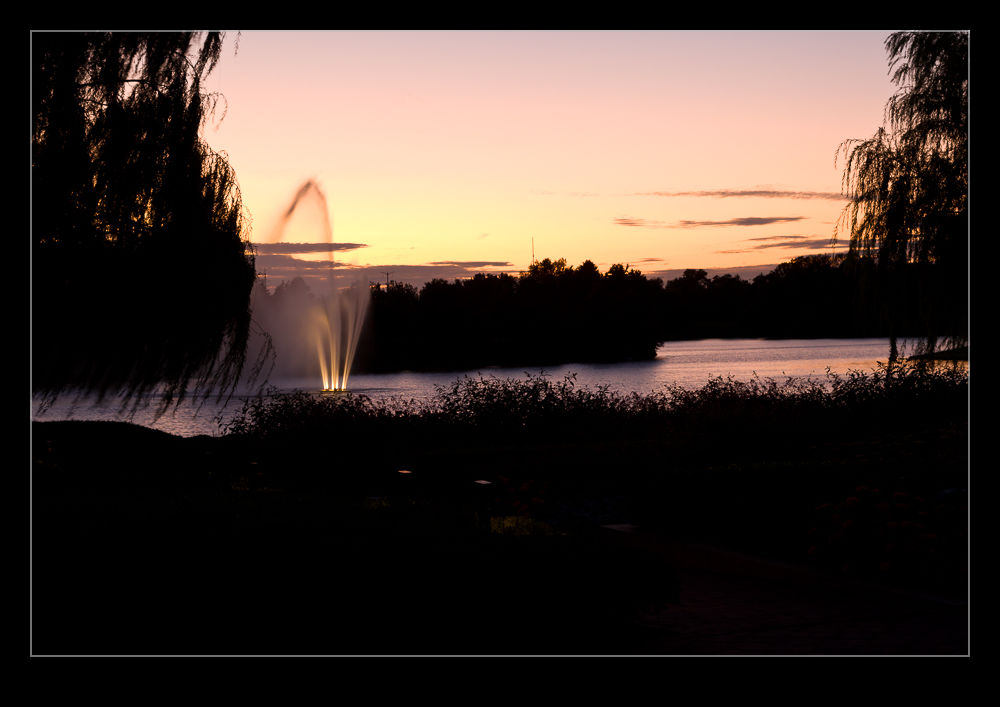
wpid5294-C59F0909-Edit.jpgWhile HDR might be a topic that causes all sorts of heartache for some people (they either love it or loathe it), I find it to be a really useful tool in some situations.  I have played around with some really over the top processing in the past just for the fun of it but my main interest has been in getting an image that can cope with the wide range of lighting that sometimes shows up in images.  While I have experimented with some of the third party HDR packages, I have ultimately ended up using the HDR Pro functionality of Photoshop.

This has been working okay for me but I was always a little less than satisfied with the results.  I have understood that the HDR merging process is only the first part of the technique and then the Develop settings in Lightroom (or ACR) are required to make the whole thing work a lot more effectively.  However, the slightly flatter look along with a level of desaturation that it was hard to bring back meant I was almost there but not quite.

wpid5292-C59F0909-Edit-2.jpgA recent change that has been introduced and which it took me a while to get around to playing with was the 32 bit HDR approach.  In this, the original files are merged to create a 32 bit TIF file.  Getting to this from Lightroom required me to tweak my settings slightly. I always had the file edit settings laid out to make a PSD file.  I had to tweak them to make TIF the preferred file.  I have to remember this so that I don’t always have TIF output instead of PSD which seems to have a smaller file size.

Once you get into HDR Pro, the choice in the tab at the top covers whether you want 8 biit, 16 bit or 32 bit output.  I had previously been using 16 bit.  This includes a lot of sliders that give you options as to what you want the output to look like.  If you change to 32 bit, there is a single slider. It shows you an effect of changing the white point but I don’t think it actually changes the output file.  You decide whether any ghost removal is required as with the 16 bit file and then click to get it on its way.  Once the final file is created, I just save it and go back to Lightroom.

wpid5290-C59F0911.jpgHere, the Develop module is changed in its functionality.  You can make some pretty aggressive changes with the sliders compared to a normal RAW file.  You can work with the exposure, the shadows and highlights and the contract as well as using the Clarity and Vibrance to punch up the image.  The nice thing is that the results are a lot more natural looking.  You don’t have the really crazy styles and you don’t have the flat look that sometimes is the result with the traditional approach.

HDR is not a huge part of what I do but I am interested in having a better result.  I am not interested in investing in new software to achieve this when it is an infrequent issue for me and not usually something that a client cares about.  However, the fact I can now do a better job with the software I already have is a great step forward.  As for these three examples, the top is the new process, the middle is the old way and the bottom is using Lightroom to try and get detail from a single RAW file.

SF City Hall

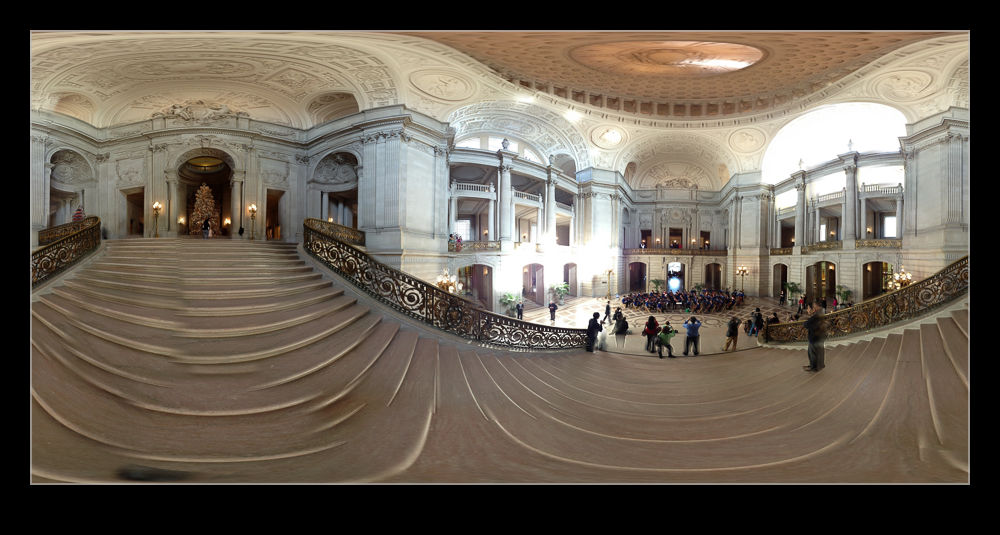
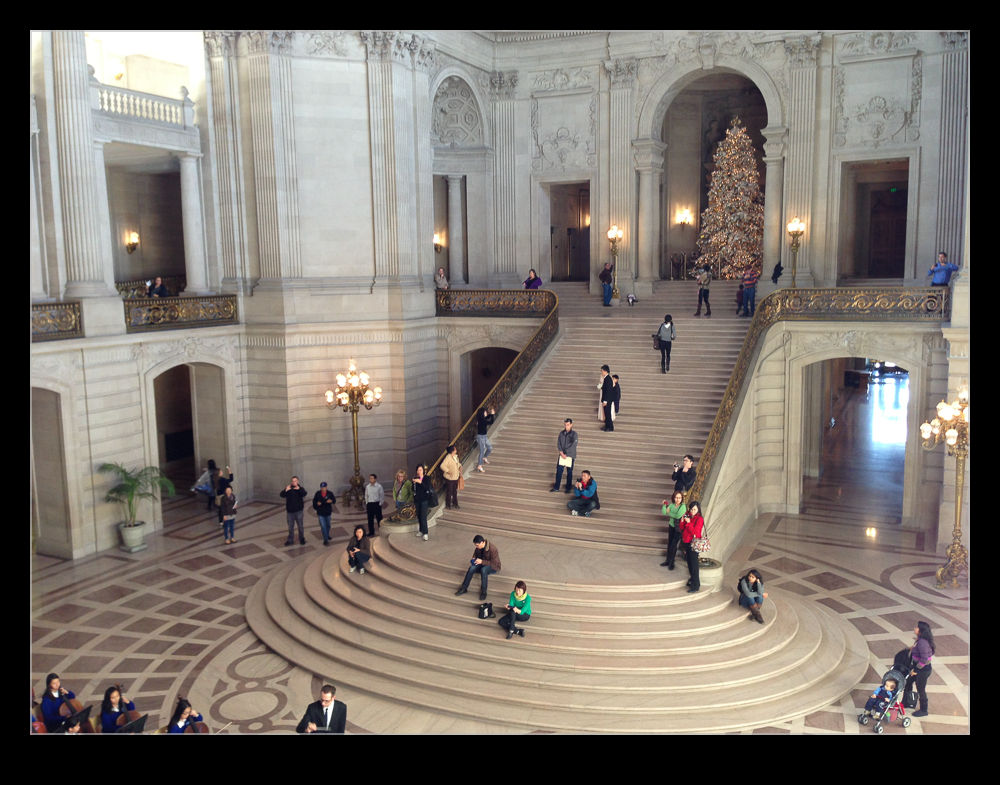
wpid5226-IMG_0942.jpgA meeting in the heart of San Francisco meant a bunch of our team were meeting downtown.  A few of us got there a little head of the meeting and, with a couple of minutes available, I wanted to check out the City Hall building since it was only a couple of blocks away.  As an old City, San Francisco has some classic architecture and this is no exception.  For some reason, despite the numerous times I have been to the city, I have never been to City Hall before.

wpid5228-IMG_0938.jpgA group of school kids were playing some orchestral music in the main hall and plenty of family members were there.  I wandered around taking a look.  Since I didn’t have my normal cameras, the phone had to serve duty.  Fortunately, that also allowed me to try another one of the 360 panoramas.  I suspect I shall be carrying another camera with me when I am next in the area.

Office Picture

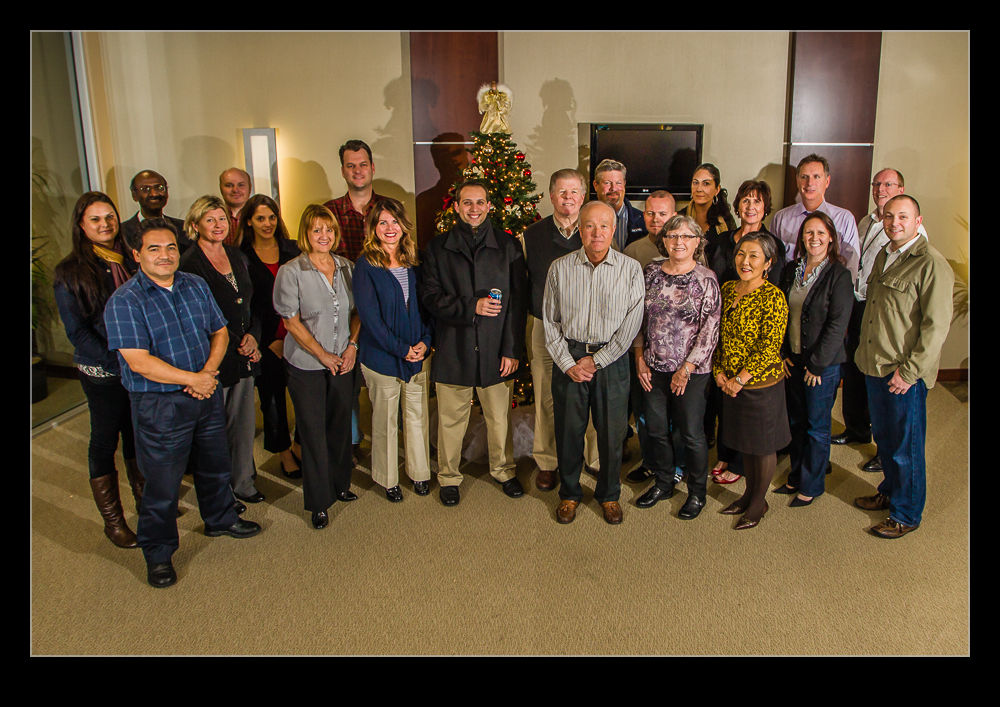
wpid5220-AU0E0982.jpgI have been working in an office in Sacramento on a project for a while.  With the end of the year coming up, an office calendar is being put together.  The majority of the pictures in the calendar are from the team members and their activities throughout the year.  However, there was also a need for a group photo.  I was asked if I would take the shot.  I was happy to do it but I also am a little less happy taking pictures of people than I am when it comes to inanimate objects!

I took a couple of flashes along with me and a remote trigger.  However, I was not willing to find out whether the whole thing would work only when everyone was there.  Therefore, a little early setup was in order.  I had a couple of volunteers to help by standing in various places to see how the light was working out.  Initially it was not good with the spread of light not avoiding some harsh shadows.  A bit of tweaking improved things a bit.  When everyone arrived for the shot, the result was a little different but acceptable.  A few people still managed to get in shadows and the corners did not look as good as I would have liked but the team seemed happy with the result.  I shall have to work out how I would do it differently another time.  Not an area I work in a lot but one I would like to be better at.

Patterns of the fields

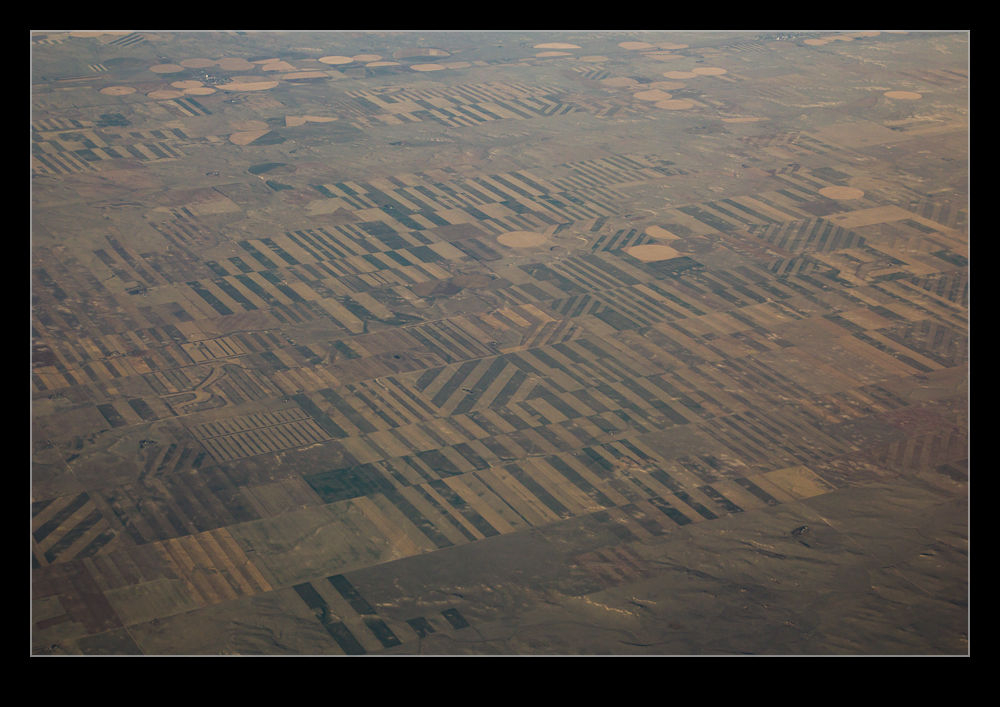
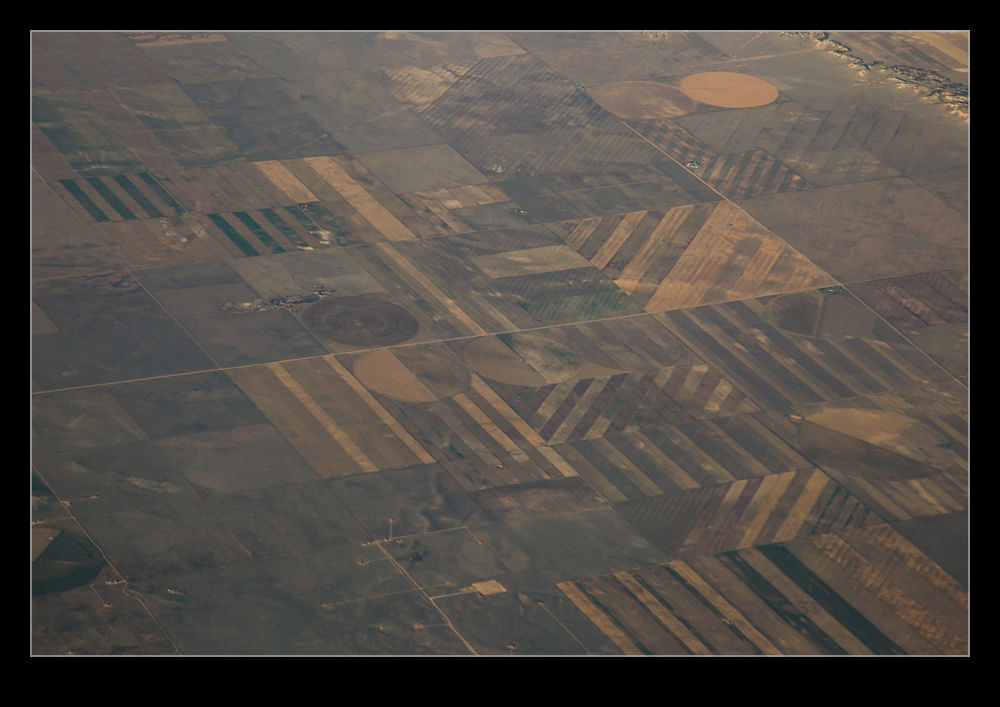
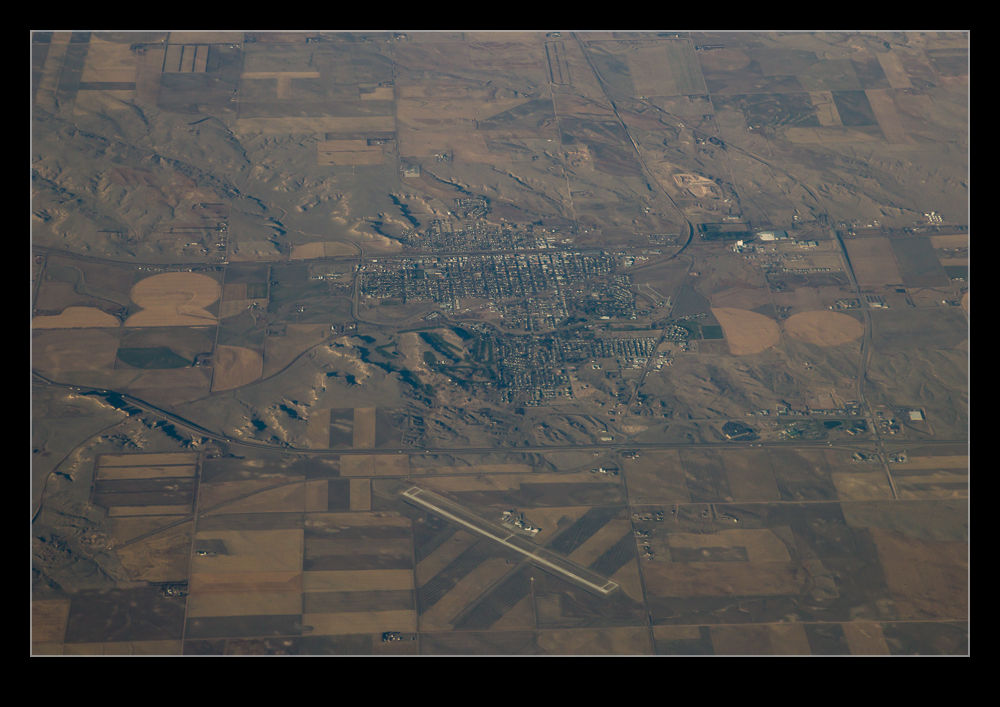
One of the things about flying across the country a lot is that you get to see a variety of scenery.  Sometimes there are wide open spaces with not much to see.  Other times there are mountains and valleys.  The unfortunate thing is that it is rather hard to get good photographs.  First there is the limitation of shooting through windows.  I always aim to be on the side of the plane away from the sun –partly out of comfort and partly for photography reasons – but having a window that is not optically perfect and then a piece of protective Perspex inside that means that reflections and distortions are a problem.  Since the windows are not uniform, you can end up with some parts of the image sharp and others not.  The autofocus can also struggle sometimes.

Even after all of that, you still have a problem with exposure.  You are quite a long way away from whatever you are shooting (shooting straight down is impractical given the window angles and how bad the optical properties become if angling across the window) so you have a lot of atmosphere to deal with and haze becomes a problem.  A certain amount of compensation is possible in post processing but it is always annoying that the shot does not look like the image you thought you saw at the time.

However, sometimes you just have to suck it up since you are seeing something that you otherwise would never see.  One thing that struck me on a recent flight was the patterns on the ground.  The fields had been harvested relatively recently and the harvesting had left different fields with different effects making some great patterns on the ground.  You would see these but, since you are moving along at a fair old clip, you had a short while to see what you wanted and make the shot before you had passed the point of the best composition.

If only these would look as good as they did to me when I was there.  Oh well, hopefully you will get some idea of what I was impressed by, even if the shots themselves are not impressive.

Night flight

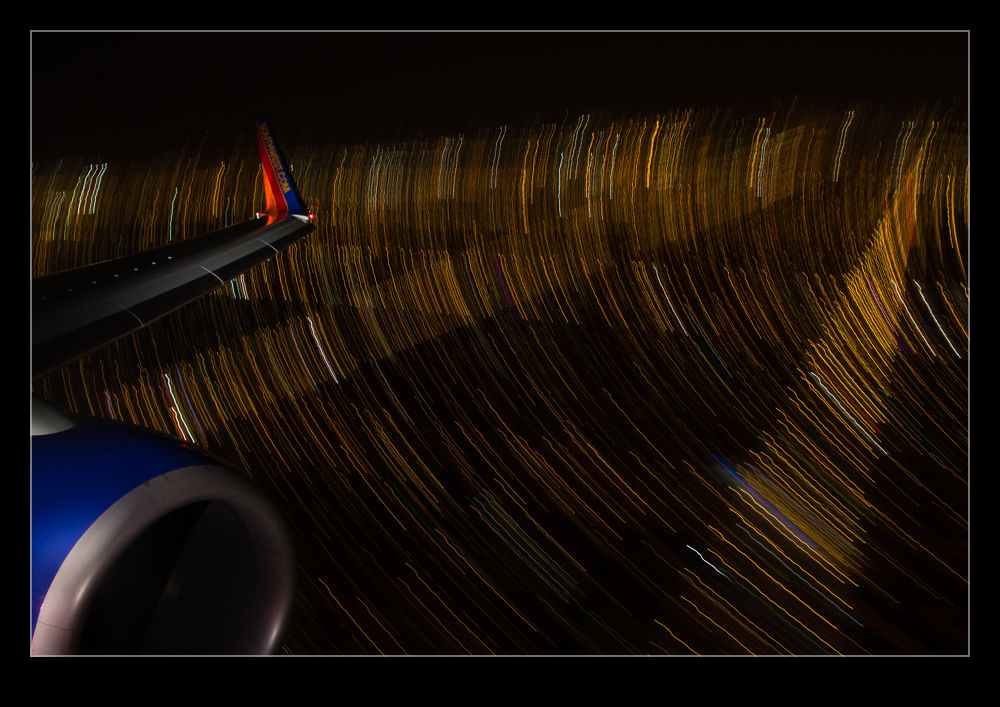
A recent flight home meant an arrival into Midway a while after the sun had set.  I had been taking some pictures out of the window as we headed back across the country and decided to try my luck after dark.  I had thought about trying out some auto ISO shots as I described in a previous post.  However, since I was shooting night scenes, the camera does its best to try and make things look properly exposed and this is not what you need.  Instead, I had to manually set the ISO to a higher number and then drop the exposure compensation to between -2 and -3.

The shots came out okay but they weren’t terribly interesting.  However, as we got lower, I decided to go for something a bit more interesting and slowed the shutter speed down dramatically.  I braced the camera against the window frame and decided to see what sort of light trails I could get.  The exposures were a couple of seconds or more so this is rather tricky.  While the background is blurred deliberately, I had the top of the engine and the winglet in for reference.  Avoiding blurring them was more hit and miss.

I tried a bunch of shots and was pleased with the number that came out well.  However, the effect only seems to work in a couple of situations.  One is a turn.  This puts more ground lights in the frame and turns everything into a nice curve.  The other is when you are very low at which point everything is moving past you close and fast.  I might try this again before too long but will have to ponder what might improve things.  One technique issue I was pleased with was remembering to turn off image stabilization.  With long exposures, it causes the image to wander so, when bracing, it actually makes things worse.  Unlike me to remember that first time out but sometimes I do get lucky!

Geotagging

A long time ago, I became intrigued by the idea of having location tag information appended to my images. It wasn’t something that I considered to be vital but it did seem to be potentially useful. However, as I am a Canon shooter, I quickly discovered that this was not going to be something that I could easily achieve. There were a number of GPS devices that you could attach to the hot shoe of a camera and plug in to the USB port but they worked on Nikons while the Canons did not interface with them.

I was a touch disappointed but not so much that it changed my life. I gave up on geotagging for a while until Lightroom 4 came along. It has a useful map module that allows you to see where images were taken if they have coordinates associated with them and so search for shots in a given area. More importantly for me, it allowed you to drag and drop images onto the map to embed the data if they didn’t originally have it. This became part of my workflow.

It did get me more interested in the idea of having real time data with the images rather than trying to decide which shots were taken where. The easiest option appeared to be getting a GPS tracking app for my phone to try. I took a look at the apps available. There are many of them, most of which seemed to be focused on keeping track of members of your family! All rather creepy. All I wanted was something that would keep a track of my location without draining the battery too much.

I settled on an app called GPX Master. It seemed to do what I wanted and had some good reviews. There is a free version with ads embedded or a paid version without ads. Since I was planning on it running in the background, having ads I would rarely see seemed useful. Moreover, it would automatically sync any track files I create with my Dropbox account. I have now taken it out for its first run. The results are very positive.

I was out shooting in a location but I did move a few times. When I got home, I imported my images to Lightroom and turned to the map module. I had checked that the clocks on the cameras were accurate since the time code of the GPS is what makes the process work. The GPX format file was already on my computer courtesy of Dropbox so I was ready to go. At the bottom of the screen was the drop down to select the track file. This I did and a blue track was immediately overlaid on the map showing where I had been. I then went to the map options drop down at the top of the page and it offered to automatically tag all files based on this track. Bingo! It was done.

It was so very easy. The images were grouped by their location. I zoomed in and saw that each location was actually a series of locations as I wandered around in each place. Very cool. I don’t know whether the tracks are absolutely accurate. They look pretty good to me. However, it is a lot more accurate than me guessing after the event. I am really impressed. The battery on the phone did not take much of a hit either so it looks like a promising approach. Now to remember to switch n the track whenever I am out shooting. I wonder how well I will do with that?

Playing with Noise Reduction

One of the biggest developments that there has been in digital imaging in recent years has been the improvement of performance in low light.  A few years ago, it was hard to get a decent image at above ISO400 and much post processing work was required to try and make the images workable.  Plug-ins for noise reduction were very popular.  However, the camera manufacturers have been very aggressive in developing chips and processors that allow shooting at ISO levels that would have been unthinkable a while back.  You hear of cameras being perfectly acceptable at ISO6400 and above.

My cameras are not the newest on the market but there are certainly not slouches in low light.  However, I have never been terribly happy with the performance at high ISO settings with the image breaking up a bit when viewed up close.  This is where I have to admit that I can be a complete idiot sometimes.

I shoot RAW all of the time and then process the images in Lightroom.  I have created some presets of development settings that I apply each time I import an image and which then acts as the starting point for any additional editing.  This is where my problem lies and why it has taken me so long to realize it I can’t imagine.  Anyway, enough of the self-flagellation and on with the topic.

The problem lies in the Detail section of the Develop module.  This is where sharpening and noise reduction are applied.  I have some basic settings I start with here and, when I was importing shots taken at high ISO settings, I was not changing them.  I would play with the noise reduction but things still didn’t look right.  The problem was, of course, the sharpening.  The basic setting I had entered was sharpening far too much for the ISO setting and was causing some odd breakup of the image.  I finally realized this one morning while lying in bed – I have no idea why I was thinking of this but it suddenly came to me.

I got up and opened some high ISO images and went to the detail area.  I zeroed out the sharpening and the noise reduction.  Everything looked awful.  Then I brought back the noise reduction and things suddenly started looking a lot better.  When I was happy with the noise, it was time to bring back some sharpening.  Things were a little soft after the noise was taken out so the sharpening brought back a bit of punch to the image.  A tweak on the amount and opening up the radius a bit made things look good.  Then a more aggressive level of masking of the sharpening and suddenly the image was looking way better than before.

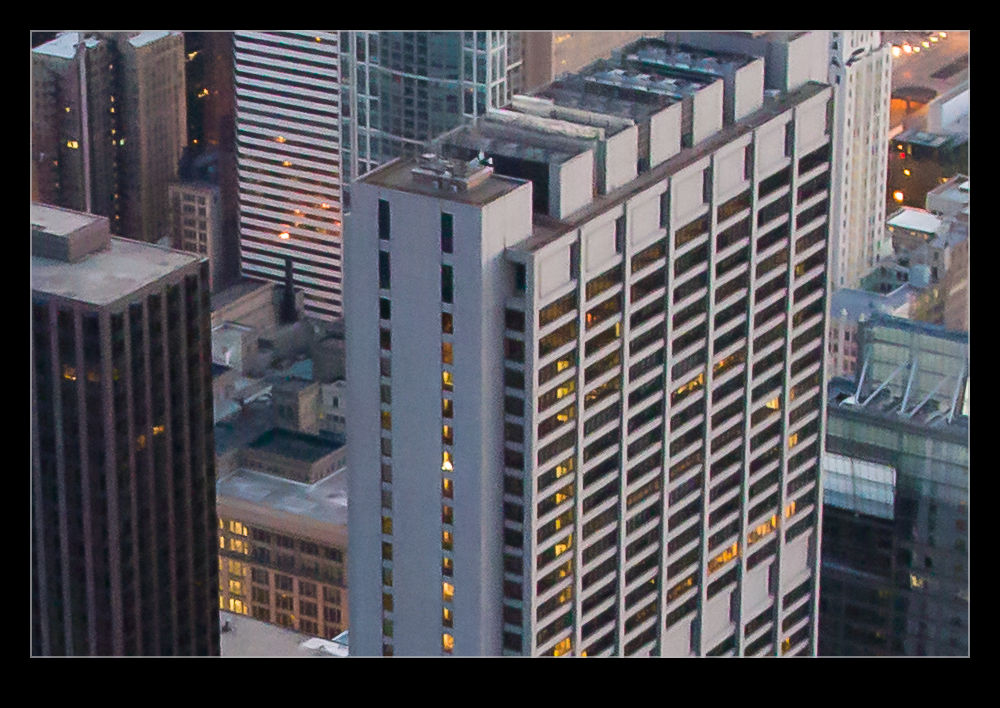
When I was happy with things, I saved a new preset that was just sharpening and noise reduction and labeled it as High ISO Detail.  Now I can apply it to any images that need it and be in a far better starting position for further processing.  Each image will require its own approach if I am going to make more effort on post processing but I will now be starting from a far cleaner place.  The samples above are comparison of approximately 100% crops with my original settings and the revised approach.  Hopefully you can see the difference.  It might be annoying to realize you have been missing something for so long but at least I finally worked it out!