Tag Archives: software

New Gallery

For a while I have been looking at changing the gallery software I use on this site.  The gallery is a relatively fixed part of the site.  New images are included as posts are published but the gallery is relatively unchanging over time.  However, the previous software I had used was based on Flash technology.  A look at the demographics of those visiting the site shows that a significant number are now coming from mobile devices, particularly those running iOS.

Consequently, a large portion of the visitors would get nothing if they tried to see the gallery.  This wasn’t something that I could accept.  I have now introduce a new gallery that runs on html5 as opposed to Flash.  Configuring it took a little work but it seems to be running now.  Therefore, it is now live.  If you click on Gallery above, you should be able to see the new format irrespective of your device.  However, I don’t have the resources to try it on every operating system so please let me know if it doesn’t work on whatever you are looking at.

Thanks

Rob
SF City Hall

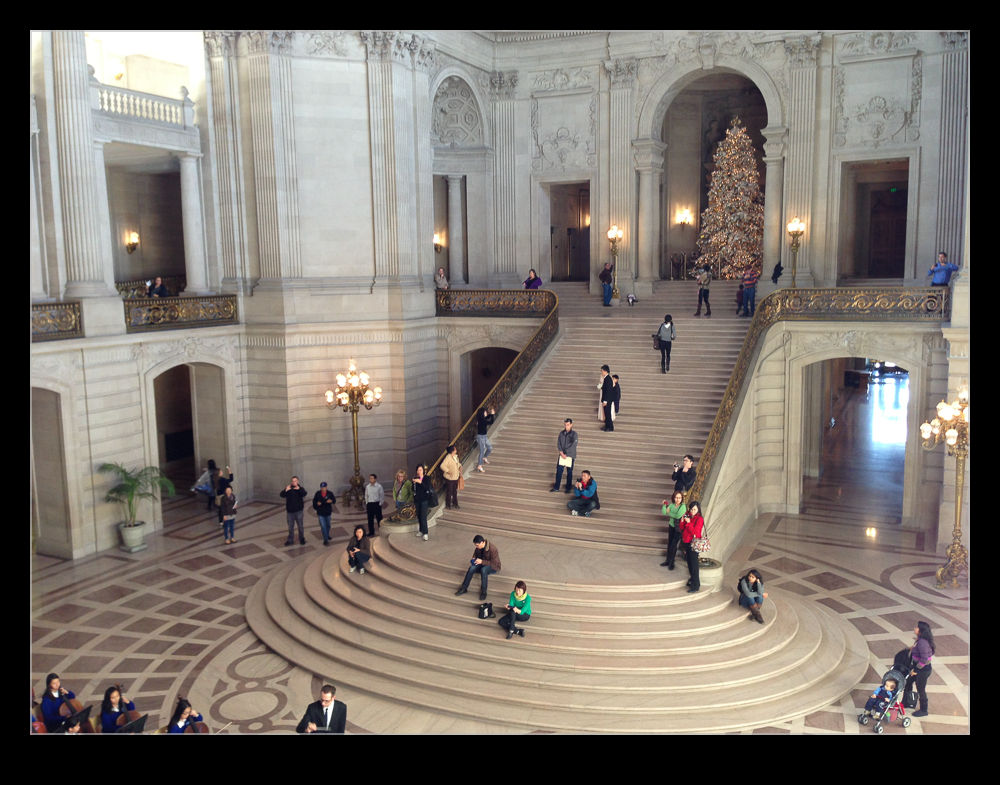
wpid5226-IMG_0942.jpgA meeting in the heart of San Francisco meant a bunch of our team were meeting downtown.  A few of us got there a little head of the meeting and, with a couple of minutes available, I wanted to check out the City Hall building since it was only a couple of blocks away.  As an old City, San Francisco has some classic architecture and this is no exception.  For some reason, despite the numerous times I have been to the city, I have never been to City Hall before.

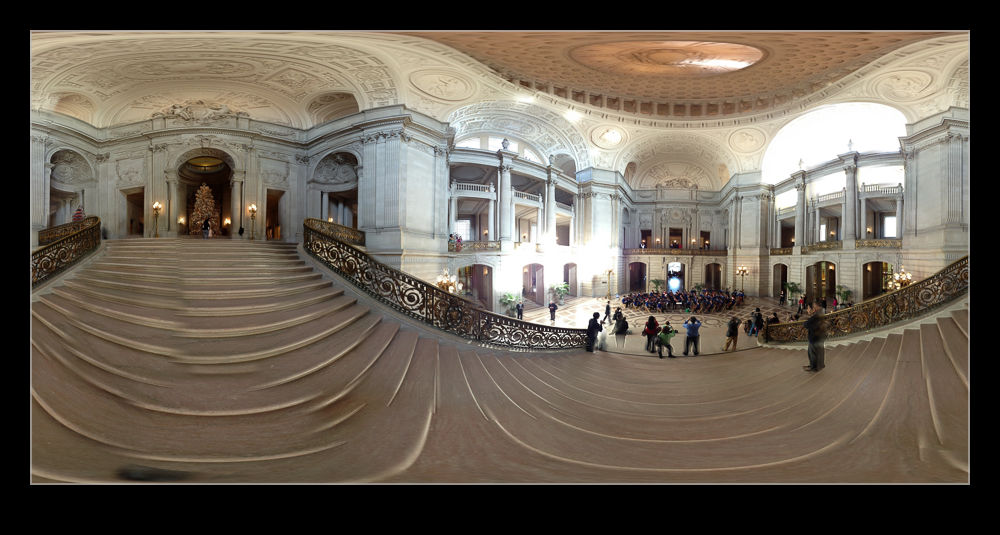
wpid5228-IMG_0938.jpgA group of school kids were playing some orchestral music in the main hall and plenty of family members were there.  I wandered around taking a look.  Since I didn’t have my normal cameras, the phone had to serve duty.  Fortunately, that also allowed me to try another one of the 360 panoramas.  I suspect I shall be carrying another camera with me when I am next in the area.

Pano 360

There is an app I have had on my phone for a while called 360 which is for taking panoramic photographs.  I have had it for quite a while and have mentioned it before here but they have progressively introduced new features over that time.  While the new operating system has a pano function built into the camera (if your phone isn’t too old), it is rather basic and nowhere near as good as this one.

Taking images requires a little planning since you are able to take a full spherical image.  Doing this without having the whole thing look strange in close requires you to keep the camera point itself unchanged as you turn around.  This is harder than you think.  The software can compensate a bit but you need to try and get it right in camera as much as possible.

It shows you a grid of the total shot and so you can see which bits you have shot and what is needed to fill it all in.  It gives you a live preview as you shoot including looking straight up and down when required.  Once the image is complete (or as much of it as you want), it processes it and then you can upload it to a website to view later.  The links here are from that site.  It is a great app and fun in some situations and valuable in others when showing off a wide view is hard to do any other way.

When checking this examples out, don’t miss out on a cool feature.  At the top of the viewer are three buttons.  It starts on the middle setting which allows you to pan around.  If you click on the left button, it creates a view from the ground up.  The right button creates a view looking straight down.  (This only works properly if I have shot a full 360 image.)  This looks like the work that Gerry Holtz has done and I blogged about here although his is far superior.

More Time Lapse Fun

I have been messing around with time lapses for a while as regular readers will know.  One of the things that I had been thinking about was getting a panning effect in a time lapse.  I was chatting with Ken Sklute at ISAP and he told me that, rather than bothering with expensive motorized panning heads, it was simpler to use the full image size that a DSLR offers and let the video software undertake the panning for you by cropping in on the shots.

I am not a big video guy and have Pinnacle Studio as my package.  It is fine for the basic stuff but doesn’t have the most impressive features.  When I goggled this topic, I came up with After Effects techniques for doing what I wanted.  I tried the free trial but struggle to come to terms with what was required, despite the detailed tutorial.  Guess that says something about me as a self teaching student.

Then I got lucky,  My friend Jo Hunter over at futurshox posted some video from Oshkosh of time lapses doing exactly what I wanted.  I dropped her a message and she came straight back with the solution.  The program is called LRTimelapse and it is a standalone program that makes Lightroom develop settings that you can then combine with a video output setting to make the final product.  It is developed by a guy called Gunther Wegner and you can find the whole thing at his website.  It is donationware and I have made one because it works and has solved a problem that had been troubling me for a while.

I need to get better at the effect but for the time being, here is a sample of the effect.  For comparison, first I have the original time lapse and second I have the panning version.  No change in the content but certainly a more interesting thing to watch I think.